
Notebloc Scanner
Version:4.7.7
Published:2026-11-01
Introduction
Notebloc Scanner turns your phone into a versatile document digitizer, offering fast capture, automatic perspective correction, and clean PDF export. Designed for students, professionals, and anyone who wants tidy scans, the app simplifies converting paper pages, notes, receipts, and sketches into searchable, shareable digital files with accurate edge detection.
What the app delivers
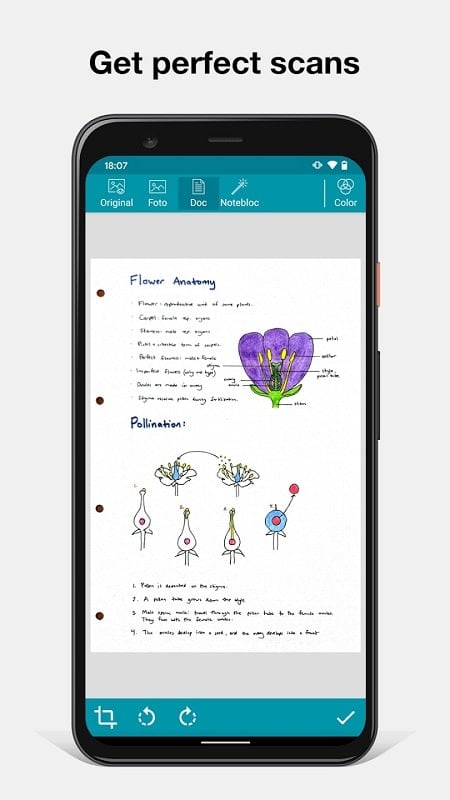
At its core, Notebloc Scanner focuses on speed and accuracy. The interface keeps the most common tools within thumb reach so you can capture a page in seconds. Built-in filters remove background shadows and texture, while the auto-deskew feature straightens tilted scans without manual cropping. Scans are processed locally for quick results and reduced upload time.
Key features and tools
- Automatic page detection: The scanner identifies document edges and frames the capture area even in low-contrast conditions.
- One-tap enhancement: Apply brightness, contrast, and noise reduction presets tailored for documents, receipts, and photos.
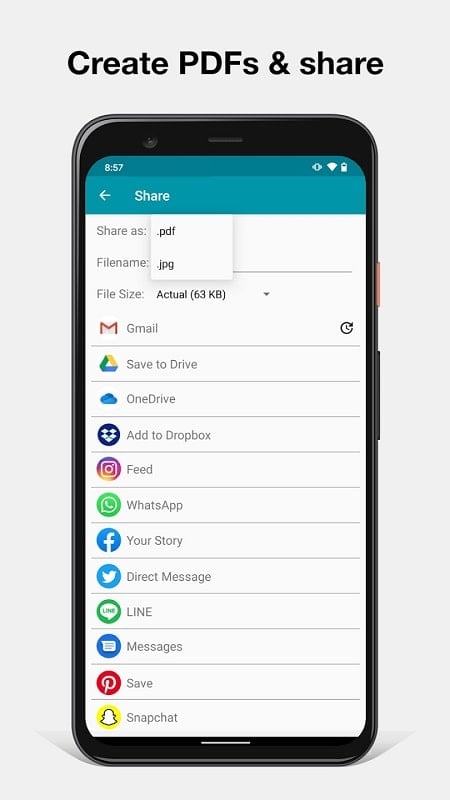
- Multi-page PDFs: Combine multiple captures into a single PDF or export images individually in common formats like JPG and PNG.
- Batch scanning: Capture a stack of pages quickly and let the app auto-split and save each page separately.
- Export and sharing: Share via email, cloud drives, or messaging apps with a single tap.
How scanning works step by step
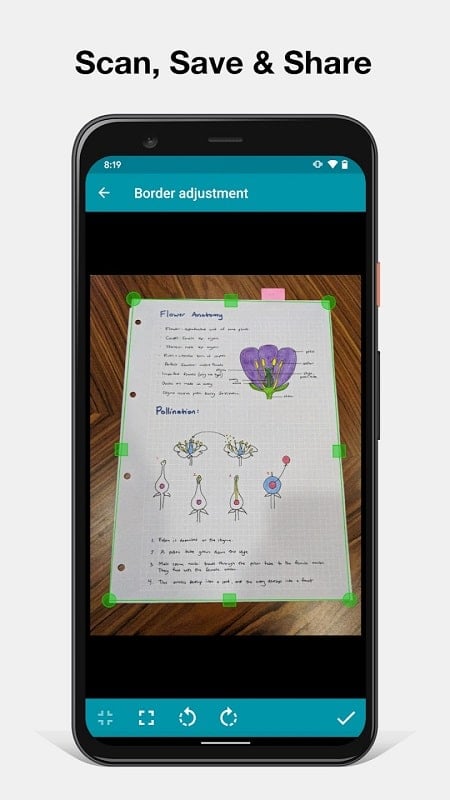
Capture a document by aligning it in the camera viewfinder and letting the app lock the edges automatically. After the shutter, the software applies perspective correction and enhancement filters. If needed, you can manually adjust corners, rotate pages, or crop the result. Save the final image as a PDF or an image file and choose a destination folder or cloud service.
Workflow and integration
Designed to fit into everyday workflows, the app supports direct export to common cloud providers and local folders. Use it to digitize notebooks into organized PDF collections, archive receipts for expense reports, or convert whiteboard photos into clean meeting notes. Integration with file managers means scanned documents can be moved into existing project folders without leaving the scanner environment.
Performance and compatibility
Performance is optimized for a wide range of Android devices. The app minimizes memory and CPU usage during capture while using more processing power selectively for advanced enhancements. On newer devices, processing is nearly instantaneous; older phones may take a moment longer but retain reliable edge detection and enhancement options. The app supports popular Android versions and common screen sizes for consistent behavior.
Privacy and storage options
Privacy is handled with practical choices. Scans can remain on the device only, or you can choose to upload them to cloud storage. Local processing options reduce the need to send images to remote servers unless you select cloud backup. Backup settings let you define whether files are automatically synced or only uploaded when you tap share.
Use cases and practical tips
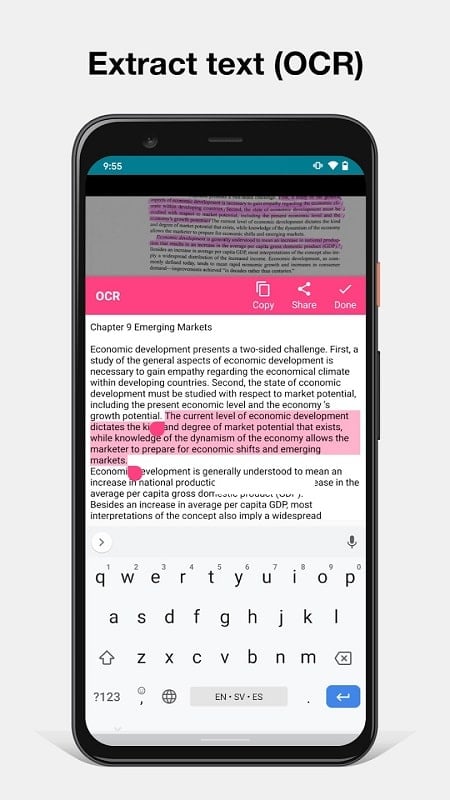
- Students: Turn lecture notes and textbook pages into searchable study PDFs for easier revision.
- Professionals: Store contracts, receipts, and invoices as organized PDFs ready for sharing or archiving.
- Creatives: Capture sketches and concept art with minimal background texture for clearer reproduction.
- Home: Save warranty cards, manuals, and important letters to a single, searchable archive.
To get the best scans, place documents on a contrasting surface, avoid harsh backlighting, and hold your phone steady while the app locks edges. Use the batch mode for multiple pages and the filter presets to quickly switch between document types.
Getting started
Install the app, grant camera and storage permissions, and run a quick test capture to familiarize yourself with the corner adjustment and enhancement tools. Create a folder structure for your scans before exporting to cloud services to keep everything organized from the start. If you prefer minimal interaction, enable automatic naming and folder assignment so new scans are categorized as you go.
Whether you need a fast receipt logger or a robust document archiver, Notebloc Scanner offers a balanced mix of automation and manual controls to suit a variety of scanning tasks. Its lightweight design and export flexibility make it a practical choice for daily digitization needs.
Show More
Information
Screenshots
Latest Update












Latest News
-
![Revealing the Launch Playlists and Cross-Progression for COD Warzone Mobile News]()
-
![March 2024 Free Redemption Codes for Honkai: Star Rail News]()
-
PUBG Mobile Teams Up with Bentley Motors: Luxury Cars, Exclusive Collectibles, and Beyond 2024-04-18
![PUBG Mobile Teams Up with Bentley Motors: Luxury Cars, Exclusive Collectibles, and Beyond News]()
-
![Monster Never Cry is now accessible on both Android and iOS mobile devices. News]()
-
V2.2 of the Farlight 84 update introduces an overhauled Season structure, fresh in-game currency, an 2024-04-16
![V2.2 of the Farlight 84 update introduces an overhauled Season structure, fresh in-game currency, an News]()
-
![Arrival of Genshin Impact 4.6 Update: 'Embers of Two Realms, Twilight of Crimson' News]()
-
April 2024 Clash of Clans Update: Unveiling a Fresh Companion, Enhanced Levels, Chat Tagging, and Be 2024-04-16
![April 2024 Clash of Clans Update: Unveiling a Fresh Companion, Enhanced Levels, Chat Tagging, and Be News]()






