

iScanner
Version:5.47.1
Published:2026-11-01
Introduction
iScanner is a versatile scanning utility for mobile and desktop that converts paper into searchable, editable digital documents. iScanner uses your device camera to capture receipts, contracts, invoices and multipage reports, then applies automatic border detection and perspective correction so captures look like flat scans. The app keeps the capture-to-PDF workflow straightforward: frame the page, tap to scan, review the preview and export or save. Designed for users who need reliable archiving and quick text access, iScanner balances speed, quality and practical file management across devices.
How scanning and capture work
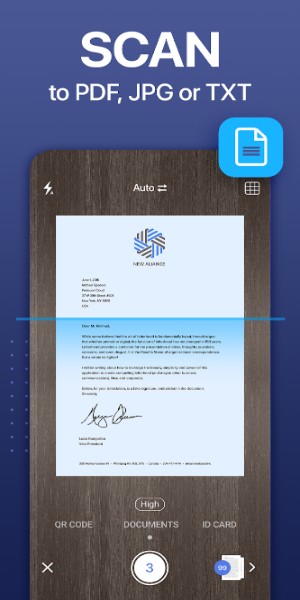
The scanning process centers on fast document capture with automatic edge recognition and a visible border adjustment frame you can fine-tune with touch controls. The app supports multipage sessions so you can scan long documents in one job, and it performs perspective correction, de-skewing and basic image enhancement such as contrast and exposure normalization to improve legibility. A preview screen allows cropping, rotation and reordering of pages before you finalize a scan, making it simple to produce consistent results even when lighting or camera quality varies.
Editing, OCR and export options
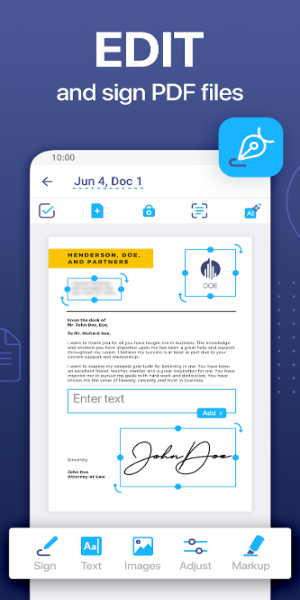
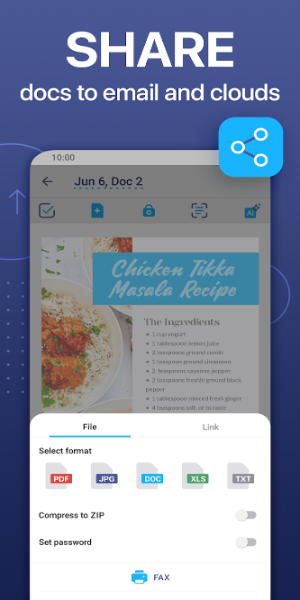
After capture, built-in editing tools let you annotate PDFs, add signatures, insert text boxes and merge or split pages without switching apps. OCR recognizes text in 20+ languages to create searchable PDFs and selectable text that can be copied or exported. The app offers multiple export formats such as PDF, JPG and PNG, and gives options to preserve full image quality or apply compression for smaller file sizes. OCR results include AI-powered text extraction and suggestions that speed up proofreading and help convert photographed documents into editable copies.
File organization and progression
Documents are organized with a simple file manager where you can rename files, move them into folders and tag important documents for quick retrieval. Rather than a gamified progression system, the app provides a practical workflow progression: initial capture, OCR processing, manual edits and final export or archive. This predictable flow helps users reliably build an archive over time, turning loose paper into a searchable repository that grows in usefulness as more documents are added and indexed.
Cloud sync, offline use and backups
Cloud synchronization keeps files available across mobile and desktop after you sign in, with automatic backup to protect against accidental loss. Cloud features are optional; basic scanning, local edits and exports work offline so you can capture documents without a network connection and sync later. Note that some AI-assisted features and language model suggestions may require an internet connection to run. Account sign-in is needed only for cross-device sync and cloud backups, allowing users who prefer local-only operation to avoid cloud services if desired.
User experience and accessibility
Designed for clarity and fast workflows, the interface presents common actions—scan, edit, export—directly on the capture and file screens to reduce friction. Touch controls are intuitive: drag handles to adjust borders, pinch-to-zoom on previews and straightforward toolbar buttons for edits. Accessibility considerations include adjustable text sizes in the app interface and clear contrast for toolbar elements so the scanning and review steps remain usable for people with varying vision needs. OCR support for multiple languages also helps non-native readers extract and copy text for translation or study.
Reliability, limitations and practical tips
Scan quality depends on device camera performance and lighting, and manual border adjustment is useful when automatic detection misses an edge. OCR accuracy is strong for common printed fonts and supported languages but can struggle with unusual typefaces, decorative scripts or severely blurred images. To get the best results, capture on a flat surface with even lighting, choose a color mode that preserves contrast for text, and use the preview to crop out background clutter. The main trade-off is that cloud sync requires a sign-in, but this also enables convenient cross-device access and backup safety.
Why iScanner fits routine workflows
For users who regularly digitize receipts, contracts, diplomas or multipage paperwork, the app consolidates scanning, OCR and basic PDF editing into a single, easy-to-use utility. It reduces the need for multiple tools and speeds up document-driven tasks such as expense reporting or record keeping. With reliable export options, searchable text and optional cloud sync, iScanner is practical for professionals, students and anyone who wants a straightforward way to convert physical documents into organized digital files for long-term access.
Show More
Information
Screenshots
Latest Update












Hot Tags
Latest News
-
![Revealing the Launch Playlists and Cross-Progression for COD Warzone Mobile News]()
-
![March 2024 Free Redemption Codes for Honkai: Star Rail News]()
-
PUBG Mobile Teams Up with Bentley Motors: Luxury Cars, Exclusive Collectibles, and Beyond 2024-04-18
![PUBG Mobile Teams Up with Bentley Motors: Luxury Cars, Exclusive Collectibles, and Beyond News]()
-
![Monster Never Cry is now accessible on both Android and iOS mobile devices. News]()
-
V2.2 of the Farlight 84 update introduces an overhauled Season structure, fresh in-game currency, an 2024-04-16
![V2.2 of the Farlight 84 update introduces an overhauled Season structure, fresh in-game currency, an News]()
-
![Arrival of Genshin Impact 4.6 Update: 'Embers of Two Realms, Twilight of Crimson' News]()
-
April 2024 Clash of Clans Update: Unveiling a Fresh Companion, Enhanced Levels, Chat Tagging, and Be 2024-04-16
![April 2024 Clash of Clans Update: Unveiling a Fresh Companion, Enhanced Levels, Chat Tagging, and Be News]()






