

Opera Browser
Version:76.1.4027.73300
Published:2026-11-02
Introduction
Opera Browser is a fast, feature-rich mobile web browser that balances speed, security, and convenience. Designed for on-the-go browsing, it provides a clean interface, integrated tools like built-in VPN and ad blocker, and smart features that reduce data use while keeping pages responsive and simple to navigate.
What this browser brings to the table
Opera Browser focuses on practical tools that improve everyday web use. Rather than a long list of niche options, it prioritizes features that matter: page loading speed, privacy controls, and a user-friendly layout that keeps commonly used functions within reach.
Standout functionality
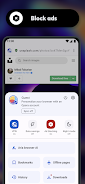
- Built-in ad blocker: Reduces intrusive ads and speeds loading times without extra extensions.
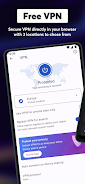
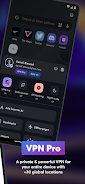
- Free VPN: Adds a layer of privacy for public Wi‑Fi or regional access while routing traffic through an encrypted tunnel.
- Data saver mode: Compresses pages to limit data consumption, ideal for constrained mobile plans or slow connections.
- Battery and performance optimizations: Background throttling and efficient memory use extend runtime and keep browsing smooth.
User interface and navigation
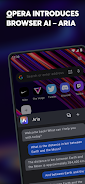
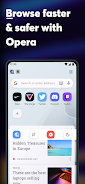
The visual design favors clarity: a minimalist top address bar, a bottom navigation cluster for one-handed use, and easily accessible tabs. Opera Browser’s visual cues and gesture support make switching between pages and private windows quick. The speed dial screen presents frequently visited sites and shortcuts for fast access.
Performance under daily use
Page rendering is competitive with mainstream mobile browsers. The ad blocker and compression features noticeably reduce load times for content-heavy pages. On mid-range devices, memory management keeps multiple tabs open without aggressive reloading, and the browser adapts to weaker networks using its data-saving mode.
Privacy and security features
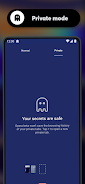
Security tools are integrated and straightforward to configure. The free VPN obscures your IP for basic privacy needs, while the built-in tracker and ad protection limit common online tracking methods. For more advanced privacy control, private tabs and cookie management are available without diving into complex settings.
Customization and personalization
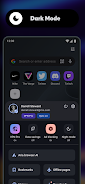
Customization is practical rather than deep. You can adjust the home page layout, enable or disable the ad blocker and VPN, and pin favorite sites to the speed dial. Themes and color adjustments allow modest visual personalization, keeping the app familiar and comfortable for daily use.
Productivity and built-in utilities
Opera Browser integrates several utilities that save time: an offline reading mode, a screenshot editor, and a simple news feed tailored to interests. The browser also supports syncing across devices, so bookmarks, open tabs, and saved pages remain available whether you switch to a tablet or desktop.
Tips for new users
- Enable data saver when traveling on limited mobile plans to reduce usage.
- Turn on the ad blocker to improve speed on news-heavy websites.
- Use the VPN selectively for public networks; it helps privacy but may slow some connections.
- Pin essential tabs to the speed dial for faster access to frequently used sites.
Installation and setup notes
Getting started takes only a few minutes. Download the app, grant basic permissions for storage and optional features, then choose whether to enable ad blocking or the VPN during setup. Syncing requires an account, but setting one up is optional if you prefer local-only browsing.
Why many users prefer it
Many users appreciate Opera Browser because it combines useful privacy controls with practical performance improvements in a compact package. It’s especially attractive for users who want a lightweight browsing experience without adding multiple extensions or juggling separate utilities for privacy and data compression.
Whether you’re conserving data, protecting privacy on public Wi‑Fi, or just want a clean interface that works well on smaller screens, this browser is a solid choice for everyday mobile browsing.
Show More
Information
Screenshots
Latest Update












Hot Tags
Latest News
-
![Revealing the Launch Playlists and Cross-Progression for COD Warzone Mobile News]()
-
![March 2024 Free Redemption Codes for Honkai: Star Rail News]()
-
PUBG Mobile Teams Up with Bentley Motors: Luxury Cars, Exclusive Collectibles, and Beyond 2024-04-18
![PUBG Mobile Teams Up with Bentley Motors: Luxury Cars, Exclusive Collectibles, and Beyond News]()
-
![Monster Never Cry is now accessible on both Android and iOS mobile devices. News]()
-
V2.2 of the Farlight 84 update introduces an overhauled Season structure, fresh in-game currency, an 2024-04-16
![V2.2 of the Farlight 84 update introduces an overhauled Season structure, fresh in-game currency, an News]()
-
![Arrival of Genshin Impact 4.6 Update: 'Embers of Two Realms, Twilight of Crimson' News]()
-
April 2024 Clash of Clans Update: Unveiling a Fresh Companion, Enhanced Levels, Chat Tagging, and Be 2024-04-16
![April 2024 Clash of Clans Update: Unveiling a Fresh Companion, Enhanced Levels, Chat Tagging, and Be News]()






