
WatchMaker
Version:7.6.4
Published:2026-11-02
Introduction
WatchMaker is a powerful watch face editor that lets users design, customize, and share digital watch faces for smartwatches. It combines an intuitive editor, a large asset library, and programmable behaviors to build unique, animated faces compatible with many Android wearable devices.
What WatchMaker Lets You Do
WatchMaker gives hobbyists and designers a single toolkit to create fully customized watch faces without needing advanced coding skills. The interface exposes drag-and-drop tools for visual layout alongside scripting support for conditional behavior, letting you combine static artwork, live data, and animated elements into a polished watch face.
Key Features and Tools
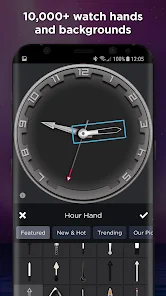
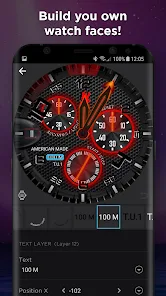
- Visual Editor: Layer-based placement, resizing, rotation, and alignment controls make positioning hands, widgets, and backgrounds straightforward.
- Asset Library: Built-in shapes, fonts, and icon packs speed up design. Users can also import PNG, SVG, or other graphical elements for personal branding.
- Scripting and Complications: Conditional expressions and data bindings allow the watch face to react to battery level, weather, notifications, and sensor inputs.
- Animations: Frame-by-frame or property-based animations give motion to hands, dials, and indicators for a dynamic appearance.
- Preview Modes: Instant preview shows how the face looks on different device sizes and modes (always-on, ambient, active).
Interface and Workflow
The app interface groups design tools, layers, and properties in a single workspace so the workflow stays focused. Begin by selecting a template or a blank canvas, then add elements from the library. Layers behave like traditional graphic editors, and property panels provide numeric precision for position, scale, and rotation. Save incremental versions to preserve iterations and revert when needed.
Compatibility and Performance
WatchMaker targets a wide range of Android wearables and works well on most modern devices. The editor runs smoothly on tablets and phones, while generated watch faces are optimized for battery life by supporting ambient and low-power display modes. Performance varies by device and complexity of animations; keeping asset sizes modest helps preserve responsiveness on older hardware.
Customization Strategies
To create a distinctive face, combine several techniques: choose a cohesive color palette, use layered textures for depth, and introduce subtle animations for key components like seconds hands or sunrise indicators. Use the scripting engine sparingly for essential behavior to keep power consumption low. Users can also design alternate displays for ambient and interactive modes to maintain readability around the clock.
Sharing, Community, and Extras
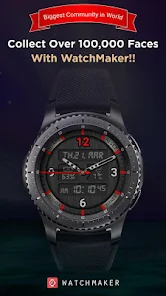
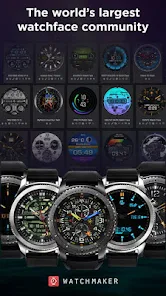
WatchMaker includes options to export watch faces and share them with the community. Many users publish collections of themed faces — minimal, analog, sport, and themed pop culture sets — that you can download and modify. A community gallery provides inspiration and examples of scripting techniques and layout ideas.
Getting Started
Begin by installing the app on your phone and pairing with your wearable device. Open a template to explore how layers and properties are organized, then try importing a simple image to place as a background. Test frequently on your wearable in preview mode to confirm how elements scale across different screen sizes and shapes.
Tips for Better Results
- Use vector assets where possible to preserve sharpness across resolutions.
- Limit the number of active animations in ambient mode to extend battery life.
- Assign clear names to layers and groups to keep projects manageable as complexity grows.
- Test on the target watch early and often to catch layout or performance issues tied to device constraints.
Paid Features and Upgrades
WatchMaker offers additional premium content and advanced scripting features behind an upgrade. These extras can unlock professional asset packs, higher-resolution exports, and community benefits such as private sharing or cloud backups. Evaluate the free tools first to determine whether the enhanced features match your needs.
Final Thoughts on Workflow
Whether you want a minimalist analog face, a data-rich fitness dashboard, or an animated, themed design, WatchMaker supplies the building blocks and workflow to realize the concept. With patient iteration and attention to performance, designers can produce elegant, wearable watch faces that complement both personal style and technical constraints.
Show More
Information
Screenshots
Latest Update












Hot Tags
Latest News
-
![Revealing the Launch Playlists and Cross-Progression for COD Warzone Mobile News]()
-
![March 2024 Free Redemption Codes for Honkai: Star Rail News]()
-
PUBG Mobile Teams Up with Bentley Motors: Luxury Cars, Exclusive Collectibles, and Beyond 2024-04-18
![PUBG Mobile Teams Up with Bentley Motors: Luxury Cars, Exclusive Collectibles, and Beyond News]()
-
![Monster Never Cry is now accessible on both Android and iOS mobile devices. News]()
-
V2.2 of the Farlight 84 update introduces an overhauled Season structure, fresh in-game currency, an 2024-04-16
![V2.2 of the Farlight 84 update introduces an overhauled Season structure, fresh in-game currency, an News]()
-
![Arrival of Genshin Impact 4.6 Update: 'Embers of Two Realms, Twilight of Crimson' News]()
-
April 2024 Clash of Clans Update: Unveiling a Fresh Companion, Enhanced Levels, Chat Tagging, and Be 2024-04-16
![April 2024 Clash of Clans Update: Unveiling a Fresh Companion, Enhanced Levels, Chat Tagging, and Be News]()






