
Journal: Notes, Planner, PDFs
Version:46
Published:2026-11-02
Introduction
Journal: Notes, Planner, PDFs is a versatile productivity app designed to combine note-taking, calendar planning, and PDF management in one tidy workspace. It helps users capture ideas, organize tasks, and annotate documents with a focus on speed and clarity, making daily planning and information retrieval effortless.
What this app does
At its core, Journal: Notes, Planner, PDFs blends a digital notebook, a lightweight planner, and a PDF annotator into a single application. Users can create freeform notes, schedule tasks, attach PDF files, and keep everything searchable. The workflow is geared toward professionals, students, and anyone who needs a unified information hub.
Key tools and capabilities
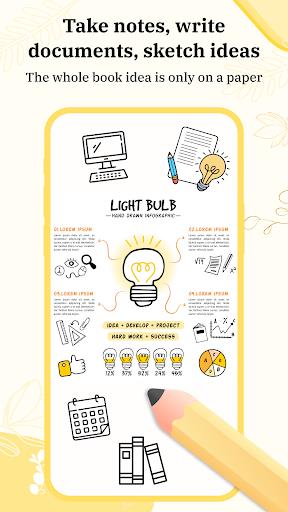
- Notes and rich text: Create multi-page entries, add headings, lists, and inline images to keep ideas structured.
- Planner and reminders: Add tasks with due dates, set reminders, and view items in daily or monthly snapshots.
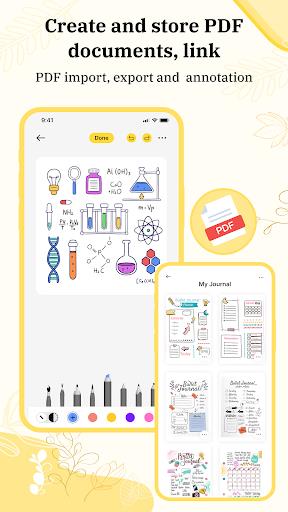
- PDF handling: Import PDFs, highlight content, add comments, and save annotated versions back to your library.
- Search and organization: Tag entries, use folders, and perform quick full-text searches to locate information fast.
User interface and workflow
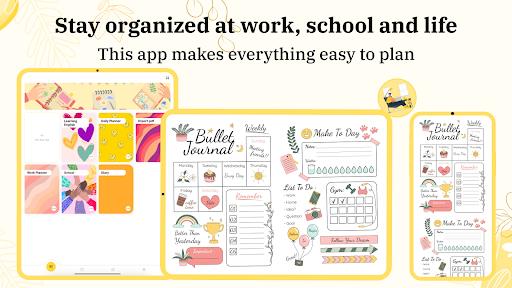
The interface favors simplicity: a left-hand navigation panel for notebooks and tags, a central editor for content, and a compact toolbar for formatting and annotations. Journal: Notes, Planner, PDFs places commonly used controls where you expect them, reducing friction during fast capture or review sessions.
How features work together
Notes can be linked to calendar events and PDF documents, creating contextual references across the app. For example, attach meeting agendas to a date in the planner or annotate a report and save highlights directly within a related journal entry. This interconnected model helps maintain context and reduces the need to switch between separate apps.
Customization options
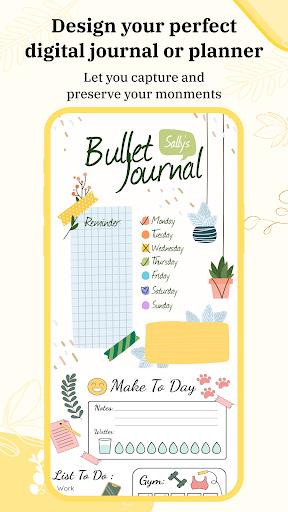
- Templates: Use or create templates for meeting notes, study outlines, or weekly plans to speed up repetitive tasks.
- Appearance: Choose between light and dark themes and adjust font sizes for readability.
- Layout choices: Toggle between single-page and multi-column views to match your preferred reading or editing style.
Performance and reliability
The app is optimized to handle large libraries without noticeable slowdowns. Loading times for long notes and multi-page PDFs are kept short, and local caching minimizes delays when switching between items. Sync options are available to back up data and maintain continuity across devices.
User experience and accessibility
Navigation is straightforward for new users: create a notebook, start a note, or import a PDF within seconds. Journal: Notes, Planner, PDFs supports pinch-zoom and stylus input on compatible devices, making handwriting or sketching accessible. Readability settings and keyboard shortcuts further improve accessibility for varied workflows.
Tips for newcomers
- Start with a template: Pick a meeting or project template to establish a consistent structure from the beginning.
- Tag liberally: Consistent tags make search more powerful than overly nested folders.
- Annotate PDFs directly: Use highlights and comments to capture insights without creating duplicate notes.
Who will benefit most
This app is particularly useful for professionals who juggle meeting notes and documents, students managing lectures and readings, and organizers who prefer a single, searchable repository. Its combination of planner functions and PDF tools reduces the need to maintain multiple separate apps.
Getting started
Installation is quick: download, grant necessary permissions for storage and notifications, and import a sample note or PDF to familiarize yourself with the editor. Spend a few minutes configuring templates and tags—those small setup steps pay off in faster access later.
Final observations
Journal: Notes, Planner, PDFs emphasizes a practical mix of note-taking, planning, and document annotation. Its clean interface, cross-feature linking, and performance optimizations make it a solid choice for anyone seeking a single app to manage ideas, schedules, and reference materials.
Show More
Information
Screenshots
Latest Update












Latest News
-
![Revealing the Launch Playlists and Cross-Progression for COD Warzone Mobile News]()
-
![March 2024 Free Redemption Codes for Honkai: Star Rail News]()
-
PUBG Mobile Teams Up with Bentley Motors: Luxury Cars, Exclusive Collectibles, and Beyond 2024-04-18
![PUBG Mobile Teams Up with Bentley Motors: Luxury Cars, Exclusive Collectibles, and Beyond News]()
-
![Monster Never Cry is now accessible on both Android and iOS mobile devices. News]()
-
V2.2 of the Farlight 84 update introduces an overhauled Season structure, fresh in-game currency, an 2024-04-16
![V2.2 of the Farlight 84 update introduces an overhauled Season structure, fresh in-game currency, an News]()
-
![Arrival of Genshin Impact 4.6 Update: 'Embers of Two Realms, Twilight of Crimson' News]()
-
April 2024 Clash of Clans Update: Unveiling a Fresh Companion, Enhanced Levels, Chat Tagging, and Be 2024-04-16
![April 2024 Clash of Clans Update: Unveiling a Fresh Companion, Enhanced Levels, Chat Tagging, and Be News]()






