
Painting - Icon Pack
Version:2.9
Published:2026-11-03
Introduction
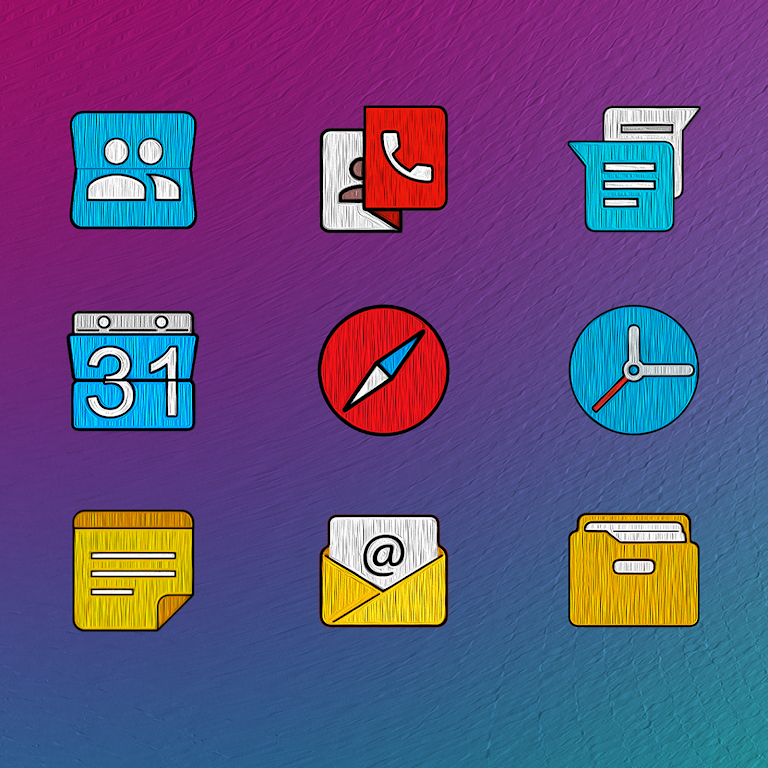
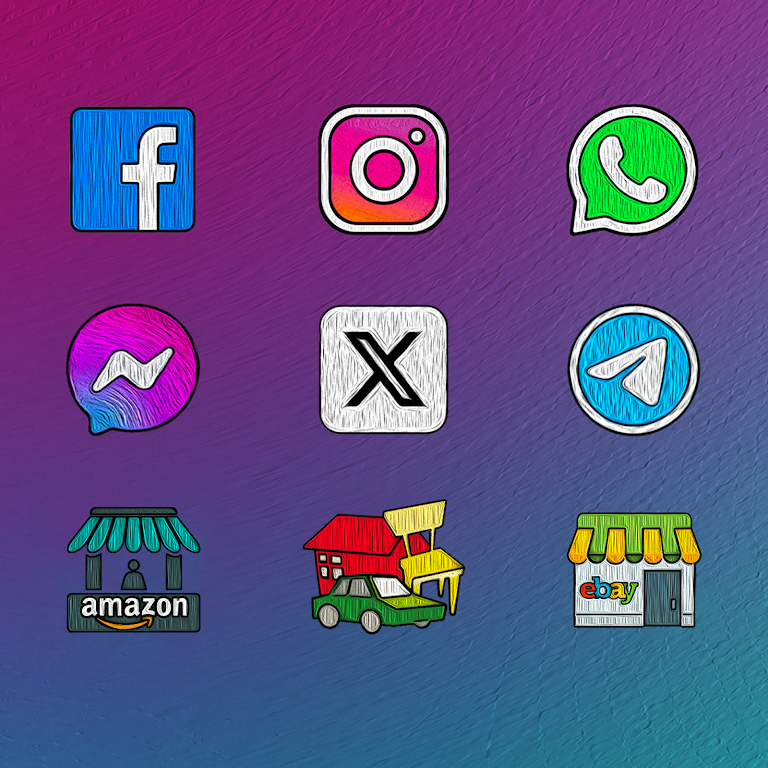
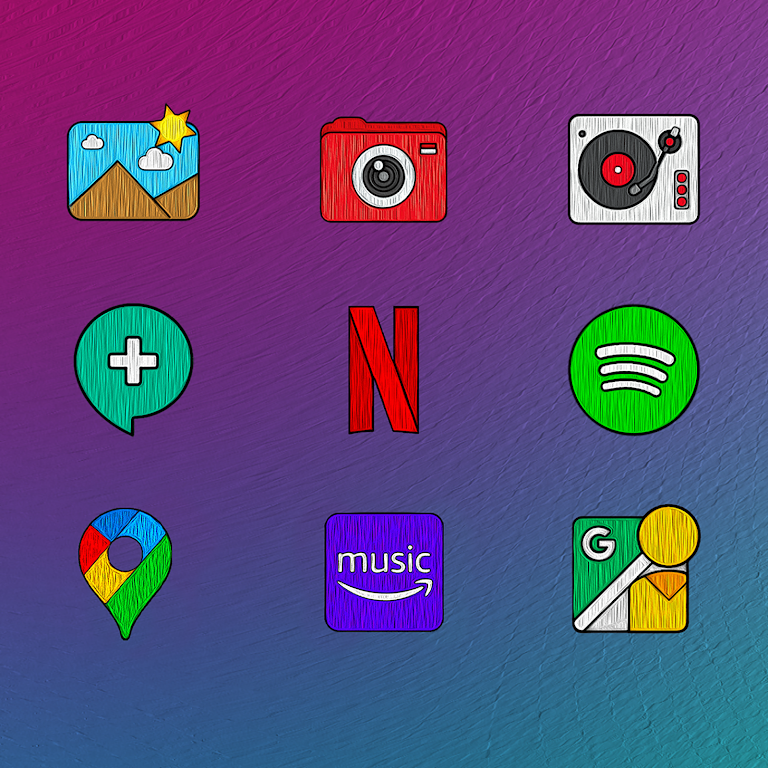
Painting - Icon Pack transforms your Android home screen with a cohesive hand-painted aesthetic. This icon pack replaces standard app icons with textured, watercolor-style designs, offering thousands of icons, multiple wallpapers, and dynamic calendar support to create a unified, artistic look across devices.
Visual identity and design language
The Painting - Icon Pack focuses on a distinctive, tactile appearance inspired by brush strokes and subtle paper grain. Icons are crafted to balance realism with minimalism: each glyph sits within soft, irregular shapes that mimic hand-applied paint. Color palettes are muted yet rich, making icons readable without clashing with widgets or wallpapers. Designers deliver consistent iconography so third-party apps receive a meaningful visual match even when vendor assets vary.
What’s included
Beyond a large catalog of app icons, Painting - Icon Pack bundles multiple high-resolution wallpapers designed to complement the painted theme. You’ll also find generic glyphs for less common apps, alternate icon variants for important apps, and support for icon masking to keep unmatched icons coherent. The package aims to be plug-and-play: most major launchers recognize the pack immediately, minimizing setup steps.
Compatibility and performance
This icon pack is optimized for performance on a wide range of Android devices. PNG and adaptive icon formats are provided to ensure crisp rendering on different screen densities. Because icons are raster-based with careful compression, battery impact is negligible and animation-free design avoids extra CPU use. Painting - Icon Pack is compatible with popular launchers such as Nova, Lawnchair, Action Launcher, Smart Launcher, and many OEM launchers that accept third-party icon themes.
Customization options
Customization is straightforward: apply the entire theme or selectively change icons through your launcher. The app includes an integrated icon request tool that helps you request missing icons directly from within the interface. You can also choose alternate variants for apps that have multiple visual identities, and toggle icon masking to force a uniform shape. Wallpapers are offered in several aspect ratios to fit phones and tablets.
Installation and setup tips
After installing Painting - Icon Pack, open the app and follow the built-in launcher detection to apply the theme automatically. If your launcher is not listed, the app provides manual guidance: export the icons or apply them individually. For best results use a launcher that supports adaptive icons and custom icon packs. If some icons still appear unchanged, use the request feature to submit the package name so the developer can add it in a future update.
Workflow for designers and enthusiasts
Enthusiasts who like to tweak their home screens will appreciate how Painting - Icon Pack integrates into common theming workflows. Combine the pack with compatible widget sets and a subtle live wallpaper or static backdrop to emphasize the painted look. Designers can sample color values from wallpapers included in the package for a coordinated palette when creating custom widgets or shortcuts.
User experience and reliability
The user experience emphasizes simplicity and reliability: clear preview screens show each icon against recommended wallpapers, and the icon request queue is accessible so users can track additions. Regular updates expand coverage and refine details. The app avoids intrusive permissions and focuses on delivering assets, which enhances user trust and keeps the interface lightweight.
Why choose this icon pack
Painting - Icon Pack is ideal for users who want a handcrafted, artistic aesthetic without sacrificing clarity or performance. It brings a consistent look to mixed-app environments, supports a broad range of launchers, and offers practical tools to fill gaps in coverage. If you prefer homescreen themes that feel organic and thoughtfully designed, this pack provides a balanced set of visuals and utilities to refresh your device’s appearance.
Show More
Information
Screenshots
Latest Update












Latest News
-
![Revealing the Launch Playlists and Cross-Progression for COD Warzone Mobile News]()
-
![March 2024 Free Redemption Codes for Honkai: Star Rail News]()
-
PUBG Mobile Teams Up with Bentley Motors: Luxury Cars, Exclusive Collectibles, and Beyond 2024-04-18
![PUBG Mobile Teams Up with Bentley Motors: Luxury Cars, Exclusive Collectibles, and Beyond News]()
-
![Monster Never Cry is now accessible on both Android and iOS mobile devices. News]()
-
V2.2 of the Farlight 84 update introduces an overhauled Season structure, fresh in-game currency, an 2024-04-16
![V2.2 of the Farlight 84 update introduces an overhauled Season structure, fresh in-game currency, an News]()
-
![Arrival of Genshin Impact 4.6 Update: 'Embers of Two Realms, Twilight of Crimson' News]()
-
April 2024 Clash of Clans Update: Unveiling a Fresh Companion, Enhanced Levels, Chat Tagging, and Be 2024-04-16
![April 2024 Clash of Clans Update: Unveiling a Fresh Companion, Enhanced Levels, Chat Tagging, and Be News]()






