
Speedometer: GPS Speed Tracker
Version:1.36.1.1
Published:2026-11-03
Introduction
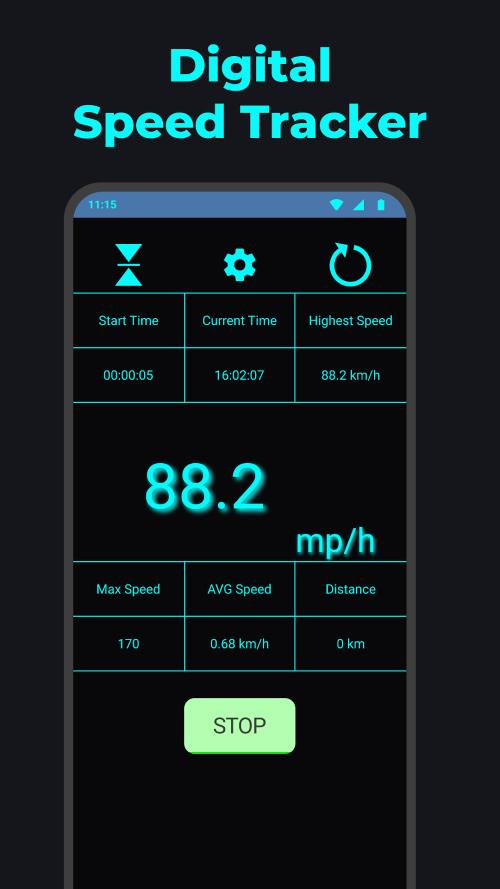
Speedometer: GPS Speed Tracker provides a precise, easy-to-read digital speed display using your device's GPS. It tracks current speed, maximum speed, trip distance, and average pace while running or driving, and includes customizable units and clear visual alerts to help you monitor motion safely.
Overview
Designed for drivers, cyclists, and recreational runners, Speedometer: GPS Speed Tracker turns your phone into a reliable instrument for measuring movement. The app focuses on accuracy and simplicity: large numerals show your real-time speed, while additional metrics record trip details and history for later review.
Core Features That Matter
- Real-time speed readout — High-contrast digital display with selectable units (km/h, mph, m/s) so you can read at a glance.
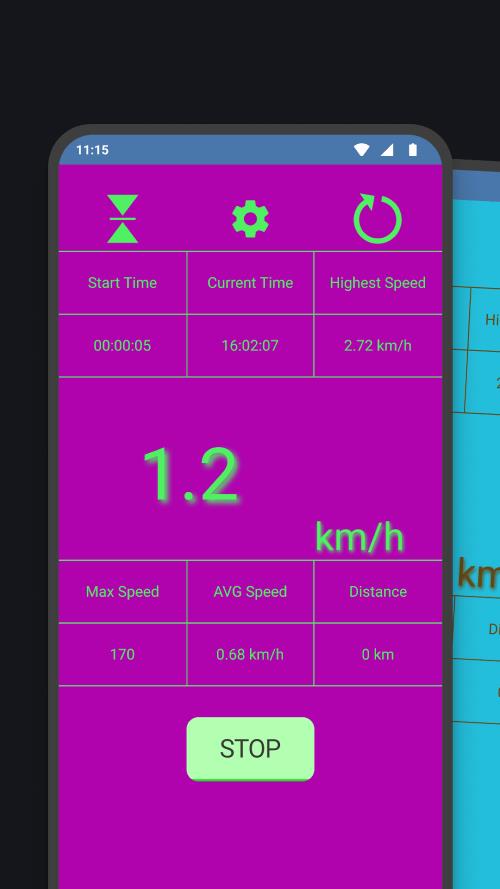
- Trip logging — Records distance, duration, average and top speed for each journey.
- Speed alerts — Configurable audio and visual warnings when you exceed a preset limit.
- GPS-based accuracy — Uses satellite data and optional filtering to reduce jitter and false spikes.
- Heads-up display (HUD) — Mirror mode for windshield projection, useful for night or hands-free use.
How the App Works
Speedometer: GPS Speed Tracker relies on your device's GPS sensor to calculate velocity by sampling positional changes over time. The app applies smoothing algorithms to minimize rapid fluctuations caused by signal noise. You can choose an aggressive or conservative filter depending on whether you prefer instant responsiveness or stable readings.
Interface and Performance
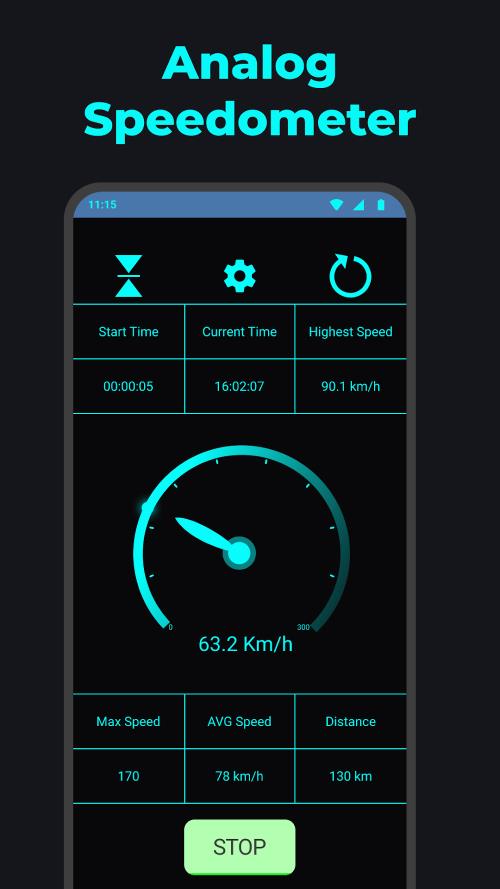
The user interface emphasizes legibility and minimal distraction. A full-screen numeric speed indicator is accompanied by a compact band showing trip stats and current units. The app is optimized to run in the background without heavy battery drain; battery usage varies with GPS sampling rate and whether the HUD mode is active.
Customization Options
Personalization is straightforward. Change units with one tap, enable or disable decimal precision, and reposition widgets on the screen. Speedometer: GPS Speed Tracker also lets you set thresholds for high-speed warnings and choose between soft and loud alert tones. For repeated routes, save presets so the app can apply familiar settings automatically.
Useful Tools & Additional Systems
- Trip export — Save logs in common formats for review or sharing.
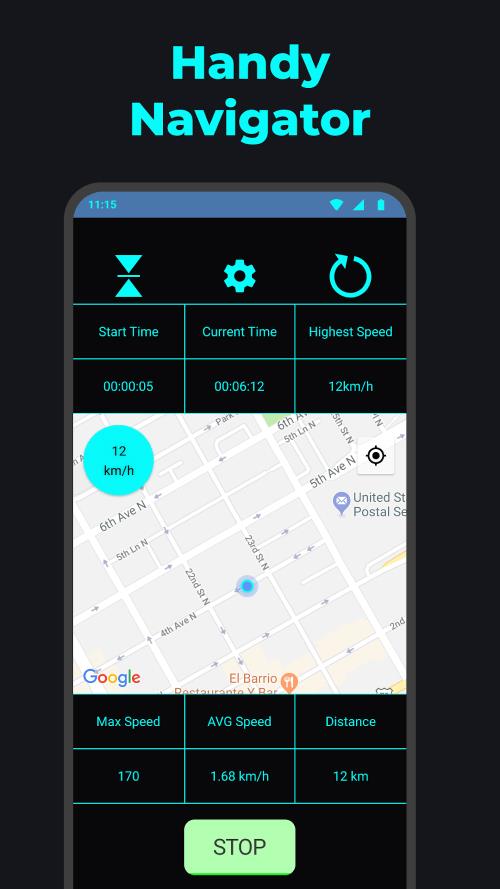
- Map overlay — Optional live map that shows your path and current speed markers.
- Pause detection — Automatically pauses trip recording during long stops to prevent skewing averages.
- Widget support — Place a compact speed indicator on your home screen for quick visibility.
User Experience
Users frequently cite how fast the app is to set up and how readable the display remains under sunlight. The clean layout makes it easy to switch between modes—trip, HUD, and map—without digging through menus. Clear sound cues and vibrations help when visual attention is limited, like when cycling.
Tips for New Users
- Allow high-accuracy location permission to improve GPS reliability.
- Test different smoothing levels to find the balance between responsiveness and stability.
- Use the HUD mode at night and reduce screen brightness to save battery.
- Keep the phone mounted and unobstructed to avoid signal interference.
Installation and Getting Started
Installing Speedometer: GPS Speed Tracker is straightforward. Grant location access, choose your preferred units, and take a short test drive to verify readings. New users should perform a short calibration run to compare app readings with vehicle instruments or known markers.
The app supports modern Android devices and adapts to various screen sizes. Regular updates add minor improvements and compatibility patches tailored to Android's evolving location services.
Why Users Keep It Installed
Many people retain Speedometer: GPS Speed Tracker because it provides consistent, quick feedback without unnecessary complexity. Whether you need a practical dashboard while commuting, a training companion for cycling, or a straightforward speed logger for trip planning, the app supplies essential information in a user-friendly package.
Overall, the combination of clarity, configurable alerts, and efficient background operation makes Speedometer: GPS Speed Tracker a dependable utility for anyone who needs accurate speed measurements on the go.
Show More
Information
Screenshots
Latest Update












Latest News
-
![Revealing the Launch Playlists and Cross-Progression for COD Warzone Mobile News]()
-
![March 2024 Free Redemption Codes for Honkai: Star Rail News]()
-
PUBG Mobile Teams Up with Bentley Motors: Luxury Cars, Exclusive Collectibles, and Beyond 2024-04-18
![PUBG Mobile Teams Up with Bentley Motors: Luxury Cars, Exclusive Collectibles, and Beyond News]()
-
![Monster Never Cry is now accessible on both Android and iOS mobile devices. News]()
-
V2.2 of the Farlight 84 update introduces an overhauled Season structure, fresh in-game currency, an 2024-04-16
![V2.2 of the Farlight 84 update introduces an overhauled Season structure, fresh in-game currency, an News]()
-
![Arrival of Genshin Impact 4.6 Update: 'Embers of Two Realms, Twilight of Crimson' News]()
-
April 2024 Clash of Clans Update: Unveiling a Fresh Companion, Enhanced Levels, Chat Tagging, and Be 2024-04-16
![April 2024 Clash of Clans Update: Unveiling a Fresh Companion, Enhanced Levels, Chat Tagging, and Be News]()






