

AI Chat: Ask AI Chat Anything
Version:33.0
Published:2026-11-03
Introduction
AI Chat: Ask AI Chat Anything is a conversational assistant designed for Android that brings smart replies, on-device tools, and lightweight research capabilities into a single, easy-to-use app. From quick clarifications to multi-step drafting, AI Chat: Ask AI Chat Anything helps you complete everyday tasks without a steep learning curve, whether you need a clear summary, a code snippet, or a polished email on the go.
Core features
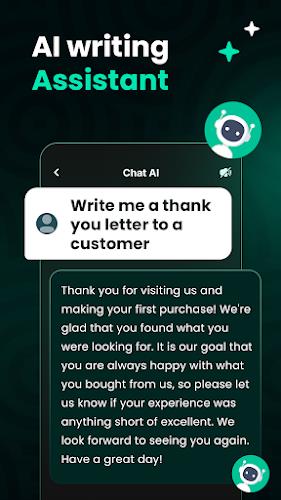
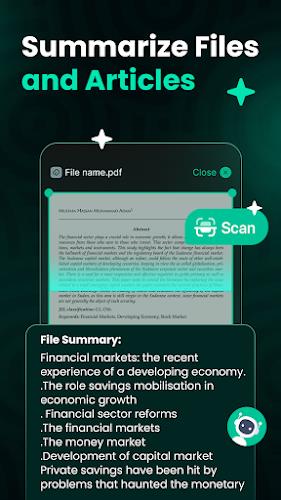
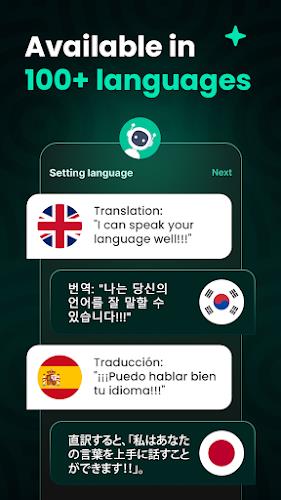
The app combines natural language understanding with a focused workflow: maintain conversation context across turns, switch between modes for creative writing or technical help, and use templates to repeat frequent tasks. Writing support includes tone and length controls, while research tools summarize longer texts and extract key points. For developers the app provides concise code examples and debugging hints, and for multilingual work it offers translation and phrasing adjustments that remain faithful to the intended audience.
Controls and interface
Interaction is optimized for touch: a central chat field, quick-mode buttons, and in-line controls let you toggle between creative, technical, or summary modes without losing context. Text selection and copy/paste are streamlined for exporting snippets into other apps, and a compact view reduces visual clutter when you need to focus on a single answer. The design intentionally keeps gestures simple so common tasks feel immediate and responsive on phones and tablets.
Conversation mechanics and progression
Rather than treating each exchange as isolated, the assistant preserves dialogue state so follow-up questions build on prior answers. Progression is framed as a personalization curve: the more you use the app, the more it adapts to preferred phrasing, frequently used templates, and domain settings. Optional practice or challenge prompts help learners level up skills—such as coding exercises or language drills—by offering progressively harder tasks and step-by-step explanations without requiring external accounts.
Customization and visual style
Custom controls let you tailor responses to your needs: set default tone, preferred answer length, and industry context for domain-specific answers. Display options include adjustable font size, contrast modes, and compact or expanded message layouts so users can prioritize readability or density of information. Saved themes and template collections make it easy to switch between personal, professional, or study-oriented setups depending on the task at hand.
Replay value and practical workflows
The app’s replay value comes from reusable prompts, saved conversation threads, and template libraries that accelerate routine work. Small teams can generate meeting notes and action items from a single conversation, while students reuse outlines and annotated summaries for revision. Travelers or content creators can maintain an archive of itineraries, captions, or research clippings, returning to and refining the same threads over time to get gradually better results.
Performance, compatibility, and offline behavior
AI Chat: Ask AI Chat Anything is built to run smoothly on a wide range of modern Android devices and to minimize battery and network impact. The client caches recent conversations locally so basic review and editing remain available if connectivity is intermittent; full generation features require network access as indicated in the app. Performance tuning reduces background activity and scales the interface for both phones and tablets to deliver consistent responsiveness during extended sessions.
Accessibility and privacy
Accessibility features include adjustable text size, high-contrast display options, and compatibility with screen readers so content is usable for more people. Privacy controls give you direct management of local history, with options to export or delete sessions and to disable retention for sensitive queries. The app explains how conversational data is handled and provides opt-out choices where applicable so users can balance convenience with control.
Getting started
Install, complete a brief onboarding, and try a few guided prompts to learn core interactions; the walkthrough demonstrates mode switching, saving chats, and exporting content. Over a short period most users find AI Chat: Ask AI Chat Anything naturally integrates into daily routines, helping turn questions into useful outputs without complex setup or persistent maintenance. Regular use helps the assistant align with your style and priorities while keeping controls transparent and accessible.
Show More
Information
Screenshots

Latest Update












Latest News
-
![Revealing the Launch Playlists and Cross-Progression for COD Warzone Mobile News]()
-
![March 2024 Free Redemption Codes for Honkai: Star Rail News]()
-
PUBG Mobile Teams Up with Bentley Motors: Luxury Cars, Exclusive Collectibles, and Beyond 2024-04-18
![PUBG Mobile Teams Up with Bentley Motors: Luxury Cars, Exclusive Collectibles, and Beyond News]()
-
![Monster Never Cry is now accessible on both Android and iOS mobile devices. News]()
-
V2.2 of the Farlight 84 update introduces an overhauled Season structure, fresh in-game currency, an 2024-04-16
![V2.2 of the Farlight 84 update introduces an overhauled Season structure, fresh in-game currency, an News]()
-
![Arrival of Genshin Impact 4.6 Update: 'Embers of Two Realms, Twilight of Crimson' News]()
-
April 2024 Clash of Clans Update: Unveiling a Fresh Companion, Enhanced Levels, Chat Tagging, and Be 2024-04-16
![April 2024 Clash of Clans Update: Unveiling a Fresh Companion, Enhanced Levels, Chat Tagging, and Be News]()






