

WeatherPro
Version:5.6.9
Published:2026-11-03
Introduction
WeatherPro is a streamlined weather application that delivers accurate forecasts, live radar, and severe-weather alerts in a clear interface. It combines hourly and long-range predictions with customizable notifications so users can plan outdoor activities, commutes, and travel with confidence and minimal setup.
Key features
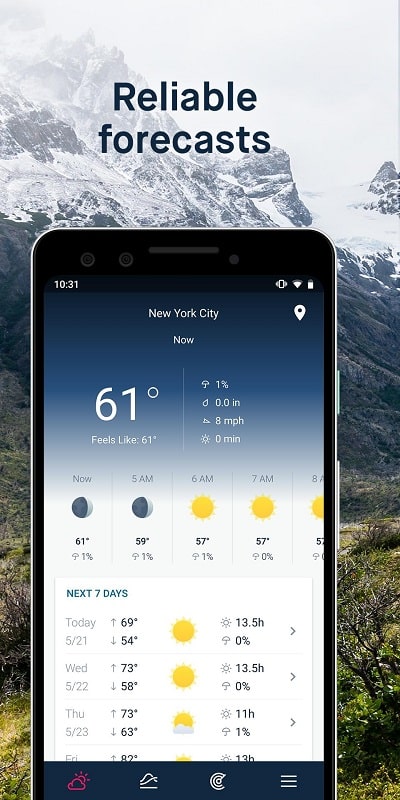
WeatherPro offers a concise feature set designed for everyday use: precise hourly forecasts, multi-day outlooks, interactive radar maps, and push alerts for changing weather conditions. The app aggregates temperature, wind, precipitation probability, humidity, and UV index into an at-a-glance view so you can make decisions fast.
- Hourly and extended forecasts: Detailed hour-by-hour projections plus 7–14 day trendlines for planning.
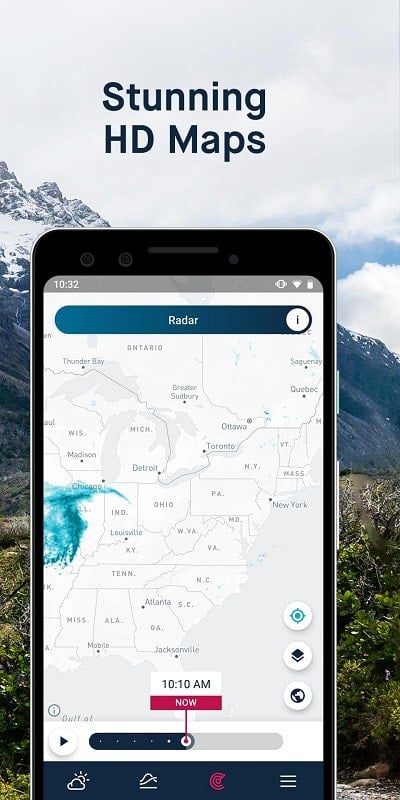
- Interactive radar: Zoomable maps with precipitation layering and animated storm paths.
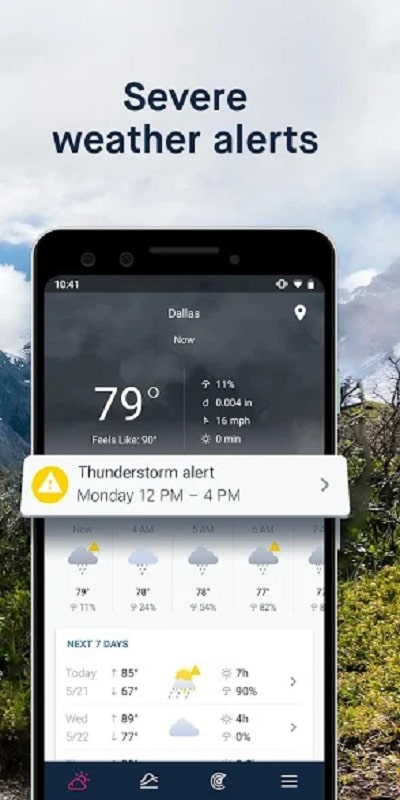
- Severe alerts: Timely warnings for thunderstorms, floods, high winds, and other hazards.
- Widgets: Home-screen modules that display current conditions without opening the app.
Interface and navigation
The design focuses on clarity and speed. Primary information is displayed on the main screen with swipe gestures to reveal maps and extended forecasts. Controls are simple: tap a city to see details, pinch to zoom on radar, and swipe left for hourly breakdowns. Visual cues and color coding make it straightforward to interpret risk levels at a glance.
Forecast accuracy and data sources
Forecast reliability depends on combining multiple data feeds and local observations. This app blends global weather models with regional radar inputs and station data to refine predictions. The result is a noticeable improvement in short-range accuracy, particularly for precipitation timing and storm movement. Users tracking detailed weather trends will appreciate the model-comparison view.
Notifications and customization
In WeatherPro you can tailor alerts to match your routine. Configure notifications for temperature thresholds, incoming rain, or severe weather watches. Quiet hours prevent nonessential notices overnight, while location-based triggers follow you when you travel. Customizable sounds and vibration patterns help differentiate alert types instantly.
Performance and compatibility
Built to be lightweight, the app minimizes battery and data usage by updating in the background at configurable intervals. Caching strategies mean maps and forecast data load quickly even on slower connections. Compatibility covers a wide range of Android versions and screen sizes, and adaptive layouts ensure a consistent experience on phones and tablets.
How it fits into your workflow
WeatherPro integrates into daily planning without getting in the way. Use widgets to check conditions before heading out, create favorite locations for work and travel, and receive morning briefings with a quick glance. Commuters benefit from commute-time alerts while outdoor enthusiasts can monitor long-term windows for trips or events.
Getting started
Install WeatherPro, allow location permissions for local forecasts, and choose your update frequency. Add favorite places and set up one or two notification rules to begin. The onboarding guide highlights key gestures and widget options so you can personalize the app in minutes.
Practical tips
- Enable radar animations to judge storm speed and direction before heading outside.
- Use model comparison when planning multi-day activities to see where forecasts disagree.
- Limit background refresh to save battery when you don’t need minute-by-minute updates.
- Combine the app’s alerts with calendar reminders for event planning during uncertain weather.
This app is geared toward users who want reliable, readable weather information without clutter. With straightforward controls, flexible notifications, and solid performance across devices, it helps people stay prepared and make better decisions based on current and near-term conditions.
Show More
Information
Screenshots
Latest Update












Hot Tags
Latest News
-
![Revealing the Launch Playlists and Cross-Progression for COD Warzone Mobile News]()
-
![March 2024 Free Redemption Codes for Honkai: Star Rail News]()
-
PUBG Mobile Teams Up with Bentley Motors: Luxury Cars, Exclusive Collectibles, and Beyond 2024-04-18
![PUBG Mobile Teams Up with Bentley Motors: Luxury Cars, Exclusive Collectibles, and Beyond News]()
-
![Monster Never Cry is now accessible on both Android and iOS mobile devices. News]()
-
V2.2 of the Farlight 84 update introduces an overhauled Season structure, fresh in-game currency, an 2024-04-16
![V2.2 of the Farlight 84 update introduces an overhauled Season structure, fresh in-game currency, an News]()
-
![Arrival of Genshin Impact 4.6 Update: 'Embers of Two Realms, Twilight of Crimson' News]()
-
April 2024 Clash of Clans Update: Unveiling a Fresh Companion, Enhanced Levels, Chat Tagging, and Be 2024-04-16
![April 2024 Clash of Clans Update: Unveiling a Fresh Companion, Enhanced Levels, Chat Tagging, and Be News]()






