

Drum Pads 24 - Beats and Music
Version:3.8.9
Published:2026-11-03
Introduction
Drum Pads 24 - Beats and Music is a mobile production app that turns your device into a compact beat workstation, offering kits, samples, and real-time effects for live jamming and quick track sketches. It blends intuitive pad controls with tempo and layering tools for musicians and hobbyists seeking fast, hands-on beat creation.
Overview of the app
Designed for on-the-go creators, Drum Pads 24 - Beats and Music provides a straightforward pad grid, built-in sound banks, and easy export options. The app targets users who want immediate results without a steep learning curve, while still offering enough depth to craft distinctive rhythmic patterns and sample-based loops.
Core features at a glance
The list below highlights the primary tools that make the app useful for both beginners and experienced producers.
- Pad-based sampler: Trigger one-shots, loops, and percussion on a responsive multi-pad surface.
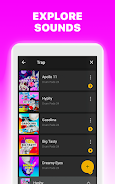
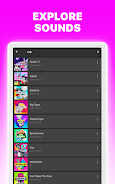
- Preloaded kits and genres: Collections across hip-hop, EDM, trap, and cinematic styles let you jump straight into creating.
- Real-time effects: Apply filters, reverb, delay, and bitcrush on the fly to reshape sounds during performance.
- Recording and exporting: Capture sessions, bounce mixes, and share stems through common audio formats.
- Tempo and quantize: Lock grooves to a BPM grid or let pads play freely for looser performances.
How the workflow feels
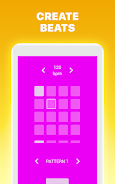
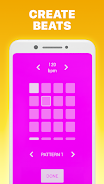
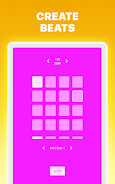
Interaction is immediate: tap pads to play, hold to loop, and combine pads to layer beats. Drum Pads 24 - Beats and Music encourages experimentation with drag-and-drop sample replacement and simple gesture controls. Users can sketch a 16-step phrase quickly, then tweak timing and effects to develop a fuller arrangement.
Customization possibilities
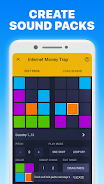
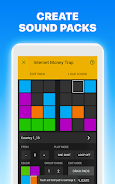
While the app shines for quick creativity, it also supports personalization. Swap individual pad sounds, build custom kits from your library, and save presets for later use. The interface groups sounds logically, so you can map melodic samples, percussion, and bass hits to separate pads and recall them in performance mode.
Performance and interface
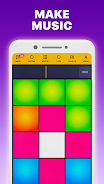
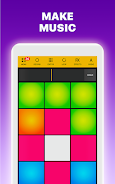
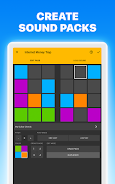
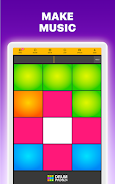
The interface focuses on legibility and responsiveness. Color-coded pads indicate sample groups and allow visual feedback during playback. Low-latency audio performance is prioritized to keep timing tight during live play. On mid-range devices, the app balances sound quality with efficient CPU usage to avoid hiccups while stacking multiple effects.
Tools for arranging and polishing tracks
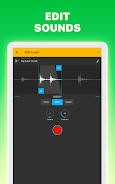
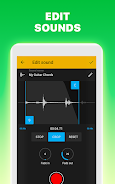
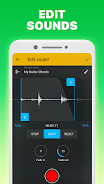
Beyond pad playing, Drum Pads 24 - Beats and Music includes timeline recording, basic mixing controls, and simple mastering tools. Trim recorded takes, adjust levels between pads, and apply a final limiter to keep mixes consistent. These utilities help users move from a raw idea to a shareable loop within minutes.
User experience and community
New users will find the learning curve mild: contextual hints and demo kits provide immediate gratification. For intermediate producers, the app acts as a sketchpad that complements desktop DAWs. Many creators use Drum Pads 24 as a starting point for stems they later import into larger projects.
Tips for new users
- Start with a single kit and layer elements gradually to avoid clutter.
- Use quantize sparingly to retain groove; sometimes slight timing variations add character.
- Save multiple versions of a kit to preserve different effect chains or pad arrangements.
- Record practice sessions—often a useful idea will come while noodling live.
Why choose this app
Whether you need a quick beat sketching tool or a compact performance instrument, Drum Pads 24 - Beats and Music balances speed and flexibility. It respects mobile constraints while delivering features common to more complex beat-making tools, making it suitable for content creators, DJs, and hobbyist producers.
Getting started
Install the app, browse the starter kits, and tap a pad to hear a sample. Spend a short session mapping sounds and adjusting BPM; in less than ten minutes you can record and export a loop ready for social sharing. Keep exploring kit packs and custom samples as your workflow matures.
Show More
Information
Screenshots




Latest Update












Latest News
-
![Revealing the Launch Playlists and Cross-Progression for COD Warzone Mobile News]()
-
![March 2024 Free Redemption Codes for Honkai: Star Rail News]()
-
PUBG Mobile Teams Up with Bentley Motors: Luxury Cars, Exclusive Collectibles, and Beyond 2024-04-18
![PUBG Mobile Teams Up with Bentley Motors: Luxury Cars, Exclusive Collectibles, and Beyond News]()
-
![Monster Never Cry is now accessible on both Android and iOS mobile devices. News]()
-
V2.2 of the Farlight 84 update introduces an overhauled Season structure, fresh in-game currency, an 2024-04-16
![V2.2 of the Farlight 84 update introduces an overhauled Season structure, fresh in-game currency, an News]()
-
![Arrival of Genshin Impact 4.6 Update: 'Embers of Two Realms, Twilight of Crimson' News]()
-
April 2024 Clash of Clans Update: Unveiling a Fresh Companion, Enhanced Levels, Chat Tagging, and Be 2024-04-16
![April 2024 Clash of Clans Update: Unveiling a Fresh Companion, Enhanced Levels, Chat Tagging, and Be News]()






