

BestifyMe
Version:4.2.40
Published:2026-11-03
Introduction
BestifyMe is a mobile productivity and personal-organization app that helps you capture tasks, track habits, and optimize daily routines. It combines a clean task manager, habit tracker, and quick insights to streamline your day. The interface aims for minimal friction while offering powerful automation and reminders.
What BestifyMe Offers
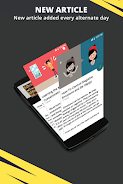
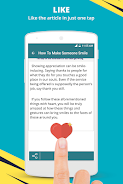
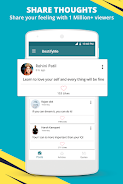
BestifyMe centers on helping users turn intentions into habits and plan time with confidence. It unifies to-do lists, recurring routines, and progress visualization in a single workspace. Notifications and adaptive suggestions nudge you at the right moments, while timeline and calendar views let you spot conflicts and pockets of free time.
Core Features
- Smart Task Management: Create tasks quickly using natural-language input. Set priorities, deadlines, and subtasks without navigating deep menus.
- Habit Tracking: Establish daily or weekly routines, mark completions instantly, and review streaks with clear charts.
- Automations & Reminders: Use conditional reminders and recurring schedules to reduce manual planning and avoid missed commitments.
- Insights & Reports: Weekly summaries highlight productivity patterns and suggest adjustments to improve consistency.
- Cross-Device Sync: Sync data across phones and tablets to keep your schedule accessible everywhere.
Interface and Workflow
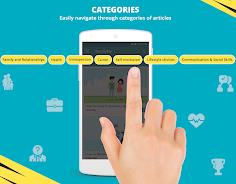
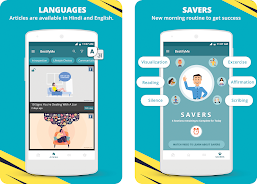
The design favors clarity and speed. Primary actions appear where you need them, and swipe gestures offer fast triage of tasks. BestifyMe divides content into a concise dashboard, an expanded timeline, and a focused mode for single-task work. Shortcuts let you convert emails or notes into actionable items, and color-coded tags make filtering effortless.
Customization and Automation
Customization is one of BestifyMe’s strengths. Choose from multiple themes, tweak notification styles, and configure widgets that show your next important item or current streaks. The automation engine supports simple rules like “snooze all low-priority tasks until tomorrow” or more advanced chains that trigger reminders based on time, location, or completion of other tasks.
Integrations and Practical Use
Designed for how people actually work, BestifyMe integrates with calendar apps and supports importing from CSV or other task managers. Link events to tasks, attach files and photos, and push completed items to cloud storage. These integrations make BestifyMe practical for students, freelancers, and professionals who juggle lists across multiple services.
Performance and Compatibility
The app runs smoothly on a broad range of Android devices. Memory usage stays conservative during typical workflows, and background sync is optimized to preserve battery life. Offline access ensures you can add items and keep tracking without network connectivity; changes sync automatically once a connection is restored. Regular updates focus on stability and incremental feature improvements.
Security and Privacy
BestifyMe includes standard protections like encrypted sync and optional passcode or biometric locks for sensitive lists. Data export and local backup options are provided so you retain control of your information. Privacy settings let you decide which integrations are active and how long archived items are retained.
Getting Started and Best Practices
Begin by adding three to five core tasks and one habit you want to build. Use the daily review to reorganize priorities and archive items you no longer need. Use labels sparingly at first to avoid clutter, then expand as patterns emerge. Shortcuts and widgets speed up habit check-ins and task creation, making BestifyMe an active part of your daily routine.
Why Try This App
For users who want a polished, pragmatic productivity tool, BestifyMe balances simplicity with powerful customization. It adapts to different planning styles and supports gradual habit change rather than demanding a rigid system. The combination of clear visuals, automation, and lightweight performance makes it a solid choice for improving day-to-day organization.
Show More
Information
Screenshots
Latest Update












Latest News
-
![Revealing the Launch Playlists and Cross-Progression for COD Warzone Mobile News]()
-
![March 2024 Free Redemption Codes for Honkai: Star Rail News]()
-
PUBG Mobile Teams Up with Bentley Motors: Luxury Cars, Exclusive Collectibles, and Beyond 2024-04-18
![PUBG Mobile Teams Up with Bentley Motors: Luxury Cars, Exclusive Collectibles, and Beyond News]()
-
![Monster Never Cry is now accessible on both Android and iOS mobile devices. News]()
-
V2.2 of the Farlight 84 update introduces an overhauled Season structure, fresh in-game currency, an 2024-04-16
![V2.2 of the Farlight 84 update introduces an overhauled Season structure, fresh in-game currency, an News]()
-
![Arrival of Genshin Impact 4.6 Update: 'Embers of Two Realms, Twilight of Crimson' News]()
-
April 2024 Clash of Clans Update: Unveiling a Fresh Companion, Enhanced Levels, Chat Tagging, and Be 2024-04-16
![April 2024 Clash of Clans Update: Unveiling a Fresh Companion, Enhanced Levels, Chat Tagging, and Be News]()






