

Flux for KWGT
Version:1.1.1
Published:2026-11-04
Introduction
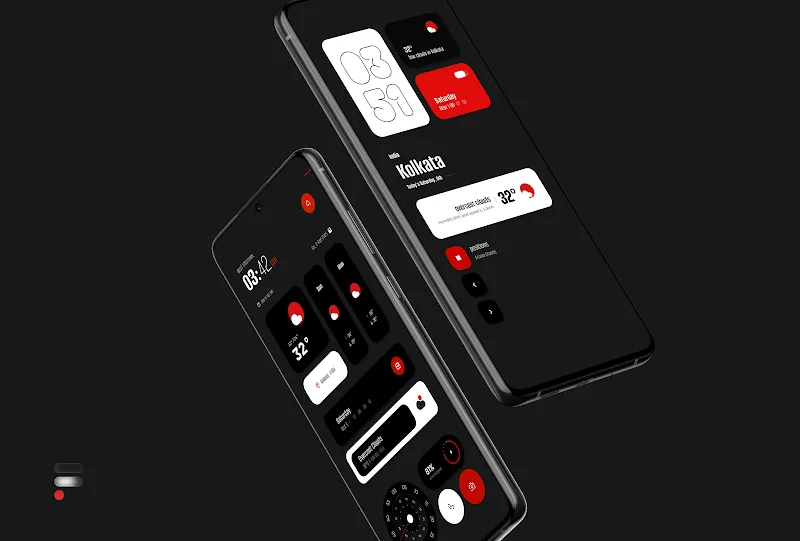
Flux for KWGT is a minimalist widget pack designed to give your Android homescreen a clean, modern look while remaining lightweight and easy to use. Flux for KWGT installs as a collection of ready-made KWGT templates that emphasize a monochrome palette with restrained red accents, and the pack is built for people who prefer a sharp, professional appearance without visual clutter. Whether you are swapping widgets in and out or building a single streamlined layout, Flux for KWGT provides a cohesive starting point and straightforward options to personalize every element.
Key Features
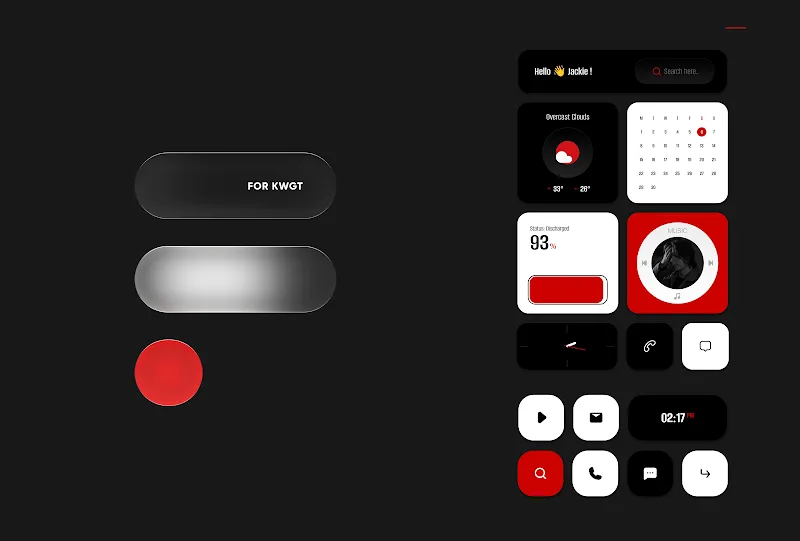
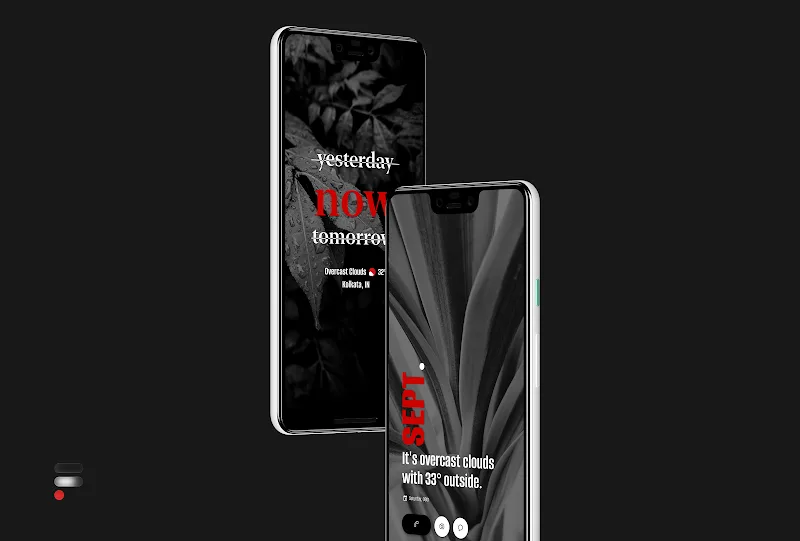
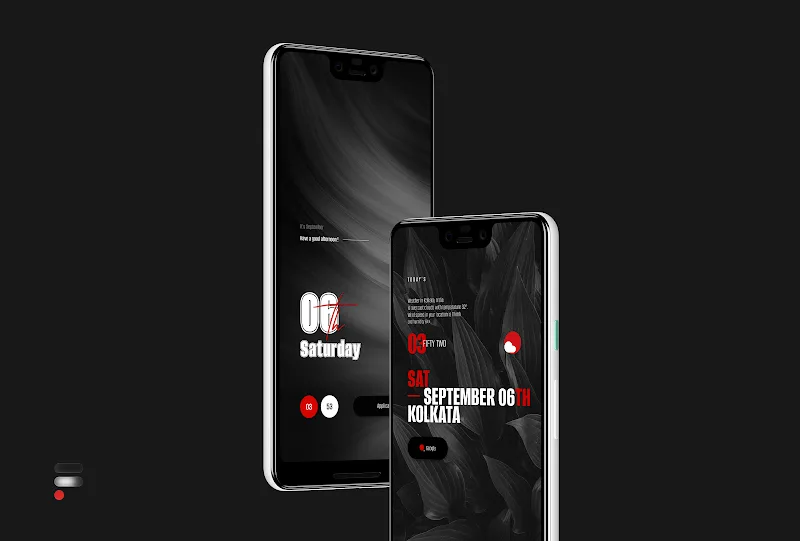
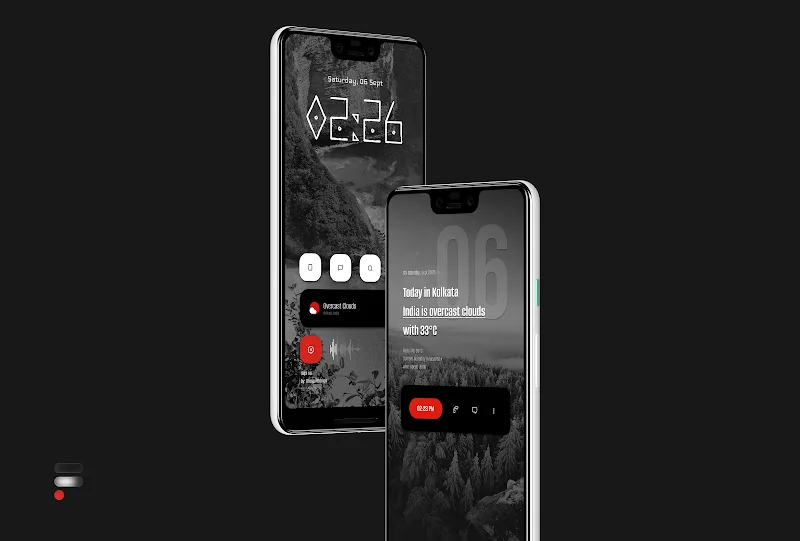
Flux for KWGT ships with over fifty prebuilt widgets and ten exclusive monochromatic wallpapers that share the same black, white and red aesthetic to ensure consistency across your setup. Widgets cover common homescreen needs such as clocks, weather modules, music controls, quick status indicators and compact information panels; each widget is created to work well at multiple sizes and to remain legible against the included wallpapers. The pack is compatible with KWGT's global settings so you can alter base colors and scale across all widgets at once, while frequent updates promise new widget designs and refinements over time.
Customization and Controls
All widgets in this pack are edited through the KWGT editor, so the primary controls are the same intuitive touch-and-drag gestures you already use in KWGT. You can change fonts, tweak spacing, reassign touch actions, and adjust layer visibility without leaving the editor. Global color controls let you switch the entire pack between black-on-white, white-on-black or the default accent palette, and per-widget scaling helps adapt layouts to phones, tablets and large-screen devices. Because Flux for KWGT uses standard KWGT components, advanced users can open individual widgets to modify shapes, expressions and tap targets to integrate shortcuts or app launches specific to their workflow.
Progression and Replay Value
Rather than offering competitive progression, Flux for KWGT encourages iterative personalization: start with a compact set of widgets for a minimalist setup, then expand or refine your arrangement as you discover which modules you use most. Users often create multiple presets in KWGT to switch between utility-focused screens, a distraction-free mode, and a widget-rich dashboard for productivity. This create-and-refine approach gives the pack strong replay value for people who enjoy tweaking, and regular updates from the developer add new pieces that keep long-term customization engaging without requiring online services.
Visual Style and Level Structure
The visual language of Flux for KWGT is deliberately restrained: monochrome elements and a single accent color create a clear hierarchy of information so the most important data stands out. Widgets are structured into categories for time, system status, media, and information panels, making it simple to assemble a multi-level homescreen with dedicated zones for glanceable data and interactive controls. Designers focused on contrast and spacing, so the widgets maintain readability at small sizes while still offering layered elements for users who prefer denser layouts.
Accessibility, Offline Use and Challenge Systems
Accessibility has been considered through high-contrast defaults and scalable text so users who need larger or more legible interfaces can adjust settings in KWGT and rely on the same assets offline. Once the widget pack and wallpapers are downloaded, everything works without an internet connection, and most widgets are intentionally lightweight to avoid unnecessary background processes. The main challenge when using Flux for KWGT is achieving pixel-perfect alignment across different launchers and screen densities; this is addressed by offering clear scaling guidance and recommending minor in-editor adjustments to match your device's DPI and grid configuration.
Setup, Requirements and Practical Tips
Flux for KWGT is not a standalone application and requires the KWGT PRO companion app to install and run the widgets, as well as a custom launcher for the most precise placement results. Expect to spend a few minutes per widget on scaling and tap target assignment when first applying the pack; those small edits ensure each module behaves exactly as you need on your specific device. For best results, use a launcher that supports custom grid sizes, save your favorite layouts as KWGT presets for quick recovery, and back up your KWGT files to avoid losing customized configurations during device changes.
Version Information and Support
The initial release includes 50+ widgets and 10 monochromatic wallpapers, with ongoing updates planned by the developer to add new pieces and polish existing designs. If you rely on a consistent, minimalist homescreen and want a pack that emphasizes legibility, control and a unified aesthetic, Flux for KWGT is a practical choice that integrates smoothly into the KWGT workflow and leaves room for personal expression through thoughtful customization.
Show More
Information
Screenshots
Latest Update











Latest News
-
![Revealing the Launch Playlists and Cross-Progression for COD Warzone Mobile News]()
-
![March 2024 Free Redemption Codes for Honkai: Star Rail News]()
-
PUBG Mobile Teams Up with Bentley Motors: Luxury Cars, Exclusive Collectibles, and Beyond 2024-04-18
![PUBG Mobile Teams Up with Bentley Motors: Luxury Cars, Exclusive Collectibles, and Beyond News]()
-
![Monster Never Cry is now accessible on both Android and iOS mobile devices. News]()
-
V2.2 of the Farlight 84 update introduces an overhauled Season structure, fresh in-game currency, an 2024-04-16
![V2.2 of the Farlight 84 update introduces an overhauled Season structure, fresh in-game currency, an News]()
-
![Arrival of Genshin Impact 4.6 Update: 'Embers of Two Realms, Twilight of Crimson' News]()
-
April 2024 Clash of Clans Update: Unveiling a Fresh Companion, Enhanced Levels, Chat Tagging, and Be 2024-04-16
![April 2024 Clash of Clans Update: Unveiling a Fresh Companion, Enhanced Levels, Chat Tagging, and Be News]()






