

AndroMoney
Version:13.15
Published:2026-11-17
Introduction
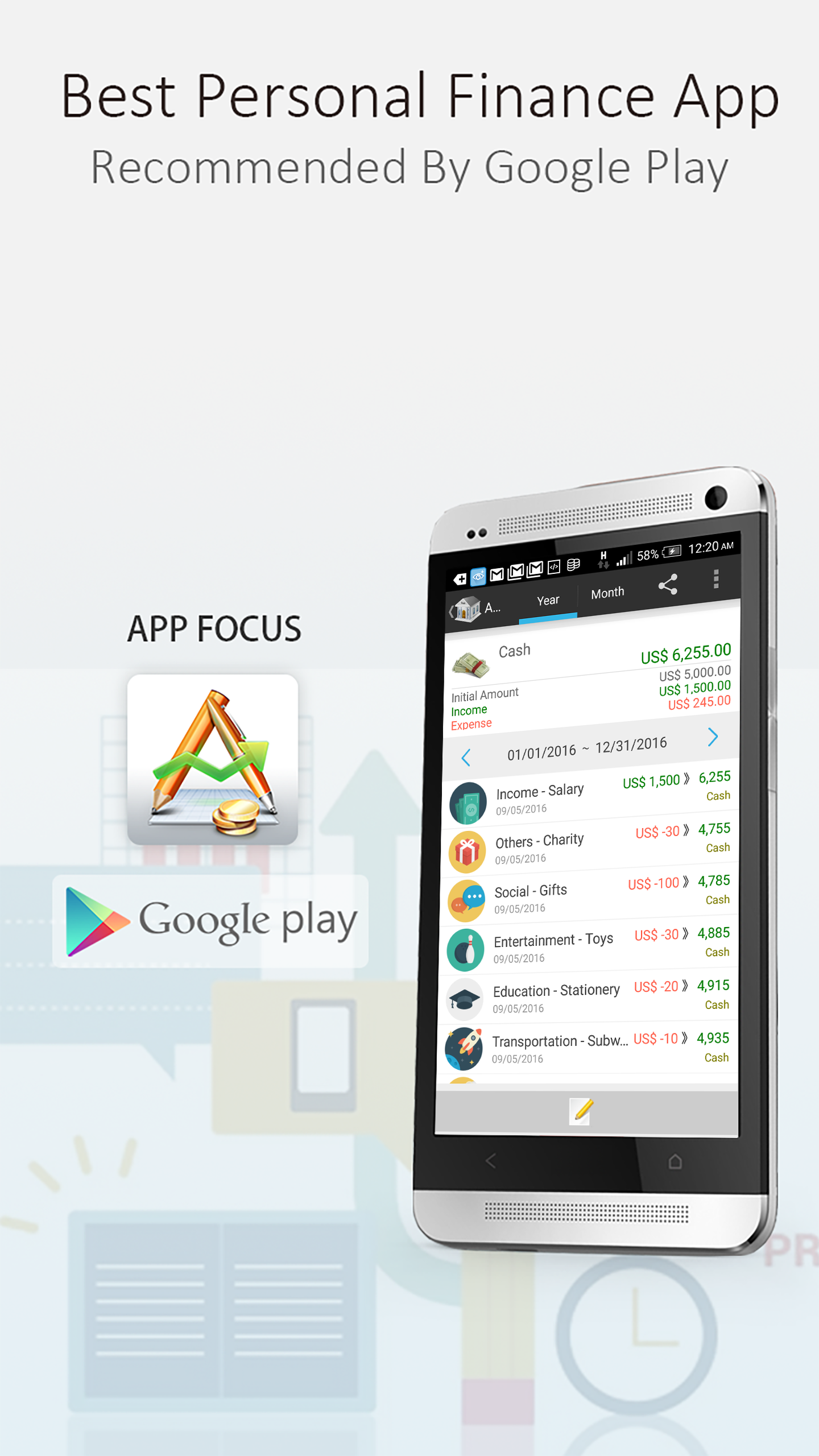
AndroMoney is a streamlined personal finance manager that helps you track income, expenses, and budgets across multiple accounts with simple inputs and clear reports. Designed for mobile use, it supports currency conversion, recurring transactions, and fast data entry so you can monitor finances daily without getting bogged down in complexity.
Key features at a glance
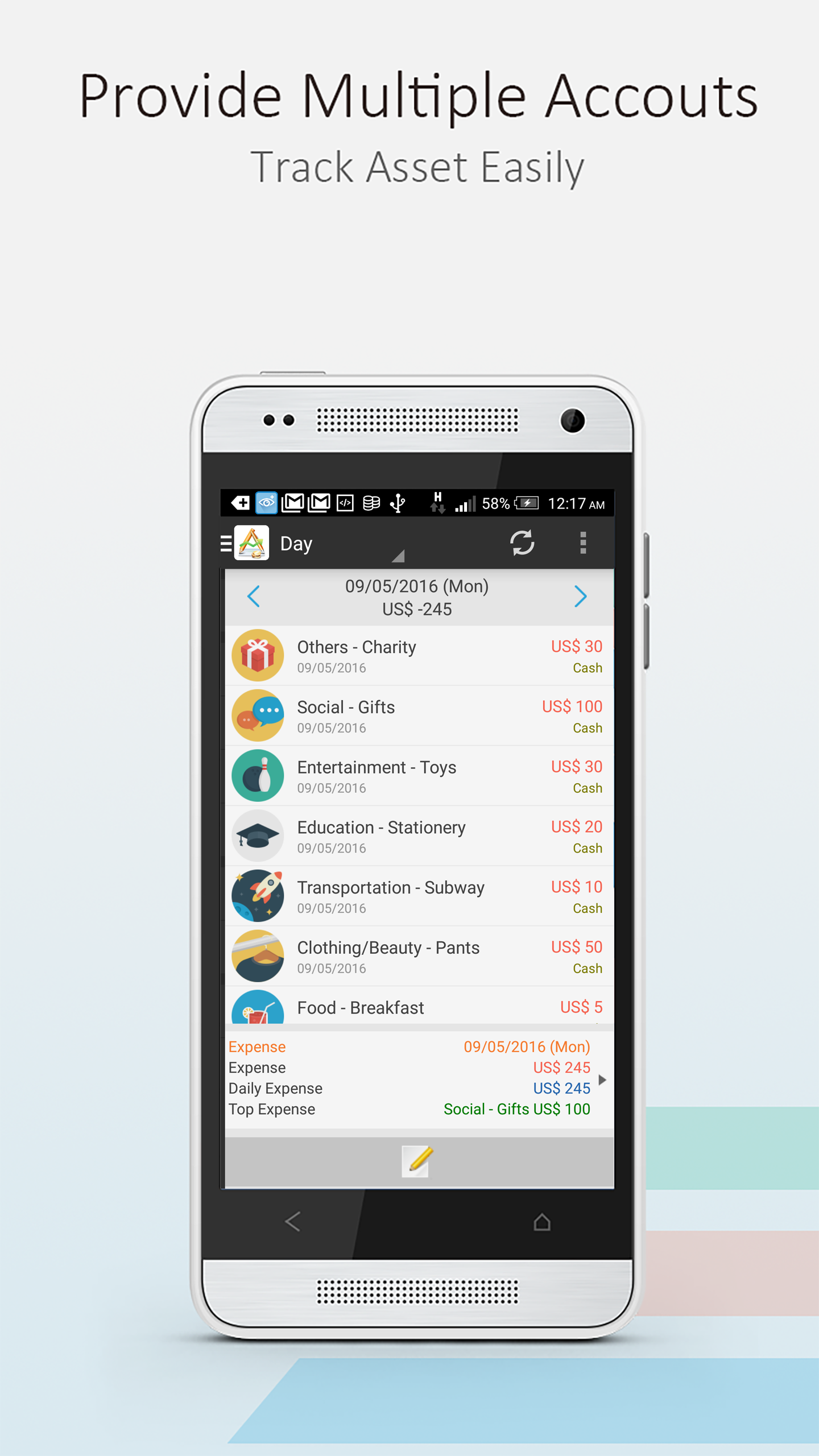
AndroMoney combines a compact feature set with practical automation. It supports multiple wallets and bank accounts, categorizes transactions automatically, and offers customizable budgets to control spending. You get scheduled transactions, quick-add widgets, and multi-currency handling for travelers or people who manage accounts in different currencies.
- Multi-account support — manage checking, savings, credit cards, and cash in one view.
- Budgeting tools — set limits per category and monitor progress in real time.
- Recurring entries — automate bills, salaries, and subscriptions to avoid manual entry.
- CSV and export — export data for tax time or deeper analysis on a PC.
Interface and daily workflow
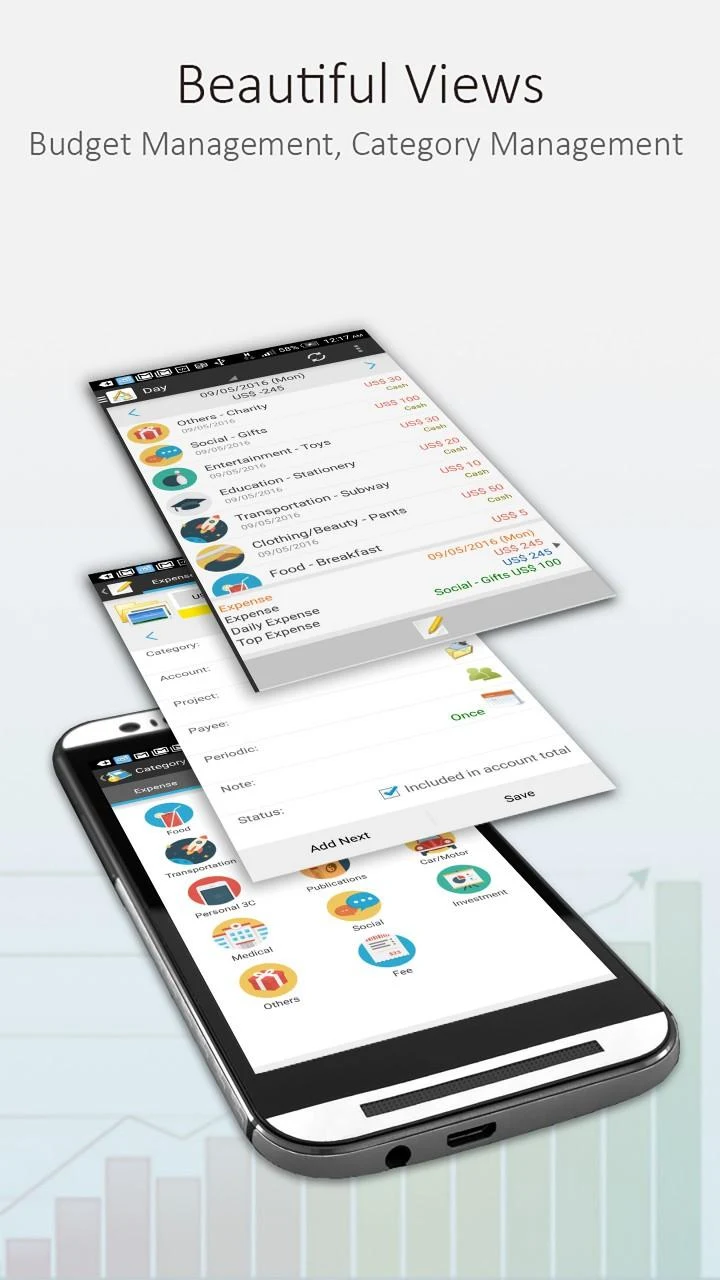
The interface is optimized for quick interaction: large input fields, category shortcuts, and a timeline view that places today’s transactions front and center. Adding an expense is typically a two-step process: amount and category. Frequent payees can be saved, and the search tool makes locating past transactions fast. For mobile-first users, the simplicity reduces friction and encourages consistent tracking.
Organizing accounts and budgets
Organization is flexible. Create custom categories, assign icons and colors, and group related categories into budget buckets. Budgets show remaining balances and projected overspend based on current activity. If you manage family finances, you can create separate accounts to reflect shared and personal funds while keeping aggregated totals for an overview.
Reports and analysis
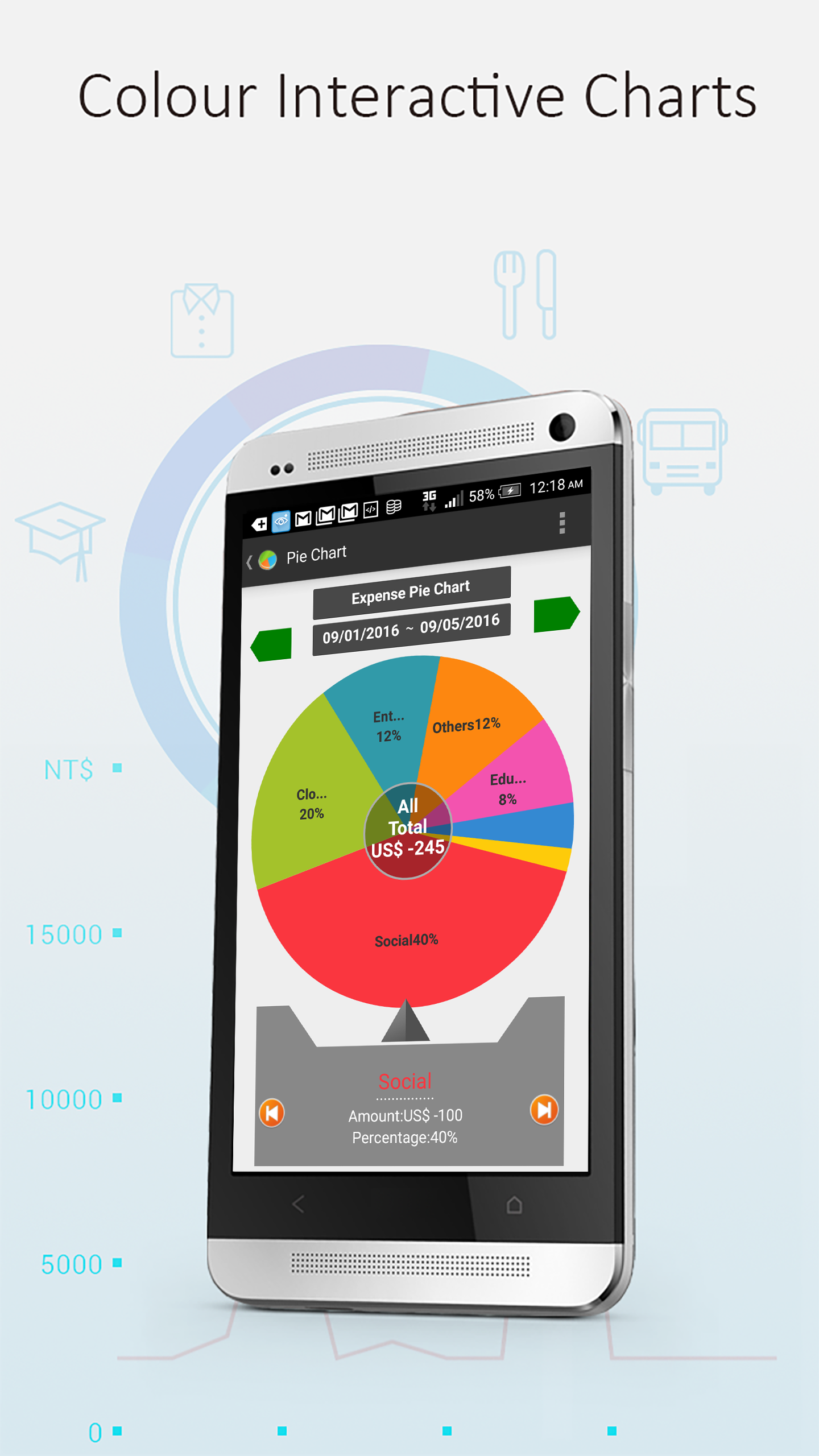
AndroMoney offers several report types to help you understand spending patterns. Visual charts highlight top categories, month-to-month trends, and income vs. expense balances. These reports are interactive: tap a segment to reveal the individual transactions that compose it. This makes it simple to identify recurring drains and one-off costs that affect your budget.
Sync, backup, and security
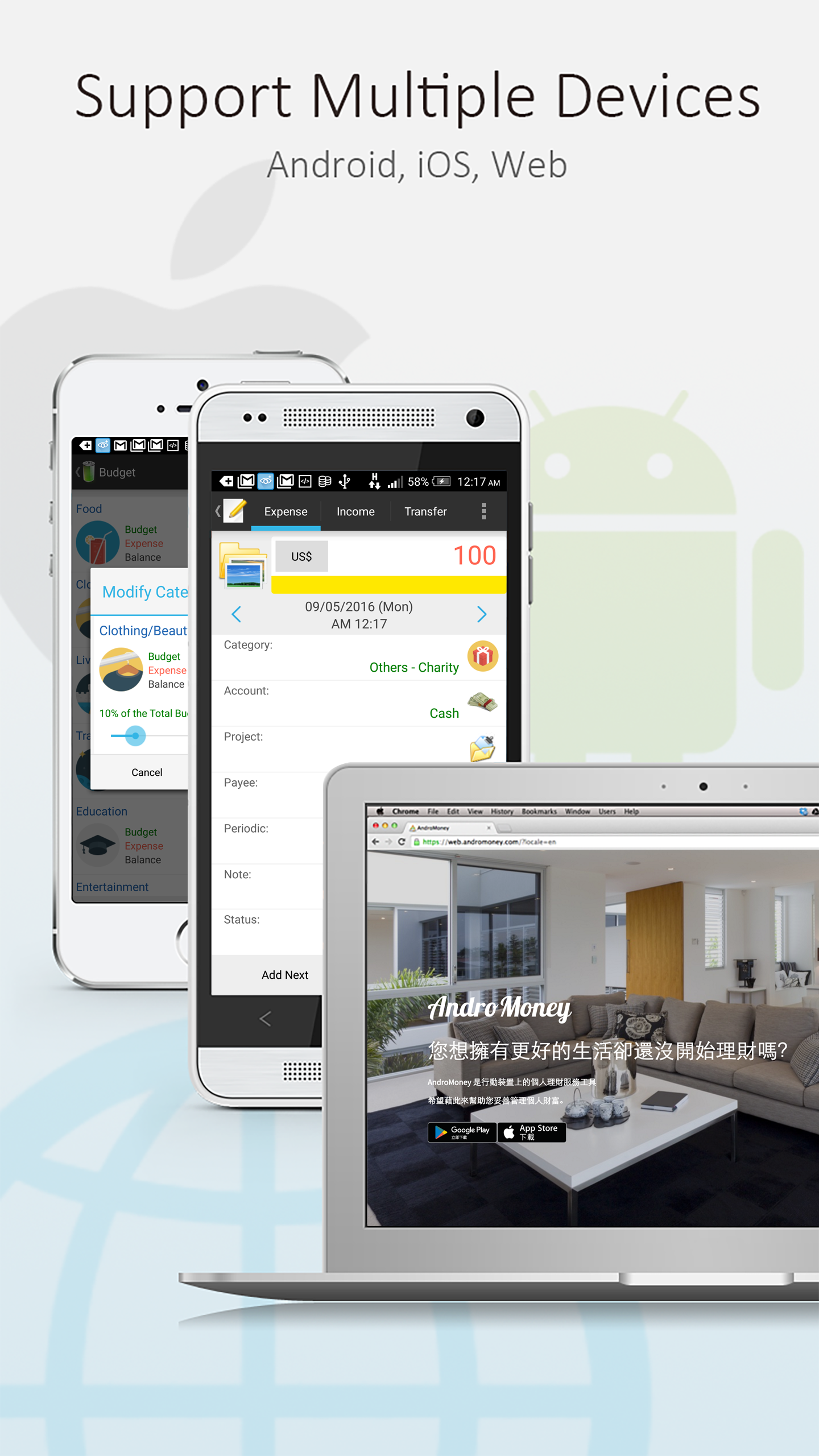
Data safety is built into the workflow. Options include encrypted backups to cloud storage and local exports that give you control over sensitive information. Syncing across devices keeps your phone and tablet aligned, and password or biometric locks protect the app from casual access. For users who prefer offline control, manual backup and restore are available.
Performance and compatibility
AndroMoney is designed to run smoothly on a wide range of Android devices. The app is lightweight, so it launches quickly and consumes minimal battery. Large datasets remain responsive thanks to compact database management and occasional cleanup tools. Compatibility extends to older OS versions, while new updates enable better stability and features on modern phones.
Customization and advanced options
Beyond basic tracking, the app provides advanced settings for power users. Import rules can map external bank statements into categories automatically. Custom reports and date-range filters let you examine specific periods such as vacations or tax years. Widgets and home-screen shortcuts accelerate common tasks like adding cash payments or checking budget status.
Getting started tips
To get the most value from AndroMoney, begin by entering a month of transactions and assigning categories consistently. Set one or two budgets first — essentials like groceries and transportation— then expand as you grow comfortable. Schedule recurring bills to reduce manual entry, and enable backups before making large imports. Regularly review the visual reports to spot trends and adjust budgets proactively.
With a blend of simplicity and depth, AndroMoney fits users who want reliable tracking with room to scale. Whether you track daily coffee purchases or manage multiple currency accounts, the app aims to keep financial data clear and actionable so you can make better decisions with less effort.
Show More
Information
Screenshots
Latest Update











Hot Tags
Latest News
-
![Revealing the Launch Playlists and Cross-Progression for COD Warzone Mobile News]()
-
![March 2024 Free Redemption Codes for Honkai: Star Rail News]()
-
PUBG Mobile Teams Up with Bentley Motors: Luxury Cars, Exclusive Collectibles, and Beyond 2024-04-18
![PUBG Mobile Teams Up with Bentley Motors: Luxury Cars, Exclusive Collectibles, and Beyond News]()
-
![Monster Never Cry is now accessible on both Android and iOS mobile devices. News]()
-
V2.2 of the Farlight 84 update introduces an overhauled Season structure, fresh in-game currency, an 2024-04-16
![V2.2 of the Farlight 84 update introduces an overhauled Season structure, fresh in-game currency, an News]()
-
![Arrival of Genshin Impact 4.6 Update: 'Embers of Two Realms, Twilight of Crimson' News]()
-
April 2024 Clash of Clans Update: Unveiling a Fresh Companion, Enhanced Levels, Chat Tagging, and Be 2024-04-16
![April 2024 Clash of Clans Update: Unveiling a Fresh Companion, Enhanced Levels, Chat Tagging, and Be News]()






