

P6SLite
Version:8.2.10
Published:2026-11-18
Introduction
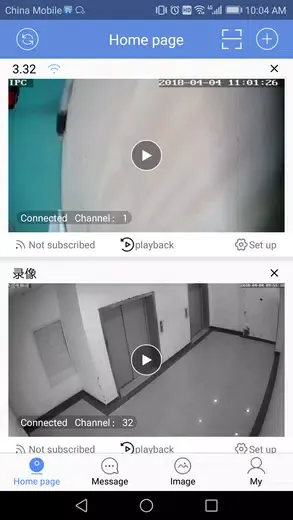
Most security and camera management tools drown you in menus or force a long setup before you see a live feed. P6SLite approaches those common headaches with a cleaner, more focused toolkit that puts device control and video access front and center. The app works as a hub for IP cameras, recorders, and other surveillance devices so you can preview streams, replay recorded clips, and manage device settings from a single Android interface, whether you're maintaining a small home system or keeping an eye on a business network.
Categories:
Surveillance management: P6SLite is built for users who need to organize multiple cameras and recorders in one place, grouping devices and assigning names or locations.
Remote viewing: The app supports live access to camera feeds when you need to check activity off-site or on a different network.
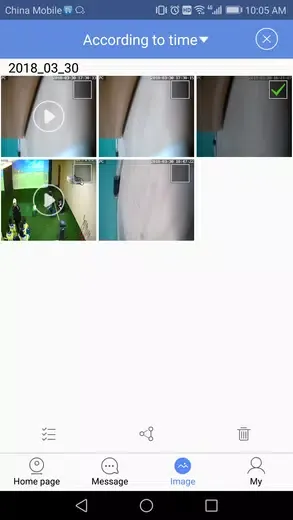
Local media handling: P6SLite includes tools for saving, browsing, and exporting recorded clips stored on the device or the recorder.
Features:
Device control: Add, edit, and remove network cameras and recorders with straightforward controls so each unit is reachable from the main list.
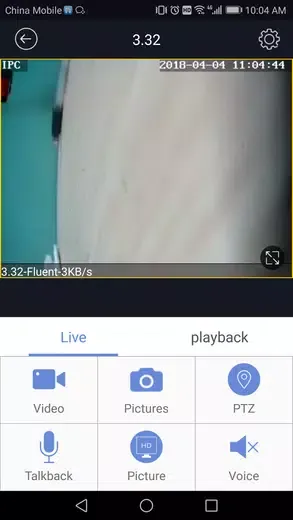
Live preview: See live video streams in real time, toggle between single-camera and multi-view layouts, and quickly switch sources without restarting the app.
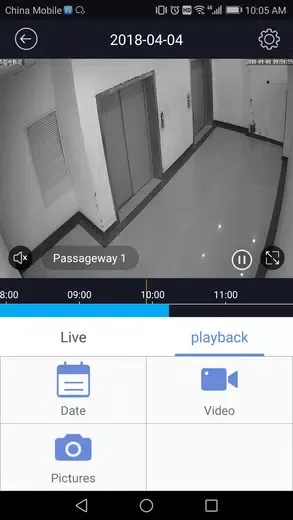
Remote playback: Jump back to recorded footage to review events, scrub through timelines, and export short segments for evidence or sharing.
Two-way audio/intercom: Initiate audio communication with supported cameras and intercom-enabled devices to talk through the mobile device when required.
Alert delivery: Receive push notifications about motion or input alarms so you can react promptly when the system detects an event.
Flexible connections: Use direct access methods or configure server connections and AP links to suit local networks and remote access scenarios.
Tips and Tricks:
Group devices by location: Create meaningful labels and folders for cameras (front door, driveway, warehouse) to find the right feed faster during an alert.
Use remote playback to verify deliveries: If you get a notification about package activity, open the recorded timeline to confirm an arrival without having to watch the whole stream.
Monitor while travelling: Check feeds from a hotel or transit hub using a secure server connection so you can keep tabs on a vacation property or a second home.
Night shift oversight: For small businesses, set up push alerts and periodically review overnight footage to make sure opening routines are on schedule.
FAQs:
Which devices will work with this app?
The app supports common network cameras, network video recorders, and digital video recorders that follow standard network streaming protocols. Consult your hardware documentation for compatibility details.
Can I view feeds when I'm not on the same local network?
Yes. P6SLite offers both direct access modes and server-based connections so you can reach cameras from a remote location once the system and network are configured.
Does the app store recordings locally?
Yes. You can save clips to local storage on your device, manage downloaded files inside the app, and export or share short video segments as needed.
Conclusion:
P6SLite provides a compact set of tools for organizing cameras, watching live streams, and replaying recordings without overwhelming menus. If you need a mobile companion to manage a multi-device camera setup or to keep an eye on a small site from afar, try P6SLite and see whether its connection options and basic media tools match your workflow.
Show More
Information
Screenshots
Latest Update











Latest News
-
![Revealing the Launch Playlists and Cross-Progression for COD Warzone Mobile News]()
-
![March 2024 Free Redemption Codes for Honkai: Star Rail News]()
-
PUBG Mobile Teams Up with Bentley Motors: Luxury Cars, Exclusive Collectibles, and Beyond 2024-04-18
![PUBG Mobile Teams Up with Bentley Motors: Luxury Cars, Exclusive Collectibles, and Beyond News]()
-
![Monster Never Cry is now accessible on both Android and iOS mobile devices. News]()
-
V2.2 of the Farlight 84 update introduces an overhauled Season structure, fresh in-game currency, an 2024-04-16
![V2.2 of the Farlight 84 update introduces an overhauled Season structure, fresh in-game currency, an News]()
-
![Arrival of Genshin Impact 4.6 Update: 'Embers of Two Realms, Twilight of Crimson' News]()
-
April 2024 Clash of Clans Update: Unveiling a Fresh Companion, Enhanced Levels, Chat Tagging, and Be 2024-04-16
![April 2024 Clash of Clans Update: Unveiling a Fresh Companion, Enhanced Levels, Chat Tagging, and Be News]()






