

Koora Live
Version:1.4.0
Published:2026-11-18
Introduction
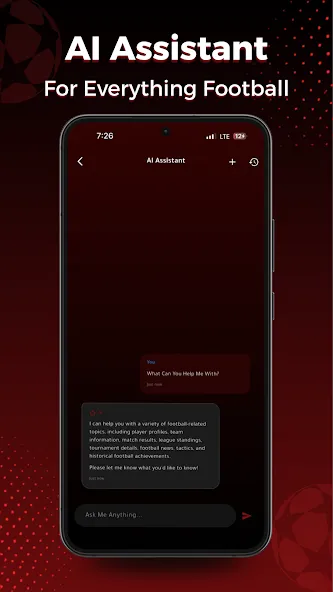
Koora Live brings real-time sports coverage and match updates to your Android device, combining live streams, score alerts, and on-demand highlights into a single streamlined interface. Designed for fans who want fast access to football fixtures and breaking results, the app prioritizes simplicity and reliable playback across networks.
Quick overview of the experience
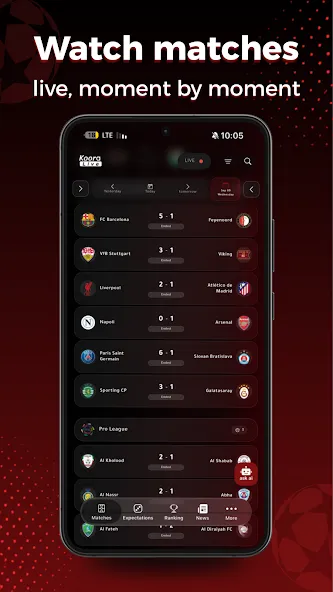
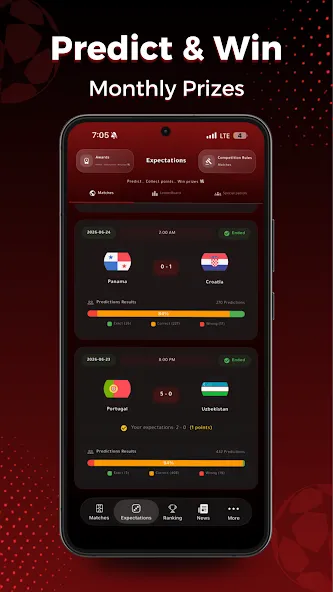
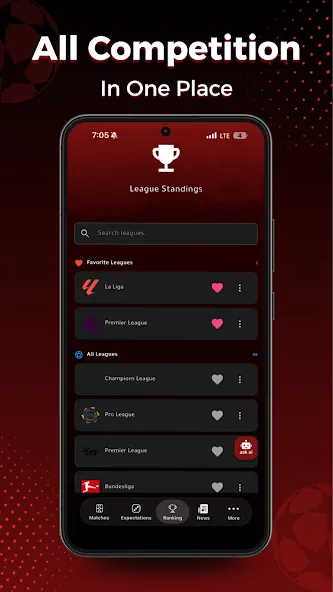
Koora Live targets users who follow domestic leagues, international competitions, and cup tournaments. It mixes live broadcasting with instant scoreboards, a compact news feed, and short highlight reels so you can follow matches without switching between multiple services. The app’s lightweight footprint makes it suitable for older phones and lower bandwidth conditions.
Main capabilities at a glance
- Live streaming: Watch matches in several quality options and switch streams if one becomes unstable.
- Score and timeline: Real-time updates, goal alerts, and minute-by-minute event logs.
- Highlights and replays: Short clips of key moments plus the ability to catch up on missed games.
- Notifications: Custom alerts for selected teams, competitions, or kickoff times.
- Multi-language support: Interface and commentary options to suit international users.
How the app organizes content
The content organization focuses on immediacy. A home feed presents ongoing matches, upcoming fixtures, and trending clips. Navigation tabs separate live games from highlights, while a search function helps you jump directly to a club, player, or league. Filters let you narrow results by country, competition type, and broadcast language.
What sets the interface apart
Koora Live keeps controls within thumb reach: a bottom navigation bar, an expandable match card for details, and in-stream controls for quality, subtitles, and audio tracks. The design is intentionally uncluttered to minimize distractions during play-by-play viewing. Dark and light themes allow users to choose a viewing mode that reduces eye strain.
Performance and streaming behavior
Playback is adaptive: the player automatically adjusts bitrate based on your connection and offers manual overrides for maximum quality. Buffering management favors continuity over resolution, which helps reduce interruptions during low-signal conditions. Background play and picture-in-picture are supported on compatible Android builds, enabling multitasking while you follow games.
User workflow and practical usage
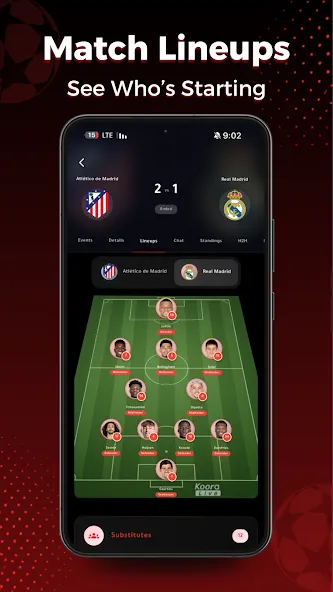
Start by selecting your favorite teams and competitions; this tailors the notification flow and home feed. Use the calendar view to see weekly fixtures, then tap any match card to access live streams, lineups, and head-to-head stats. The replay library keeps recent matches organized by date, so catching up after work is straightforward.
Tips for a smoother experience
- Enable only the most relevant notifications to avoid alert fatigue.
- Prefer Wi-Fi for high-quality streams or set a higher bitrate when on a strong mobile connection.
- Keep the app updated to access codec improvements and bug fixes.
- Use picture-in-picture to monitor scores while using other apps.
Why fans choose Koora Live
Many users appreciate the combination of fast score updates and accessible streams without excessive setup. The app’s small size and simple onboarding make it attractive for users who want a low-friction way to watch matches and track results. Social sharing tools and short highlight clips help fans discuss moments with friends quickly.
Installation and first steps
Download and install the app through your preferred Android store. On first launch, accept the basic permissions for storage and notifications to enable downloads and alerts. Set your favorite teams during the quick setup to activate tailored content. The onboarding screens explain key controls and where to find replays, highlights, and live feeds.
Final observations for prospective users
Koora Live is well suited to fans who want immediate access to football action without a steep learning curve. It balances useful features with a compact interface and performs reliably on a range of devices. Regular updates add streaming improvements and occasional new features, keeping the app current with broadcast and user expectations.
Show More
Information
Screenshots
Latest Update







Hot Tags
Latest News
-
![Revealing the Launch Playlists and Cross-Progression for COD Warzone Mobile News]()
-
![March 2024 Free Redemption Codes for Honkai: Star Rail News]()
-
PUBG Mobile Teams Up with Bentley Motors: Luxury Cars, Exclusive Collectibles, and Beyond 2024-04-18
![PUBG Mobile Teams Up with Bentley Motors: Luxury Cars, Exclusive Collectibles, and Beyond News]()
-
![Monster Never Cry is now accessible on both Android and iOS mobile devices. News]()
-
V2.2 of the Farlight 84 update introduces an overhauled Season structure, fresh in-game currency, an 2024-04-16
![V2.2 of the Farlight 84 update introduces an overhauled Season structure, fresh in-game currency, an News]()
-
![Arrival of Genshin Impact 4.6 Update: 'Embers of Two Realms, Twilight of Crimson' News]()
-
April 2024 Clash of Clans Update: Unveiling a Fresh Companion, Enhanced Levels, Chat Tagging, and Be 2024-04-16
![April 2024 Clash of Clans Update: Unveiling a Fresh Companion, Enhanced Levels, Chat Tagging, and Be News]()






