

Timestamp Camera EnterprisePro
Version:1.237
Published:2026-11-18
Introduction
Timestamp Camera EnterprisePro is a professional timestamping and video/photo annotation app designed for field teams, inspections, and business records. It automatically embeds accurate time, date, GPS coordinates and custom text onto images and video, providing verifiable visual evidence while remaining easy to configure and use across devices.
Key capabilities
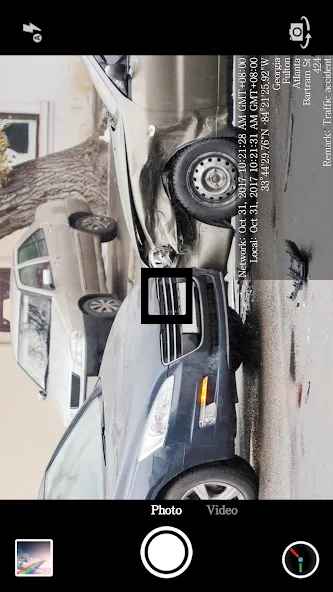
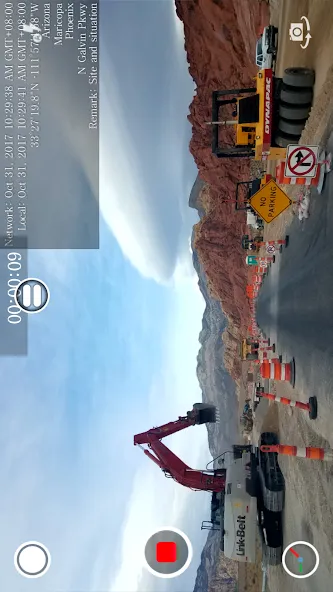
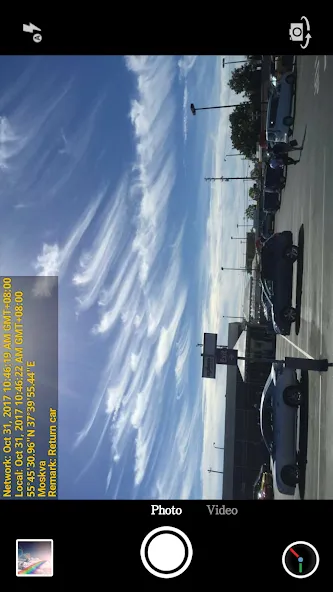
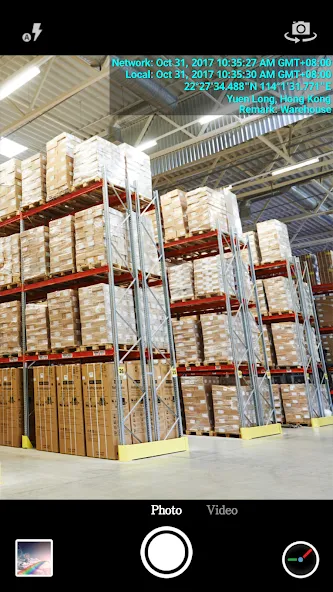
Timestamp Camera EnterprisePro delivers a suite of tools tailored to capture trustworthy media. Core features include automatic timestamping, high-precision GPS imprinting, multiple date/time formats, and batch processing for large photo sets. The app supports real-time video stamping and still-image overlays, making it suitable for audit trails, construction logs, insurance claims, and compliance documentation.
User interface and workflow
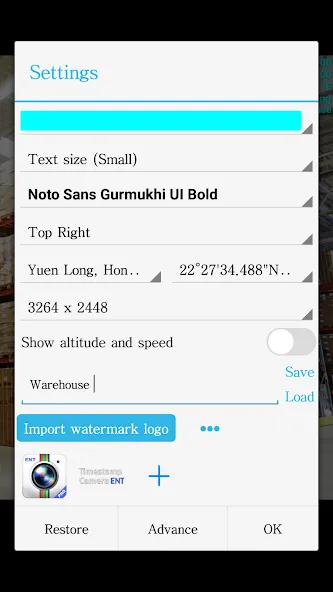
The interface focuses on straightforward operation: a clean capture screen shows active overlays and toggle controls for each element. Users can set defaults for time zone, font size, position, and language so every shot follows organizational standards. The workflow allows on-the-fly adjustments before capture or automated settings for standardized jobs, minimizing the need for post-processing.
Customization and branding
Custom text fields let organizations add project IDs, inspector names, company logos, or job-specific notes. Timestamp Camera EnterprisePro enables placement control for each overlay and supports color, opacity, and font customization. These options let teams create branded and readable outputs while ensuring that critical metadata remains visible on any background.
Batch operations and file management
For teams handling large volumes, batch stamping and export accelerate reporting. Select multiple photos, apply a consistent timestamp and watermark, then export to common formats or upload directly to cloud folders. Integrated naming templates help maintain organized archives by date, location, or job code so records are searchable and audit-ready.
Accuracy and verification
Reliable time and location are essential for evidentiary uses. The app synchronizes device time and can reference network time when available, while GPS overlays record coordinates and altitude. Timestamp Camera EnterprisePro also embeds metadata into image files so verification tools and third-party systems can read the original capture details without altering the visual evidence.
Compatibility and performance
Designed for modern Android devices, the app runs smoothly on a wide range of hardware. It is optimized for minimal battery impact during prolonged use and supports high-resolution captures without undue slowdown. Compatibility with external GPS modules and Bluetooth accessories extends positioning accuracy for site work and remote inspections.
Integration and export options
Export choices include common image and video formats as well as structured filenames and folder layouts for enterprise workflows. The app supports direct uploads to FTP, cloud storage services, and email, making it simple to integrate with existing reporting platforms. Timestamp Camera EnterprisePro can also generate lightweight CSV summaries of captured data for bulk import into management systems.
Practical use cases
- Construction: Document progress with timestamps and location stamps for daily logs and subcontractor verification.
- Insurance: Record vehicle damage or property loss with verifiable capture times for claims processing.
- Inspections: Produce time-coded evidence for safety checks, maintenance visits, and regulatory audits.
- Field services: Track technician visits and job completion with stamped photos tied to service orders.
Getting started and tips
Begin by configuring default overlays and testing a few captures to confirm visibility against typical worksite backgrounds. Use templates for recurring projects and enable batch export to reduce manual file handling. Regularly check location permissions and device time settings to maintain timestamp accuracy. For high-accuracy needs, pair the app with an external GPS receiver.
Support and updates
Regular updates add compatibility improvements and new overlay options. Built-in help screens and tutorials guide administrators through configuration, while export guides explain integration steps for common cloud and FTP targets. Organizations can rely on Timestamp Camera EnterprisePro as a practical tool to produce consistent, verifiable visual records that streamline reporting and protect data integrity.
Show More
Information
Screenshots
Latest Update












Latest News
-
![Revealing the Launch Playlists and Cross-Progression for COD Warzone Mobile News]()
-
![March 2024 Free Redemption Codes for Honkai: Star Rail News]()
-
PUBG Mobile Teams Up with Bentley Motors: Luxury Cars, Exclusive Collectibles, and Beyond 2024-04-18
![PUBG Mobile Teams Up with Bentley Motors: Luxury Cars, Exclusive Collectibles, and Beyond News]()
-
![Monster Never Cry is now accessible on both Android and iOS mobile devices. News]()
-
V2.2 of the Farlight 84 update introduces an overhauled Season structure, fresh in-game currency, an 2024-04-16
![V2.2 of the Farlight 84 update introduces an overhauled Season structure, fresh in-game currency, an News]()
-
![Arrival of Genshin Impact 4.6 Update: 'Embers of Two Realms, Twilight of Crimson' News]()
-
April 2024 Clash of Clans Update: Unveiling a Fresh Companion, Enhanced Levels, Chat Tagging, and Be 2024-04-16
![April 2024 Clash of Clans Update: Unveiling a Fresh Companion, Enhanced Levels, Chat Tagging, and Be News]()






