

DeepSeek
Version:2.7.1
Published:2026-11-19
Introduction
Ask, upload, iterate: DeepSeek turns routine problem solving into a conversational workflow you can carry on your Android device. The app places a chat-style assistant at the center of writing, debugging and data review tasks so you can move from idea to draft to fix without switching tools. DeepSeek supports long-context conversations, accepts document uploads for reference, and exposes an API for developers who want to embed the assistant into their own services. This review walks through how it works and what to expect when you add DeepSeek to your toolkit.
Getting Started with DeepSeek
Create an account: Install the app, register or sign in, then wait for the chat interface to initialize before sending your first request.
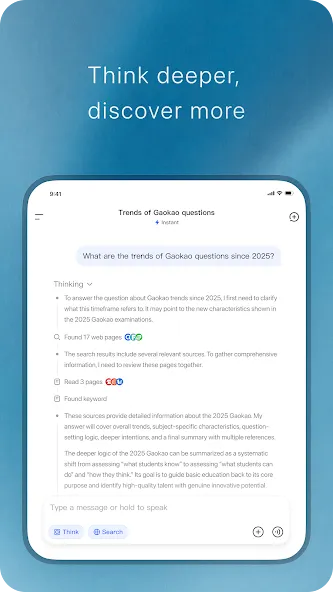
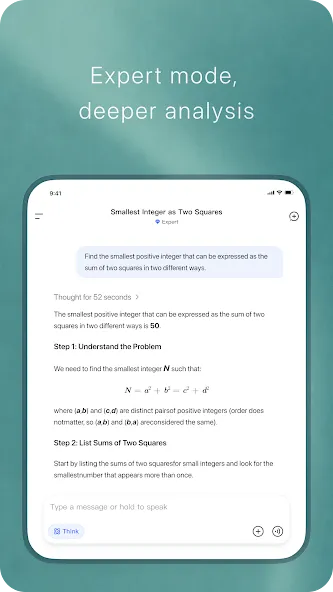
Begin a conversation: Type a prompt—an editing job, a coding question or a research query—and the assistant replies with step-by-step reasoning and suggested next steps.
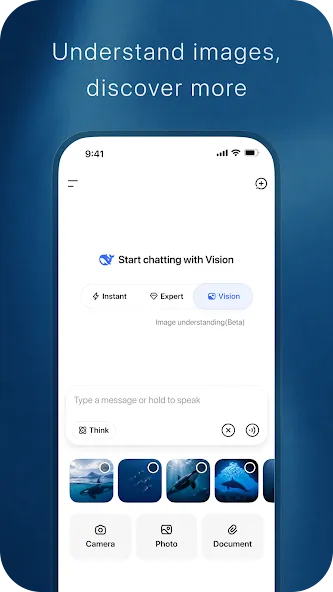
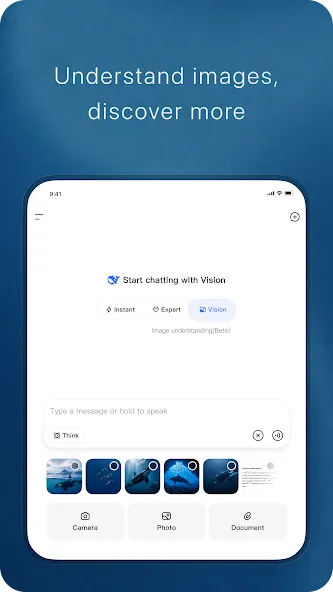
Attach files: Use the upload option to share documents the assistant should reference; those files remain part of the conversation context for follow-ups.
Keep threads organized: Start new threads for different projects so past chats stay easy to find and you can resume work without losing context.
Features of DeepSeek
Access to modern models: DeepSeek gives free access to its current reasoning model, optimized for speed and sustained quality during long back-and-forths.
Code-aware assistance: Paste snippets, describe errors or request examples and DeepSeek will analyze the code, point out likely bugs and suggest corrections in plain language.
Writing and rewriting tools: Ask for drafts, tone shifts or concise summaries; the assistant adapts output length and style to match your brief.
Document-aware conversations: Uploaded files are incorporated into the chat history so the assistant can extract facts, summarize sections or produce notes tied to your documents.
Cross-platform continuity and API: Conversations sync between mobile and web and an available API lets developers link the assistant into other apps or services.
Tips and Tricks
Break large tasks into steps: When you have a complex request, feed it in stages—ask for an outline, then a draft, then edits—to get more focused results.
Use uploads for meetings and reports: Share meeting notes or a report and ask DeepSeek to produce an executive summary or action list to speed post-meeting follow-up.
Validate code before committing: Before you finalize a change, paste the relevant function and ask for possible edge cases or common pitfalls to catch issues early.
FAQs about DeepSeek
Can DeepSeek help me learn programming?
Yes. The assistant can explain concepts, provide example snippets and walk you through debugging steps at a beginner-friendly pace.
Is DeepSeek suitable for non-technical users?
Absolutely. While it offers technical features, many users rely on it for drafting emails, summarizing documents and planning tasks.
How do developers integrate DeepSeek into other apps?
DeepSeek offers an API that developers can use to send prompts and receive responses programmatically; check the documentation inside the app or on the official developer pages for authentication and endpoint details.
Conclusion
DeepSeek provides a flexible chat-driven workspace that handles writing, code review and document-aware queries in a single app; it’s a practical choice for people who want an on-device assistant plus API access, though advanced enterprise workflows may require custom integration and configuration.
Show More
Information
Screenshots
Latest Update












Hot Tags
Latest News
-
![Revealing the Launch Playlists and Cross-Progression for COD Warzone Mobile News]()
-
![March 2024 Free Redemption Codes for Honkai: Star Rail News]()
-
PUBG Mobile Teams Up with Bentley Motors: Luxury Cars, Exclusive Collectibles, and Beyond 2024-04-18
![PUBG Mobile Teams Up with Bentley Motors: Luxury Cars, Exclusive Collectibles, and Beyond News]()
-
![Monster Never Cry is now accessible on both Android and iOS mobile devices. News]()
-
V2.2 of the Farlight 84 update introduces an overhauled Season structure, fresh in-game currency, an 2024-04-16
![V2.2 of the Farlight 84 update introduces an overhauled Season structure, fresh in-game currency, an News]()
-
![Arrival of Genshin Impact 4.6 Update: 'Embers of Two Realms, Twilight of Crimson' News]()
-
April 2024 Clash of Clans Update: Unveiling a Fresh Companion, Enhanced Levels, Chat Tagging, and Be 2024-04-16
![April 2024 Clash of Clans Update: Unveiling a Fresh Companion, Enhanced Levels, Chat Tagging, and Be News]()






