

Orgzly
Version:1.8.11
Published:2026-11-19
Introduction
Orgzly is a focused Android organizer that uses plain-text outline files to merge note-taking and task management into a single, portable system. It brings org-mode compatibility to mobile, offering structured notes, TODO states, and agenda-style planning in a lightweight, offline-friendly package built for productivity-minded users.
What makes it different
Rather than relying on proprietary databases, Orgzly keeps your information in simple files you can edit with any text editor. That transparent approach ensures long-term access to your data and makes integration with other tools straightforward. The app leans on hierarchical outlines, which give you flexibility when capturing ideas, breaking down projects, and tracking tasks without forcing rigid templates.
Core features at a glance
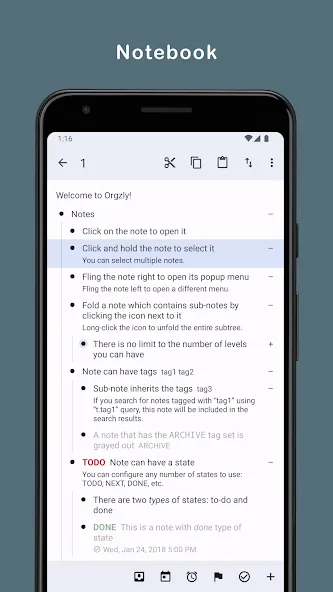
- Outline-based notes: Create nested lists to organize thoughts, steps, and reference material with an emphasis on structure over styling.
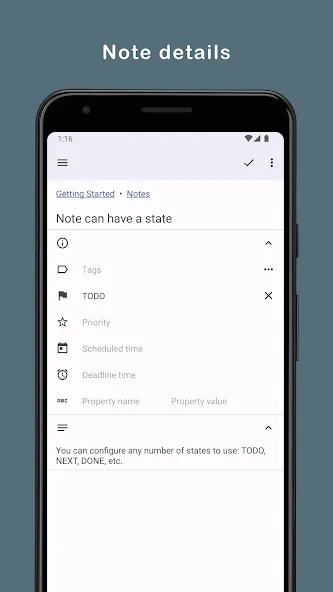
- Task states and scheduling: Mark items as TODO, DONE, or custom states, and attach deadlines or scheduled dates to keep priorities visible.
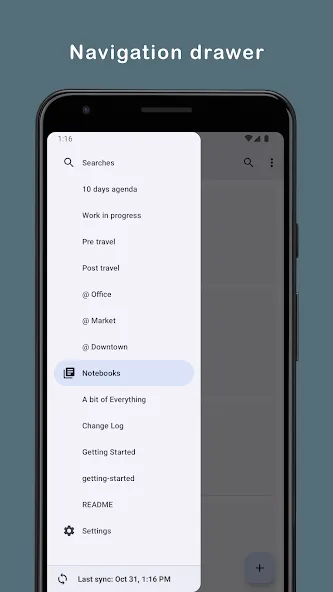
- Agenda and filtering: View date-oriented items in an agenda-style list and filter by tags, priority, or file to focus on what's due.
- Sync options: Keep files on-device and sync via WebDAV, Dropbox, or other file services so your notes stay consistent across machines.
- Home screen widgets: Use widgets for quick captures and glanceable lists without launching the full app.
How the workflow operates
The typical Orgzly workflow starts with capture. Quick entry tools and widgets let you jot down tasks or notes the moment they occur. From there, you organize items into headings and subheadings, assign statuses, and schedule deadlines. The agenda and filter tools help you slice that outline into actionable views for the day, the week, or a particular project.
Document compatibility and portability
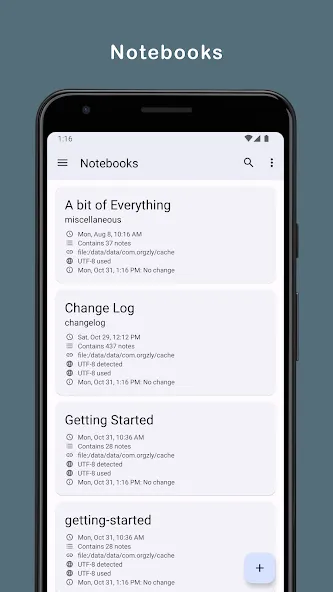
Files saved by Orgzly are plain-text and follow an org-style structure, which makes them readable by other editors and easy to version-control. If you already use desktop org-mode workflows, Orgzly acts as a mobile companion: open the same files on a laptop or server and maintain a single source of truth for tasks and notes.
Interface and performance
The interface favors clarity and speed. Pages use minimal formatting to keep load times low and scrolling smooth on a range of devices. Keyboard shortcuts and gesture support speed up navigation for power users, while a clean editor makes writing nested lists intuitive. Because the app operates offline first, you can access and edit your content without a network connection, then sync when convenient.
Customization and control
Customize task states, set default priorities, and tailor agenda filters to match your workflow. The app doesn’t attempt to be a one-size-fits-all solution; instead it offers options for shaping behavior around how you prefer to plan. For teams or multi-device users, choosing a sync backend allows fine-grained control over where files are stored.
Tips for new users
- Start with a single file for a week of notes to learn how outlines and TODO states behave.
- Use simple, consistent tags to filter items quickly.
- Create an agenda view that shows only today’s and overdue tasks to reduce noise.
- Link Orgzly files with a cloud service you trust to keep local edits backed up.
Take advantage of templates or sample files if they’re available; they can shorten the setup time and show practical ways to structure recurring projects.
Integration in everyday productivity
Orgzly works well as the mobile hub of a broader productivity stack. Keep project outlines on your phone for quick check-ins while using a desktop editor for heavy lifting. Because the data format is plain text, it’s straightforward to feed or extract information with scripts, synchronization services, or third-party tools.
Installation and getting started
Install the app from a trusted source, point it at a folder that will hold your notes, and create a small test document to familiarize yourself with navigation and task states. Set up sync only after you’re comfortable with local files to avoid accidental overwrites. Once synced, you’ll have consistent access to the same outline across devices.
Orgzly is best suited to users who prefer structured, text-first planning and want a portable, transparent way to manage tasks and notes. Its blend of outlines, agenda views, and lightweight design makes it a powerful choice for those who value control and simplicity in a mobile productivity tool.
Show More
Information
Screenshots
Latest Update









Hot Tags
Latest News
-
![Revealing the Launch Playlists and Cross-Progression for COD Warzone Mobile News]()
-
![March 2024 Free Redemption Codes for Honkai: Star Rail News]()
-
PUBG Mobile Teams Up with Bentley Motors: Luxury Cars, Exclusive Collectibles, and Beyond 2024-04-18
![PUBG Mobile Teams Up with Bentley Motors: Luxury Cars, Exclusive Collectibles, and Beyond News]()
-
![Monster Never Cry is now accessible on both Android and iOS mobile devices. News]()
-
V2.2 of the Farlight 84 update introduces an overhauled Season structure, fresh in-game currency, an 2024-04-16
![V2.2 of the Farlight 84 update introduces an overhauled Season structure, fresh in-game currency, an News]()
-
![Arrival of Genshin Impact 4.6 Update: 'Embers of Two Realms, Twilight of Crimson' News]()
-
April 2024 Clash of Clans Update: Unveiling a Fresh Companion, Enhanced Levels, Chat Tagging, and Be 2024-04-16
![April 2024 Clash of Clans Update: Unveiling a Fresh Companion, Enhanced Levels, Chat Tagging, and Be News]()






