

Screen Mirroring - 1001 TVs
Version:5.0.50.8
Published:2026-11-08
Introduction
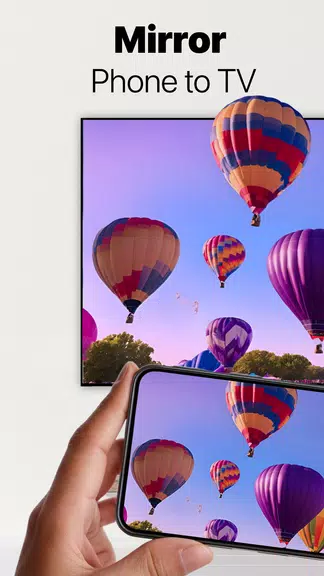
Screen Mirroring - 1001 TVs is a compact casting and display app designed to show your phone or tablet on larger screens with minimal setup. Screen Mirroring - 1001 TVs targets users who need quick, reliable connections to smart TVs, streaming sticks and desktop browsers for presentations, media playback, or using a secondary display, and the app places core controls and pairing options within easy reach so you can start mirroring in minutes.
App overview and user experience
The app offers a straightforward workflow: discover compatible devices on the same Wi-Fi network, select the target and begin casting. The interface is built around a few central controls for choosing mirror versus cast mode, selecting a specific media link or full-screen mirroring, and toggling audio output. Visual feedback during discovery and buffering helps you understand connection status, and simple prompts guide first-time pairing so users with varying technical ability can complete setup without reading a manual.
Supported devices and viewing options
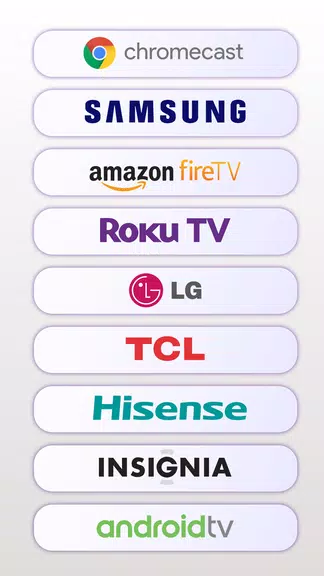
Screen Mirroring - 1001 TVs supports a wide range of receivers including Roku, Fire TV, Chromecast-enabled devices and many smart TV models from major brands. For computers and devices without a dedicated app, the browser-based receiver provides a quick alternative by opening a pairing URL. This variety of receiving options is helpful for mixed-device households or offices where installing new software on every target device may not be practical.
Controls, customization and performance tuning
The app puts core controls on the main screen: device list, start/stop mirror, and a media selector. In settings you can choose between prioritizing video quality or connection stability, enable or disable audio mirroring when the target device supports it, and lock orientation to prevent rotation interruptions. These choices let you tailor performance to your network conditions without needing deep technical knowledge. Users who need smoother video for demos can reduce resolution or frame rate through the quality presets, while those casting static slides or photos can opt for higher fidelity.
Use cases, progression and daily workflow
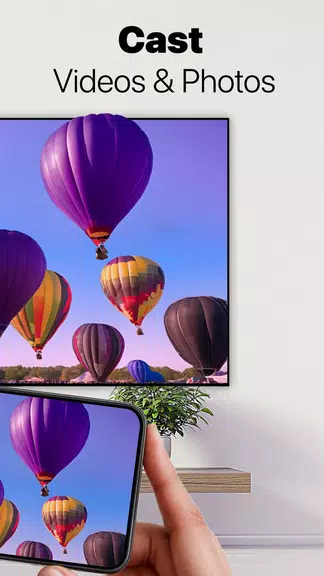
Whether you use Screen Mirroring - 1001 TVs for recurring tasks or occasional needs, the app adapts to common workflows. For recurring meetings you can save recent devices and pairing URLs so setup time declines with repeated use. For media nights, choose the direct streaming option to hand off video links to a TV without moving files between devices. If you frequently turn a tablet into a second monitor for extra windows, the extension mode supports a smooth progression from initial pairing to a persistent secondary display during a work session.
Visual style and interface layout
The app follows a utilitarian visual style that emphasizes legibility and quick action: clear device tiles, concise status messages and a focus on large touch targets for pairing and screen controls. This layout reduces accidental taps and keeps important functions visible during a casting session. Themes and contrast settings help maintain readability in different lighting situations, and the app is optimized to keep the most-used controls a single tap away.
Accessibility and offline behavior
Accessibility features include large-font labels, basic voiceover compatibility and clear on-screen instructions to assist users who rely on system accessibility services. Many features work entirely on the local network without sending content to cloud services, which allows mirroring sessions to proceed when internet access is limited or unavailable, provided all devices share the same Wi-Fi connection. This local-first approach helps preserve privacy and reduces dependence on external servers.
Troubleshooting and tips
If discovery fails, confirm both devices are on the same network and that any guest or private isolation settings on your router are disabled. For persistent lag, try switching to a less congested Wi-Fi band or move devices closer to the access point. When casting a video link, use the direct streaming feature to hand off playback to the TV and reduce local bandwidth usage. Users can also scan a QR code or enter the displayed URL on the receiver to avoid installing extra software on target machines.
Frequently asked questions
Many users ask if audio is transmitted along with video: when the receiving device supports it, audio and video are sent together to provide a complete playback experience. For projecting to Windows or Mac, a browser-based receiver is often sufficient, but installing the optional PC client can improve performance for prolonged sessions or high-resolution mirroring. Screen Mirroring - 1001 TVs is designed to work with existing hardware, so no special adapters are usually required.
Long-term value and regular updates
Because the app focuses on common mirroring scenarios and incremental improvements, it fits well into routines for remote presentations, family photo viewing and temporary second-monitor setups. Regular updates address compatibility with new TV firmware and refine discovery and stability, increasing the app's usefulness over time. If you need a practical way to share screens without cables or complex installations, Screen Mirroring - 1001 TVs provides a sensible set of tools with clear controls and adaptable performance settings.
Show More
Information
Screenshots
Latest Update








Latest News
-
![Revealing the Launch Playlists and Cross-Progression for COD Warzone Mobile News]()
-
![March 2024 Free Redemption Codes for Honkai: Star Rail News]()
-
PUBG Mobile Teams Up with Bentley Motors: Luxury Cars, Exclusive Collectibles, and Beyond 2024-04-18
![PUBG Mobile Teams Up with Bentley Motors: Luxury Cars, Exclusive Collectibles, and Beyond News]()
-
![Monster Never Cry is now accessible on both Android and iOS mobile devices. News]()
-
V2.2 of the Farlight 84 update introduces an overhauled Season structure, fresh in-game currency, an 2024-04-16
![V2.2 of the Farlight 84 update introduces an overhauled Season structure, fresh in-game currency, an News]()
-
![Arrival of Genshin Impact 4.6 Update: 'Embers of Two Realms, Twilight of Crimson' News]()
-
April 2024 Clash of Clans Update: Unveiling a Fresh Companion, Enhanced Levels, Chat Tagging, and Be 2024-04-16
![April 2024 Clash of Clans Update: Unveiling a Fresh Companion, Enhanced Levels, Chat Tagging, and Be News]()






