

InSaver
Version:17.0
Published:2026-11-08
Introduction
InSaver is a lightweight utility for saving images and videos from social feeds quickly and privately. Designed for straightforward downloads, it streamlines saving high-resolution media while preserving captions and tags when available, offering batch operations and offline access for users who need reliable media management on Android devices.
What InSaver Does
At its core, InSaver is built to extract and store media from popular social platforms with a minimal learning curve. The app focuses on fast downloads, simple navigation, and a small footprint so it doesn’t tax device resources or storage. It’s useful for content curators, researchers, or anyone who wants to keep personal copies of visual posts.
Key features at a glance
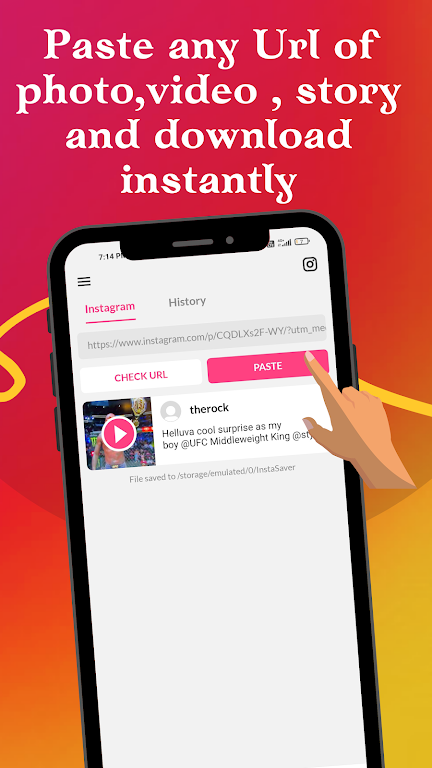
- One-tap downloads: Save single images or videos directly from the share menu or by pasting links.
- Batch operations: Queue multiple items and download them all together to save time.
- High-quality storage: Keep original resolution where available to preserve detail.
- Metadata retention: Optionally store captions, hashtags, and timestamps alongside media.
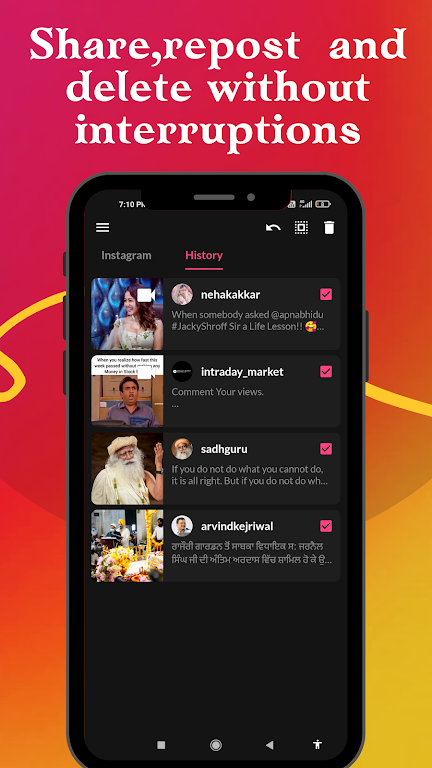
- Offline library: Built-in gallery organizes saved files for easy browsing without a network.
How it works in practice
Getting a file into the app is straightforward: use the platform’s share function to send media to InSaver, or copy a post link and let the app detect downloadable assets. The workflow includes a quick preview, a selection screen for multiple items, and a download confirmation. Background tasks handle large files so you can continue using your phone while content saves.
Tools and utilities included
- Download manager: Track progress, pause and resume downloads, and retry failed items.
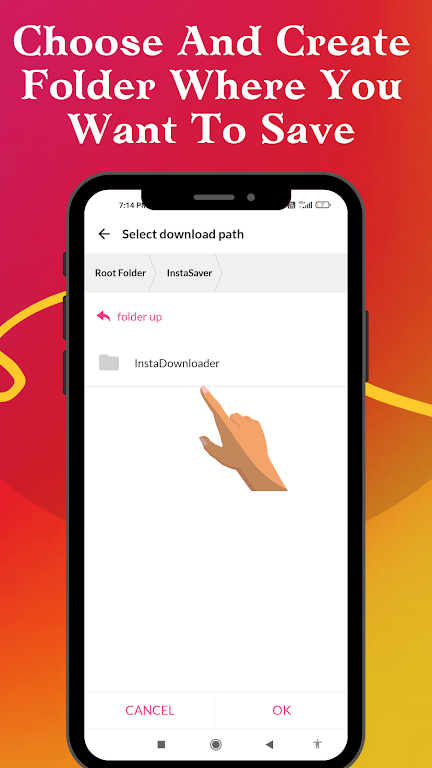
- Storage options: Choose internal or external folders, and set size limits to prevent overfilling your device.
- Auto-clean rules: Remove files older than a set number of days to reclaim space automatically.
Design and performance
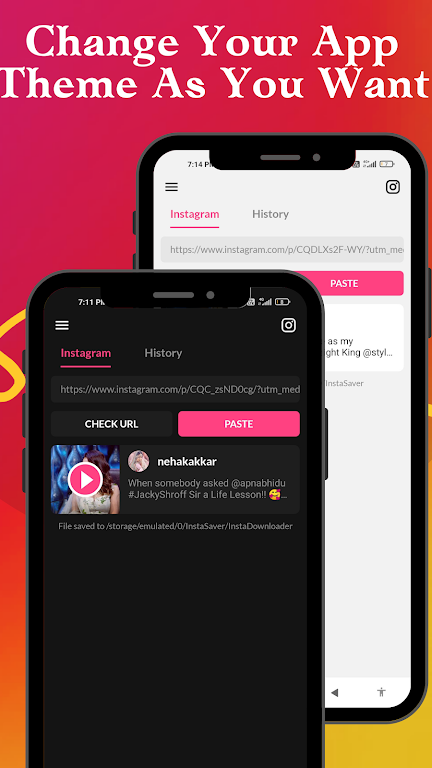
InSaver emphasizes a clean interface with clear icons and minimal clutter. Menus are arranged logically to reduce taps, and dark mode support helps reduce eye strain while reviewing media. Performance-wise, the app keeps memory usage low and schedules large transfers during idle times to reduce battery impact.
User experience highlights
Users report that the app’s instant preview and batch selection make it faster than manually saving individual files. The built-in gallery keeps content organized by date, source, and tag, making it simple to find items later. Privacy controls let you opt out of analytics and keep downloads local to your device.
Tips for new users
- Use share menus: If a platform supports sharing, use that to send content straight to InSaver for the fewest steps.
- Check permissions: Grant necessary storage access and background activity so downloads complete reliably.
- Organize early: Set folder rules at first launch to keep your library tidy as it grows.
Advanced settings worth exploring
For power users, InSaver offers manual filename templates and an option to append source names to saved files. There’s also a conversion toggle to transcode large videos to smaller formats for long-term archiving while keeping a copy of the original when space permits.
Installation and setup
Installing InSaver is straightforward: download the APK or install from your chosen store, then follow the onboarding prompts to set storage preferences. The initial setup walks through permissions and shows a quick demo of the download flow so you can start saving content within minutes.
Who should consider it?
InSaver fits a wide range of users: casual savers who want an easy way to back up favorite posts, social media managers collecting assets for re-posting, and researchers compiling visual data. Its simplicity makes it accessible, while the advanced options satisfy users who need more control.
Whether you need occasional downloads or a systematic way to archive social media visuals, InSaver provides a balanced mix of speed, features, and usability. Try the app to evaluate how it integrates with your workflow and media habits.
Show More
Information
Screenshots
Latest Update












Latest News
-
![Revealing the Launch Playlists and Cross-Progression for COD Warzone Mobile News]()
-
![March 2024 Free Redemption Codes for Honkai: Star Rail News]()
-
PUBG Mobile Teams Up with Bentley Motors: Luxury Cars, Exclusive Collectibles, and Beyond 2024-04-18
![PUBG Mobile Teams Up with Bentley Motors: Luxury Cars, Exclusive Collectibles, and Beyond News]()
-
![Monster Never Cry is now accessible on both Android and iOS mobile devices. News]()
-
V2.2 of the Farlight 84 update introduces an overhauled Season structure, fresh in-game currency, an 2024-04-16
![V2.2 of the Farlight 84 update introduces an overhauled Season structure, fresh in-game currency, an News]()
-
![Arrival of Genshin Impact 4.6 Update: 'Embers of Two Realms, Twilight of Crimson' News]()
-
April 2024 Clash of Clans Update: Unveiling a Fresh Companion, Enhanced Levels, Chat Tagging, and Be 2024-04-16
![April 2024 Clash of Clans Update: Unveiling a Fresh Companion, Enhanced Levels, Chat Tagging, and Be News]()






