

Print From Anywhere
Version:6.0.4
Published:2026-11-08
Introduction
Print From Anywhere is a mobile utility that lets you send documents and photos to printers from any location, using cloud storage or direct network connections. It simplifies remote printing, supports multiple file types and printers, and provides tools for layout, quality control, and secure job management on Android devices.
Overview of the app
Designed for professionals, students and home users who need on-demand printing without being tethered to a single PC, Print From Anywhere streamlines the process of sending jobs to local or remote printers. The interface focuses on a short workflow: choose a file, pick printer options, preview, and send. It balances speed and control so that common tasks are fast but advanced settings remain accessible when needed.
Key features and tools
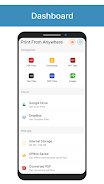
- Cloud and local sources: Connect directly to Google Drive, Dropbox, OneDrive and local storage to open documents, photos, web pages and PDFs.
- Universal printer support: Works with Wi‑Fi, Bluetooth, and cloud-enabled printers from major manufacturers as well as networked print servers.
- File conversion: Convert images and documents to PDF, set page size, and flatten embedded fonts to ensure consistent output.
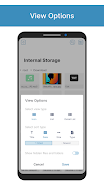
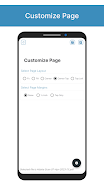
- Layout and finishing: Choose paper orientation, scaling, duplex printing, and number of copies. Select collate, borderless printing, and basic color adjustments.
- Job queue and scheduling: Queue multiple jobs, prioritize urgent prints, and schedule prints for later to conserve data or battery.
How the workflow works
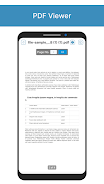
Start by granting storage and network permissions, then add a printer by scanning or entering its network address. When you open a document, a compact editor provides options for margins, page range and print quality. A built-in preview shows how the final page will look so you can avoid wasted paper. After sending a job, the app reports status messages and stores a history of completed tasks for quick reprints.
Supported devices and formats
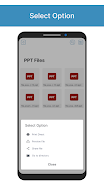
Print From Anywhere supports a wide range of devices and file types. Commonly supported formats include PDF, DOCX, XLSX, PPTX, JPEG, PNG and HTML. The app is compatible with Android phones and tablets running modern versions of the OS and is optimized for both ARM and x86 processors. It works with consumer inkjet printers, office laser printers, and many multifunction devices; support for specialized enterprise printers is available through standard IPP and LPR protocols.
Security and privacy controls
Security is built into job handling: all transmissions can be routed over encrypted channels, and the app offers options to purge document previews and logs after printing. User authentication can be enforced for shared devices, and integration with cloud services uses OAuth so the app never stores account passwords locally. For sensitive printing, release codes or PINs can be set to prevent unauthorized pickup at networked printer stations.
Performance, reliability and battery impact
Bandwidth-conscious features let you compress images before sending and delay large jobs until a Wi‑Fi connection is available. The app minimizes background activity, waking to check printer status only when you request a job transfer. Built-in diagnostics help identify common network issues and suggest fixes, while progress indicators and retry logic improve reliability when connections are intermittent.
Practical tips for best results
- Preview every job to reduce wasted paper and toner.
- Use cloud sync for recurring documents so you can print without uploading each time.
- Set default paper size and duplex settings to match your most common use cases.
- Enable job scheduling if you need to print large batches overnight or when connected to a faster network.
Getting started
Installation is straightforward: download, grant permissions, and add your first printer using the auto-discovery tool or manual IP entry. The onboarding guide demonstrates choosing documents, setting print options, and monitoring job status. For organizations, deployment can be managed with mobile device management tools and custom configuration profiles to pre-install printers and defaults.
Print From Anywhere offers a practical, efficient way to manage printing tasks from an Android device. With broad format support, thoughtful security options and a user-friendly workflow, it helps users reduce friction in everyday printing while keeping control over output and costs.
Show More
Information
Screenshots
Latest Update












Latest News
-
![Revealing the Launch Playlists and Cross-Progression for COD Warzone Mobile News]()
-
![March 2024 Free Redemption Codes for Honkai: Star Rail News]()
-
PUBG Mobile Teams Up with Bentley Motors: Luxury Cars, Exclusive Collectibles, and Beyond 2024-04-18
![PUBG Mobile Teams Up with Bentley Motors: Luxury Cars, Exclusive Collectibles, and Beyond News]()
-
![Monster Never Cry is now accessible on both Android and iOS mobile devices. News]()
-
V2.2 of the Farlight 84 update introduces an overhauled Season structure, fresh in-game currency, an 2024-04-16
![V2.2 of the Farlight 84 update introduces an overhauled Season structure, fresh in-game currency, an News]()
-
![Arrival of Genshin Impact 4.6 Update: 'Embers of Two Realms, Twilight of Crimson' News]()
-
April 2024 Clash of Clans Update: Unveiling a Fresh Companion, Enhanced Levels, Chat Tagging, and Be 2024-04-16
![April 2024 Clash of Clans Update: Unveiling a Fresh Companion, Enhanced Levels, Chat Tagging, and Be News]()






