

NetBlade: WiFi & LAN Scanner
Version:1.9.0
Published:2026-11-08
Introduction
Network diagnostics and Wi-Fi analysis tools get a compact, phone-ready option with NetBlade: WiFi & LAN Scanner. This app gives a clear, visual look at local networks and connected devices, while keeping scans and logs on your device rather than in the cloud. NetBlade combines live device tracking, multi-band Wi-Fi measurements, an SSH terminal and targeted port scanning into a single utility. It also stores sensitive records locally and protects them with layered biometric or PIN locks, making it useful for home users, IT technicians, and anyone who needs quick network insight from an Android handset.
Wonderful Features of NetBlade: WiFi & LAN Scanner
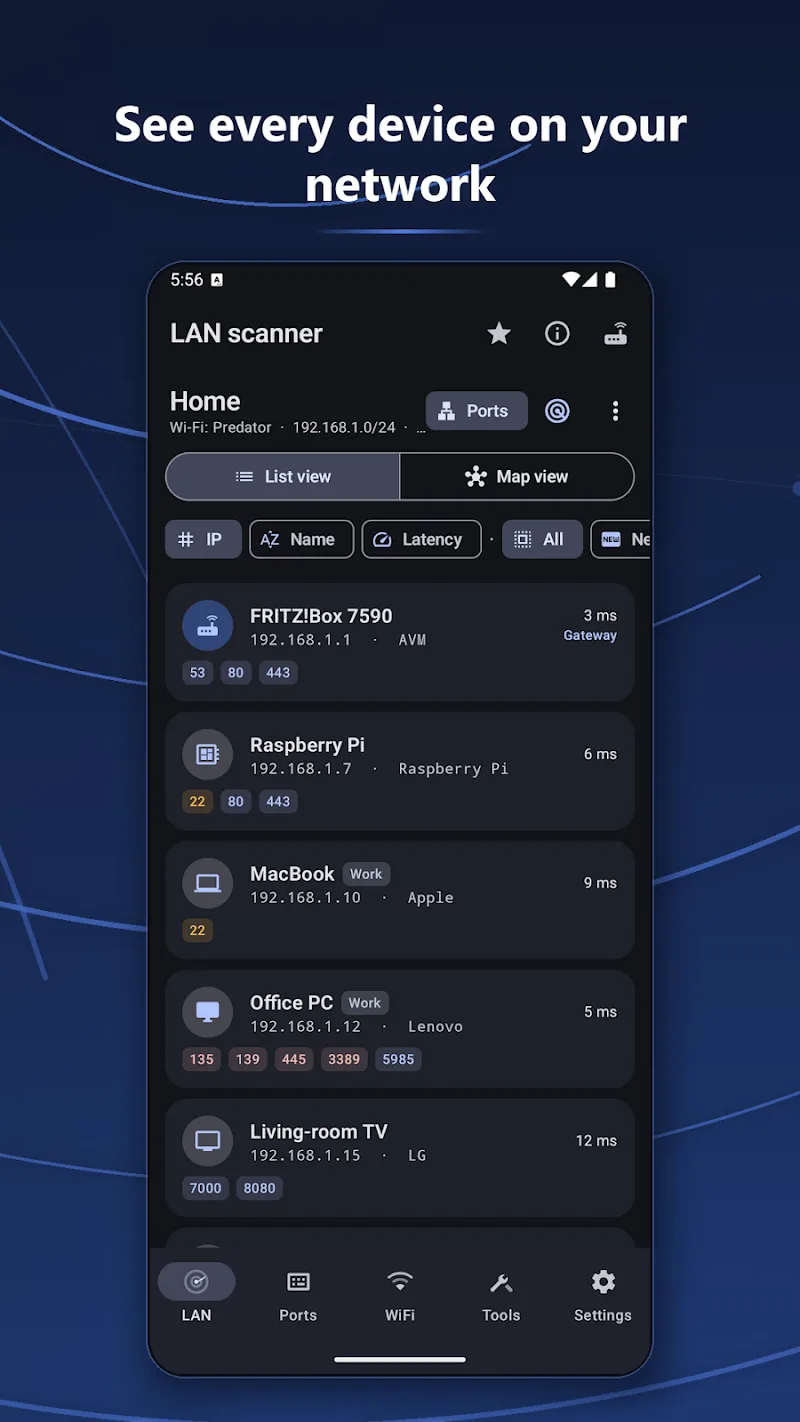
Network discovery: Scan the LAN and see devices by IP, MAC, hostname and latency so you can map what is connected in seconds.
Real-time device alerts: Background monitoring notifies you when devices join or leave the network, giving a running view of activity without constant checking.
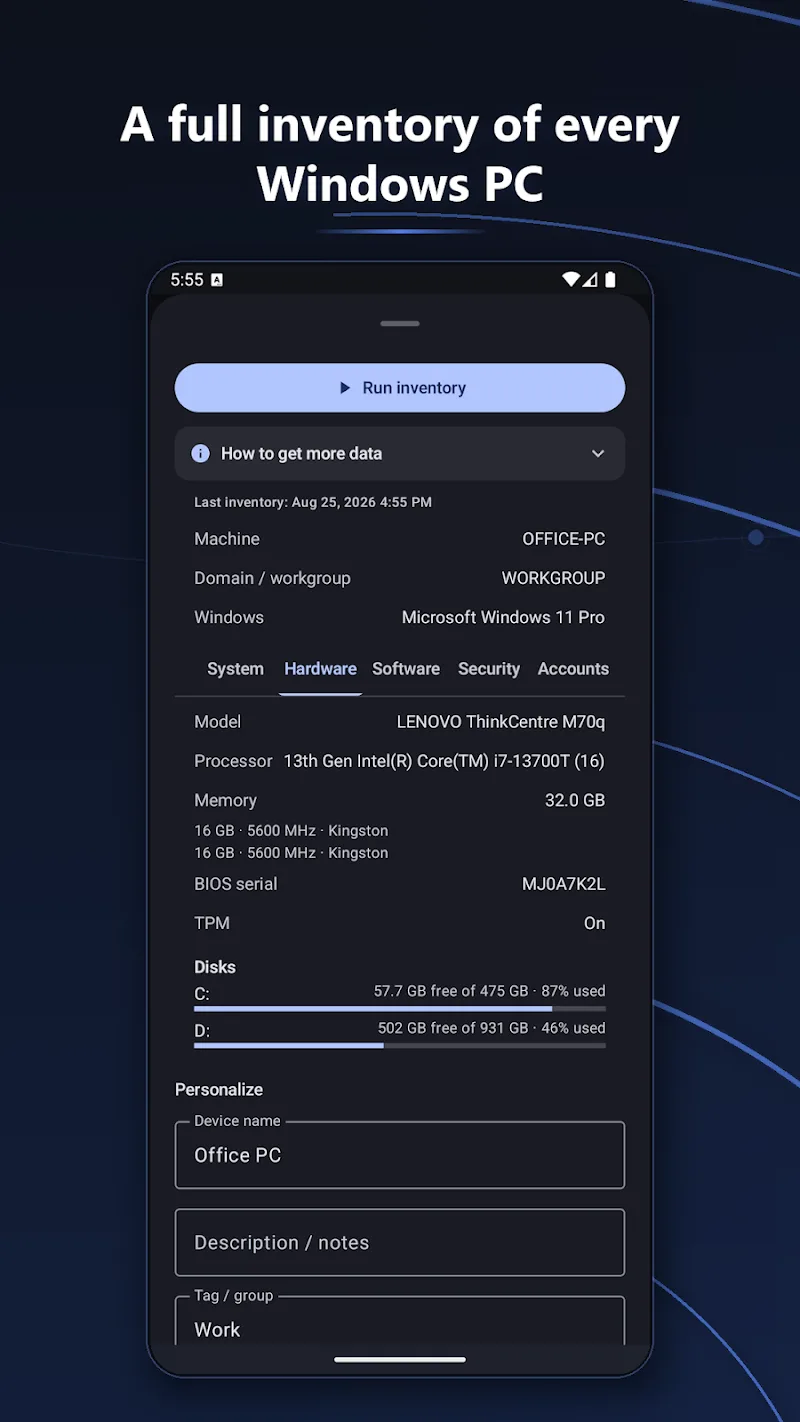
Agentless Windows inventory: Collect basic hardware and software data from Windows machines without installing an agent, useful for quick audits or troubleshooting.
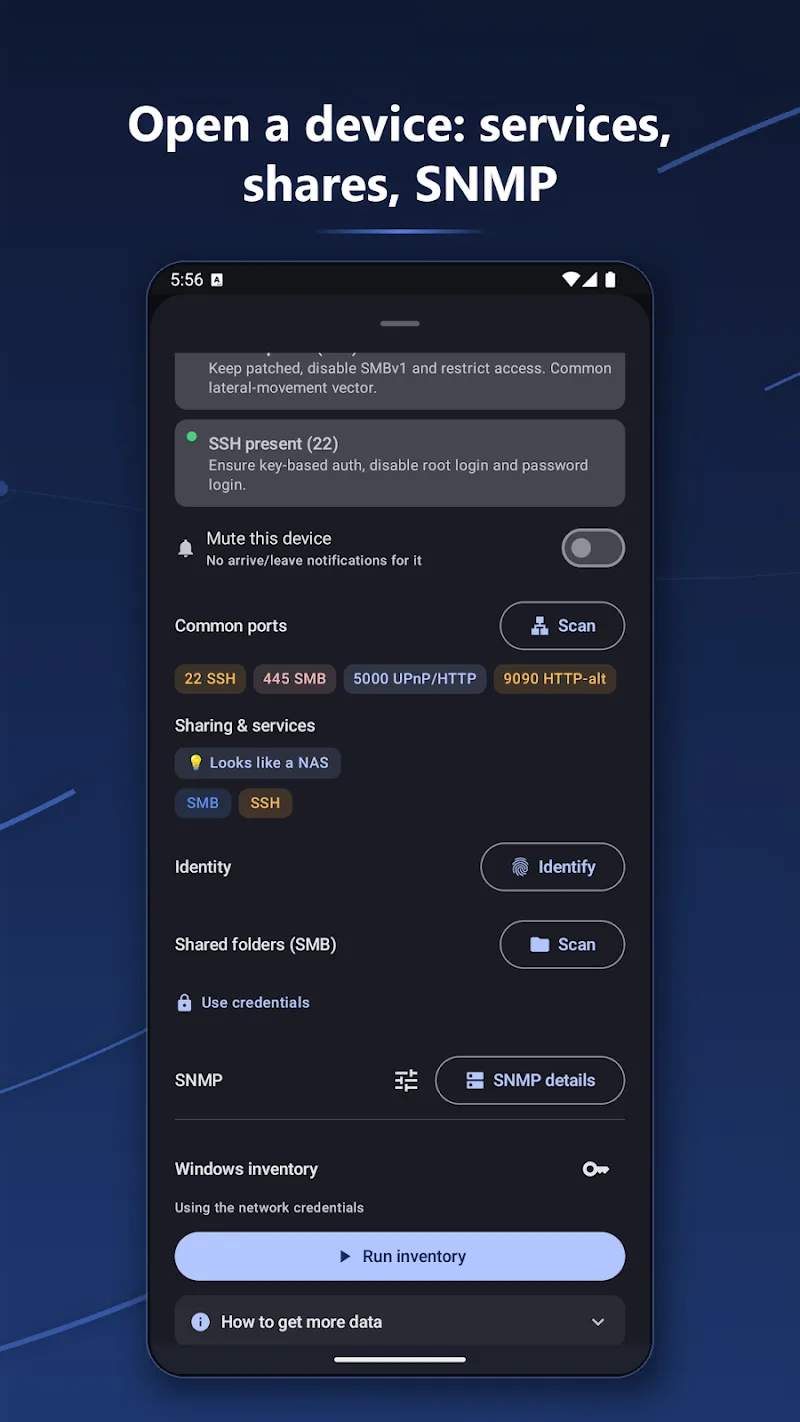
Integrated SSH and diagnostics: Open an SSH session directly from the app and run remote commands or use TCP and UDP port scans to diagnose server and firewall issues.
Local logs and security: Scans and reports are stored offline on your phone and can be protected with PIN or biometric layers for added privacy.
Types of NetBlade: WiFi & LAN Scanner
LAN Scan mode: Produces a detailed list of devices on the same subnet so you can identify printers, NAS units, phones and other endpoints.
Wi-Fi survey: Measures signal quality across 2.4, 5 and 6 GHz bands and helps you compare channels and coverage for better placement of access points.
SMB and SNMP inspection: Browse shared folders and read SNMP parameter tables on compatible NAS and switches without a cloud account, simplifying local troubleshooting.
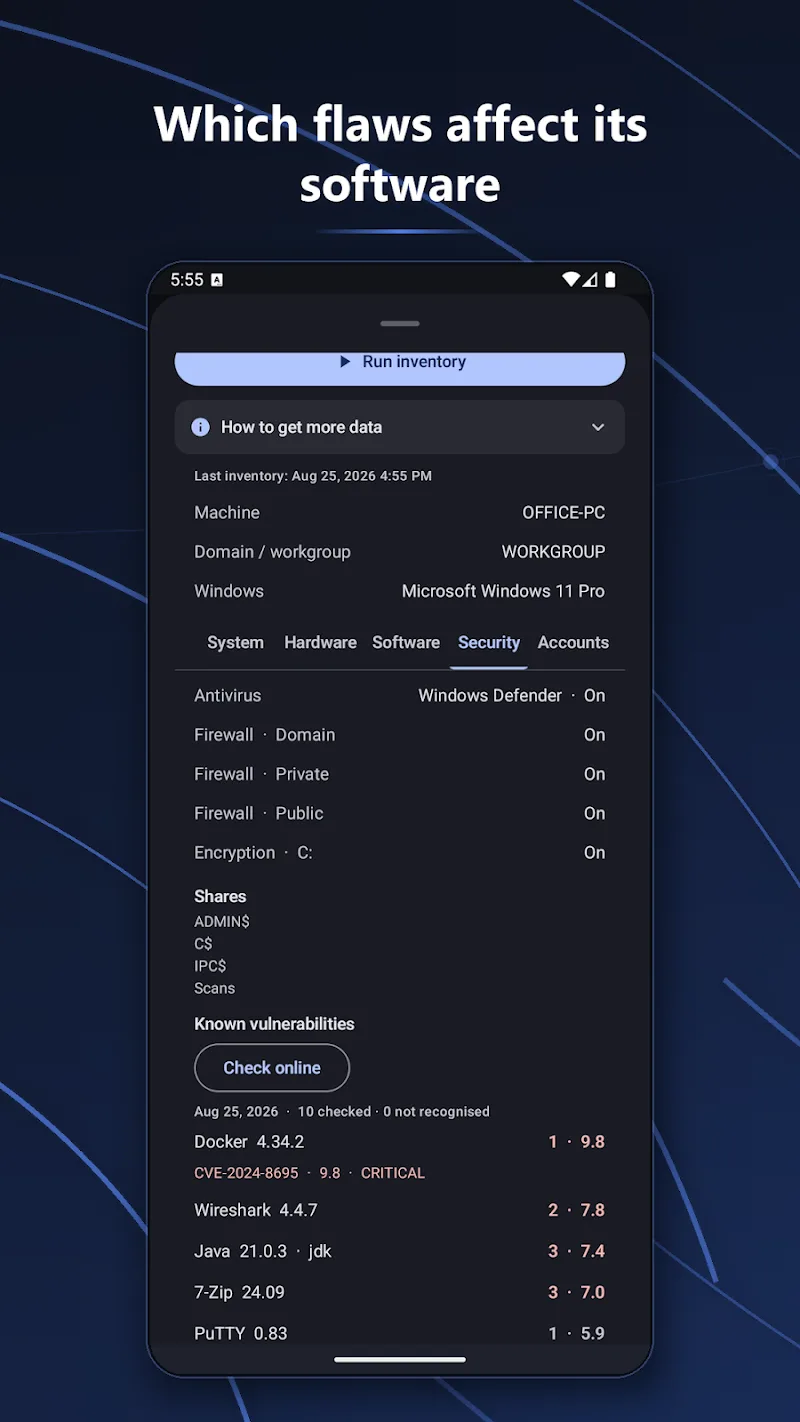
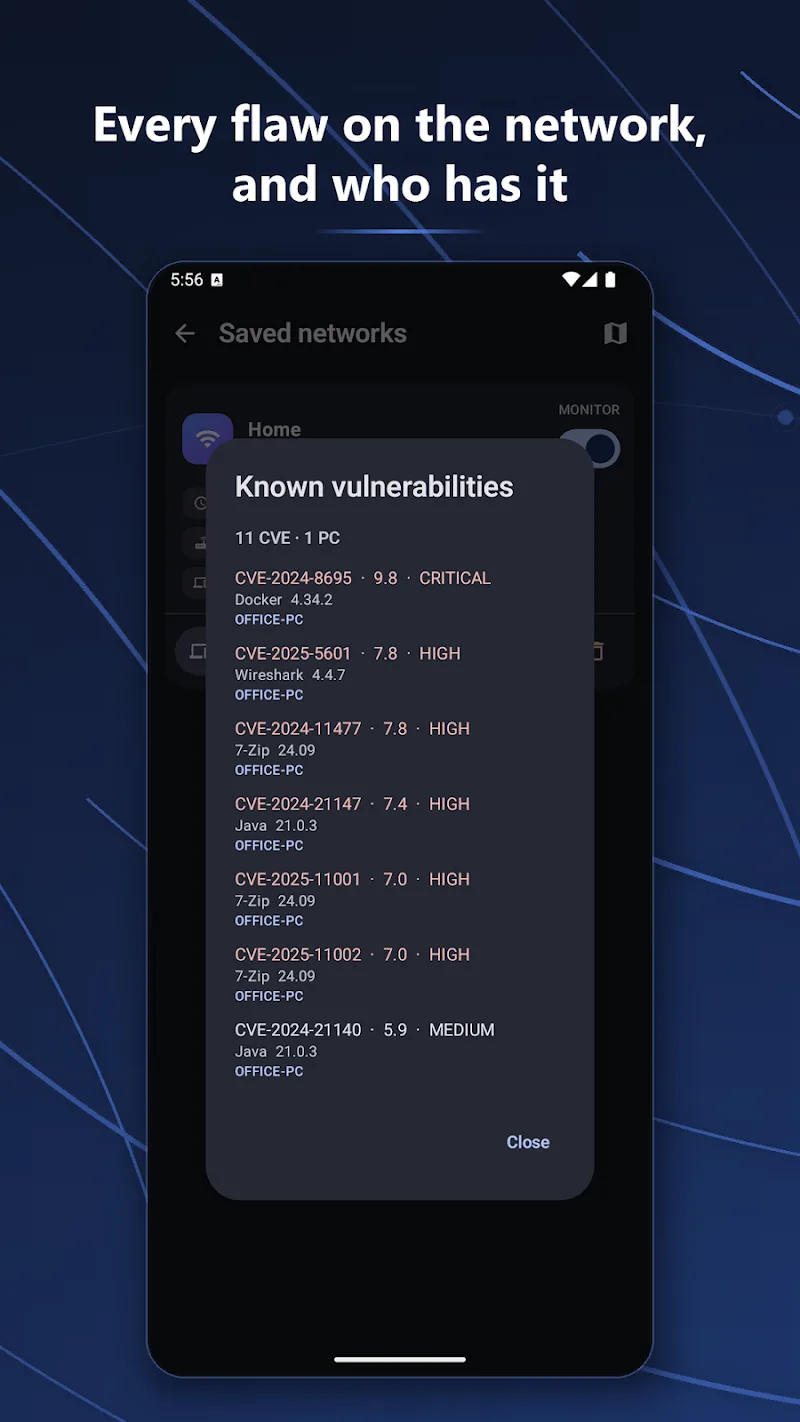
Vulnerability lookup: Cross-reference discovered software or firmware against public vulnerability databases to flag items that may need patching.
Useful Tips of NetBlade: WiFi & LAN Scanner
Start with a simple scan: Run a quick LAN scan to populate the device list, then drill into any unknown MAC addresses before taking further action.
Use Wi-Fi survey in different rooms: Walk the areas you want to check while running the survey to build a practical picture of coverage and identify dead spots.
Keep logs offline for audits: Export scan reports and maintain them locally for change tracking and to show historical device activity when investigating intermittent issues.
FAQs of NetBlade: WiFi & LAN Scanner
Do I need a cloud account to use the main features?
No. The app is designed to operate without sending data to external servers so you can scan and browse local shares directly on the device.
How does the app protect my scan data?
Scan results are stored locally and you can secure access using PIN or biometric locks available on your phone, reducing exposure of sensitive logs.
Can NetBlade help improve Wi-Fi performance?
Yes. The multi-band survey shows signal quality per frequency band and helps you choose less congested channels and better AP placement.
Is advanced access required for port scans or SSH?
Port scanning and SSH require appropriate network permissions and credentials for the targets, but no root access on your Android device.
Final Verdict
NetBlade: WiFi & LAN Scanner is a practical choice for Android users who need hands-on network inspection and on-device privacy; it balances easy discovery and solid diagnostic tools, though power users may still pair it with desktop utilities for deep forensic work.
Show More
Information
Screenshots
Latest Update











Hot Tags
Latest News
-
![Revealing the Launch Playlists and Cross-Progression for COD Warzone Mobile News]()
-
![March 2024 Free Redemption Codes for Honkai: Star Rail News]()
-
PUBG Mobile Teams Up with Bentley Motors: Luxury Cars, Exclusive Collectibles, and Beyond 2024-04-18
![PUBG Mobile Teams Up with Bentley Motors: Luxury Cars, Exclusive Collectibles, and Beyond News]()
-
![Monster Never Cry is now accessible on both Android and iOS mobile devices. News]()
-
V2.2 of the Farlight 84 update introduces an overhauled Season structure, fresh in-game currency, an 2024-04-16
![V2.2 of the Farlight 84 update introduces an overhauled Season structure, fresh in-game currency, an News]()
-
![Arrival of Genshin Impact 4.6 Update: 'Embers of Two Realms, Twilight of Crimson' News]()
-
April 2024 Clash of Clans Update: Unveiling a Fresh Companion, Enhanced Levels, Chat Tagging, and Be 2024-04-16
![April 2024 Clash of Clans Update: Unveiling a Fresh Companion, Enhanced Levels, Chat Tagging, and Be News]()






