

Fontly
Version:b.0.1.349
Published:2026-11-08
Introduction
Fontly is a compact font management app designed for Android devices that makes finding, testing, and applying new typefaces fast and intuitive. It offers a streamlined preview system, one-tap installs, and basic pairing suggestions so designers and everyday users can refresh text styles across apps without complex setup.
What Fontly Offers
At its core, Fontly organizes local and cloud-based fonts into a single accessible library. Users can import TTF and OTF files, preview them using sample text, and categorize favorites. The app also provides quick installation for supported launchers and easy export for document editors, making it practical for both creative work and casual personalization.
Core Features
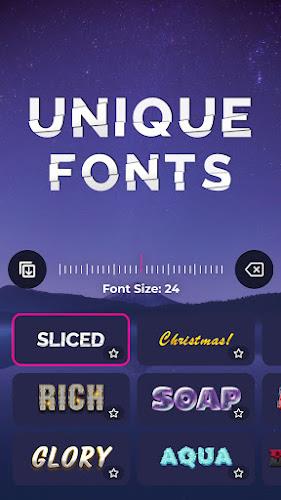
- Font Library: A sortable collection view that displays glyph samples, metadata, and license details so you know whether a font is free for personal or commercial use.
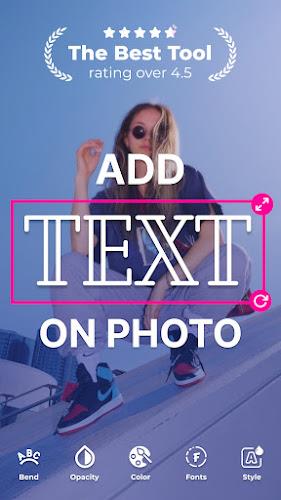
- Live Preview: Type custom phrases, adjust size and line spacing, and compare multiple fonts side-by-side before committing to an install.
- One-Tap Install: Apply fonts to compatible launchers and keyboard apps with a single action, or download for manual use in design tools.
- Import & Export: Support for importing font files from device storage, cloud services, or direct downloads; export options include packaged files and clipboard copy of font names for easy referencing.
- Smart Pairing: Automated suggestions that recommend complementary serif, sans, or display fonts based on contrast and intended use.
Interface and Workflow
Fontly focuses on clarity and speed. The interface groups fonts by category and usage—headings, body, display—so you can narrow choices quickly. A persistent preview bar lets you switch samples and sizes without leaving the library view. Drag-and-drop reordering and simple long-press menus make it straightforward to mark favorites, edit tags, or remove unwanted files.
Customization and Integration
Designers will appreciate the app’s export compatibility with common Android editing tools and lightweight support for integrating fonts into mockups. Fontly recognizes font metadata and maintains family relationships, which helps preserve weights and styles when exporting. For casual users, theme presets let you pair fonts with color palettes and system icon styles for a cohesive look.
Performance and Compatibility
The app is optimized to run smoothly on mid-range devices, with efficient memory handling that prevents slowdowns when previewing large font libraries. Fontly supports a wide range of Android versions and includes an offline mode so previously downloaded fonts remain usable without internet access. Background processing handles font conversions and metadata extraction to keep the main interface responsive.
Security and Licensing
Fontly emphasizes transparency around licensing: each font entry displays a concise license summary and a link to full terms when available. Imported files remain local to your device unless you choose to share them. Permission requests are minimal and limited to storage access and optional cloud account connections.
Getting Started
Begin by granting storage access so Fontly can scan existing fonts on your device. Use the import button to add new files from downloads or cloud folders, then apply a font by selecting it and choosing the install or export option. If a font doesn’t appear in another app, consult the built-in help for steps to restart your launcher or clear cache—typical fixes that resolve most visibility issues.
Practical Uses
Fontly is useful for mobile designers building prototypes, content creators fine-tuning typography for social posts, and users who want a fresh look for their device interface. The pairing tool helps craft readable heading/body combinations for presentations and templates, while the export options make transferring assets to desktop tools straightforward.
Why Try Fontly
For anyone wanting a focused typography tool on Android, Fontly blends a clean interface with practical features that avoid unnecessary complexity. It balances accessibility for casual customization with enough depth for light design workflows, making font exploration and management a simple part of your creative process.
Show More
Information
Screenshots

Latest Update










Latest News
-
![Revealing the Launch Playlists and Cross-Progression for COD Warzone Mobile News]()
-
![March 2024 Free Redemption Codes for Honkai: Star Rail News]()
-
PUBG Mobile Teams Up with Bentley Motors: Luxury Cars, Exclusive Collectibles, and Beyond 2024-04-18
![PUBG Mobile Teams Up with Bentley Motors: Luxury Cars, Exclusive Collectibles, and Beyond News]()
-
![Monster Never Cry is now accessible on both Android and iOS mobile devices. News]()
-
V2.2 of the Farlight 84 update introduces an overhauled Season structure, fresh in-game currency, an 2024-04-16
![V2.2 of the Farlight 84 update introduces an overhauled Season structure, fresh in-game currency, an News]()
-
![Arrival of Genshin Impact 4.6 Update: 'Embers of Two Realms, Twilight of Crimson' News]()
-
April 2024 Clash of Clans Update: Unveiling a Fresh Companion, Enhanced Levels, Chat Tagging, and Be 2024-04-16
![April 2024 Clash of Clans Update: Unveiling a Fresh Companion, Enhanced Levels, Chat Tagging, and Be News]()






