

MiX Launcher
Version:5.4
Published:2026-11-17
Introduction
MiX Launcher delivers a flexible, speed-focused home screen replacement that balances visual polish with practical tools. It streamlines app access, folder management, and gesture controls while keeping resource use light. Ideal for users who want a customizable Android experience without sacrificing performance or battery life.
Overview of the app
MiX Launcher is a third-party Android launcher designed to reorganize the device home screen and app drawer. It emphasizes intuitive navigation, quick customization, and a clean interface. The launcher works on a variety of devices, offering features that range from simple icon packs to advanced gesture mappings and layout tweaks.
What sets it apart
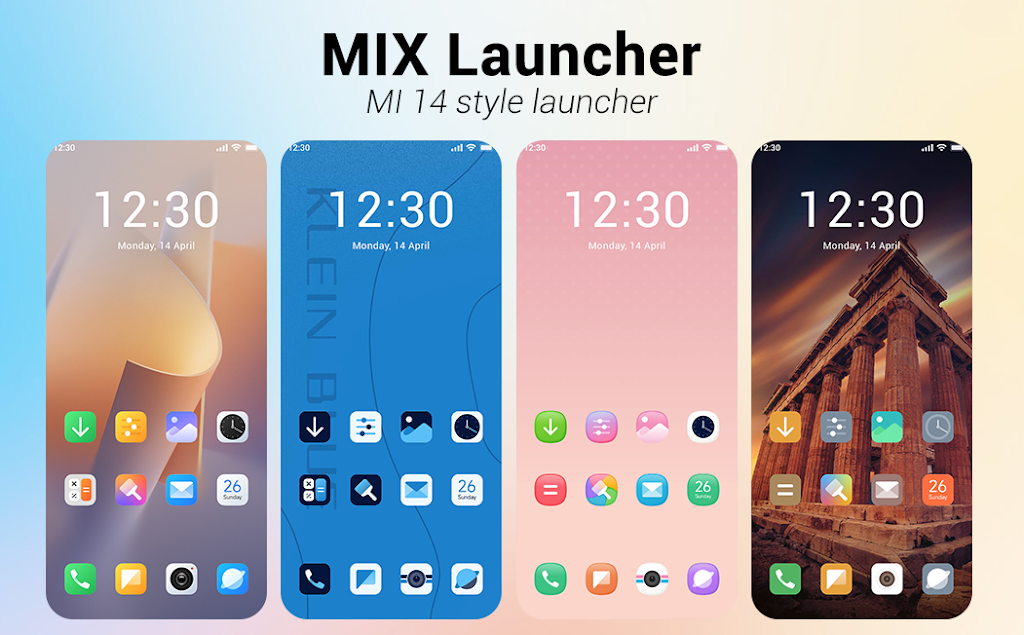
Rather than overwhelming users with every possible option, MiX Launcher focuses on well-considered tools that deliver visible improvements. The design language is modern and minimal, so the launcher feels contemporary without being cluttered. Performance optimizations aim to reduce lag on older devices while still providing smooth animations on newer hardware.
Essential features
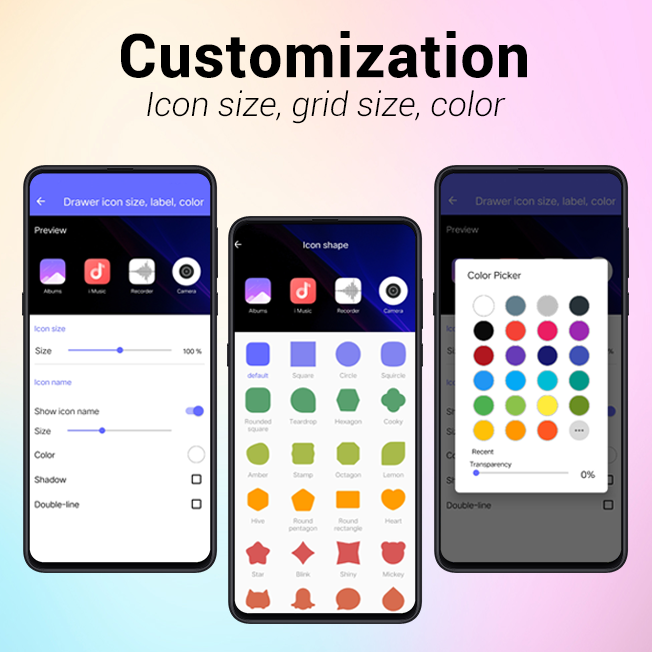
- Customizable home screens – Add, remove, and reorder pages with grid adjustments and flexible icon sizing.
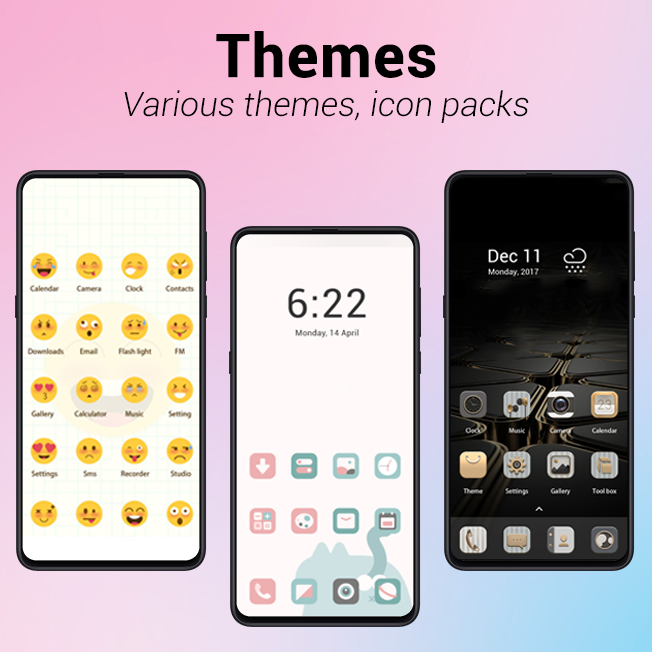
- Adaptive icon support – Mix icon packs and allow the launcher to standardize shapes across different apps.
- Smart app drawer – Easily searchable app list with categories and recent apps highlights.
- Gesture shortcuts – Assign swipes, double taps, and long-press actions to open apps, toggle settings, or trigger shortcuts.
- Folder management – Create nested folders, change folder appearance, and manage contents quickly.
Customization options
MiX Launcher provides a balance between ready-made themes and granular control. Users can switch icon packs, adjust grid sizes from compact to spacious layouts, and apply custom wallpapers per home screen. Font and label settings let you show or hide app names, tweak sizes, and align labels below or beside icons. For users who like small touches, the launcher includes badge counters and subtle animation controls.
Interface and performance
The interface is intentionally lightweight. Animations are polished but not excessive, and transitions maintain frame rates even on midrange phones. MiX Launcher includes a performance mode to trim animation durations and background tasks for devices that need extra responsiveness. Battery impact is kept low by limiting background services and using efficient redraw logic for homescreen widgets.
Workflow enhancements
Beyond aesthetics, MiX Launcher introduces workflow-oriented tools. Quick folders let you access grouped apps from the home screen without creating full pages. A built-in search bar finds contacts, apps, and settings. Users can also create widgets that combine multiple functions like toggles and shortcuts into a single tile, reducing the need to open the app drawer repeatedly.
Tips for getting started
New users should start by selecting a grid size and an icon pack to establish a visual baseline. Enable gesture shortcuts for your top 3 actions, such as opening the camera or launching a messaging app. Use the smart app drawer categories to surface frequently used apps and declutter your home screen. If you switch back to the stock launcher, MiX Launcher preserves your layout so you can return without rebuilding.
Advanced setup suggestions
For power users, combine gesture controls with custom widget tiles to create one-tap actions for routines like commuting or exercise. Explore folder styles to group work and personal apps separately. Use the performance mode if you notice stuttering after adding many widgets or intensive live wallpapers.
Compatibility and installation
MiX Launcher installs like any standard Android app and requests only the permissions necessary to manage home screens and notifications. It supports most recent Android versions and adapts to different screen sizes and aspect ratios. Installation is straightforward: download, set as default home app, then import or configure your layout. Backup and restore options let you export settings for reuse across devices.
MiX Launcher is a practical choice for users seeking a responsive, customizable launcher that prioritizes usability. It delivers sensible customization without an overload of options, and its combination of performance features and workflow tools make it a strong alternative to stock launchers on many Android phones.
Show More
Information
Screenshots

Latest Update












Latest News
-
![Revealing the Launch Playlists and Cross-Progression for COD Warzone Mobile News]()
-
![March 2024 Free Redemption Codes for Honkai: Star Rail News]()
-
PUBG Mobile Teams Up with Bentley Motors: Luxury Cars, Exclusive Collectibles, and Beyond 2024-04-18
![PUBG Mobile Teams Up with Bentley Motors: Luxury Cars, Exclusive Collectibles, and Beyond News]()
-
![Monster Never Cry is now accessible on both Android and iOS mobile devices. News]()
-
V2.2 of the Farlight 84 update introduces an overhauled Season structure, fresh in-game currency, an 2024-04-16
![V2.2 of the Farlight 84 update introduces an overhauled Season structure, fresh in-game currency, an News]()
-
![Arrival of Genshin Impact 4.6 Update: 'Embers of Two Realms, Twilight of Crimson' News]()
-
April 2024 Clash of Clans Update: Unveiling a Fresh Companion, Enhanced Levels, Chat Tagging, and Be 2024-04-16
![April 2024 Clash of Clans Update: Unveiling a Fresh Companion, Enhanced Levels, Chat Tagging, and Be News]()






