

CricFan TV
Version:1.0.17
Published:2026-11-17
Introduction
CricFan TV is a mobile app designed to bring cricket action and match information to your Android device with fast access to live streams, scores and curated highlights. It organizes schedules, provides real-time scorecards and lets users personalize alerts so they never miss key moments of matches across formats.
Key Features
CricFan TV focuses on practical tools that cricket followers need most. The app provides live streaming links and highlights, ball-by-ball score updates, and a concise match center that aggregates lineups, toss results and session summaries. A built-in search and fixture calendar helps you find upcoming games by team, tournament or date.
- Live and On-Demand: Stream matches and watch condensed highlights when you have limited time.
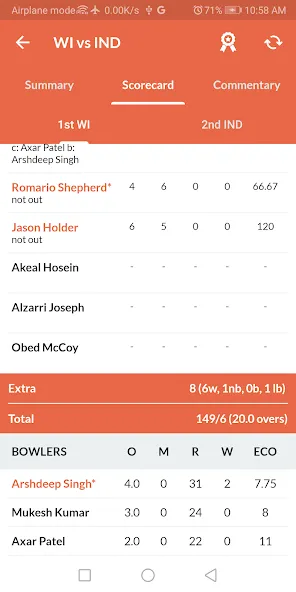
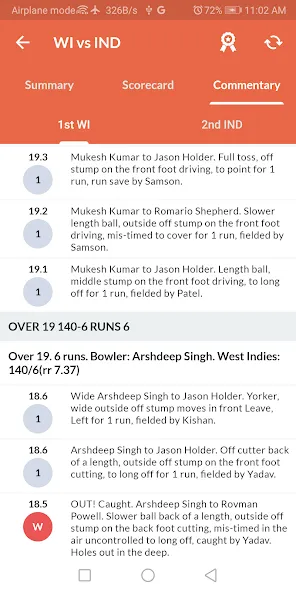
- Scorecards: Detailed ball-by-ball updates, partnerships, fall-of-wicket and player statistics.
- Timetable & Reminders: Set reminders for upcoming matches and sync them with your device calendar.
- Multi-language Support: Localized menus and commentary options where available for broader accessibility.
How Live Coverage Works
The app aggregates multiple broadcast and streaming sources and optimizes playback using adaptive bitrate streaming so video quality scales with your network. When a stable Wi-Fi connection is detected, CricFan TV shifts to higher-definition streams; on constrained mobile data it automatically reduces bitrate to prevent stalling and conserve bandwidth.
User Interface and Navigation
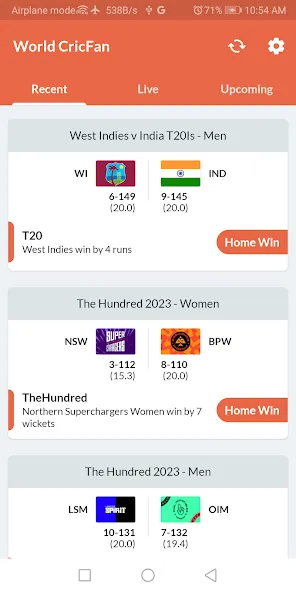
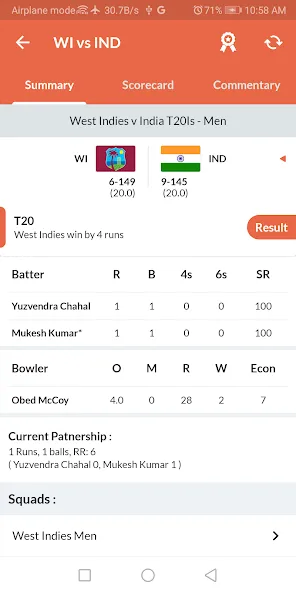
CricFan TV features a clean layout that keeps current matches and upcoming fixtures within a thumb’s reach. Tabs separate live events, schedules, and the highlights library. Match pages display the scoreboard up top, followed by commentary, player stats and a timeline of key events. Key actions like setting alerts or sharing clips are accessible via persistent buttons.
Personalization and Alerts
Personalization is central to staying on top of the action. Users can follow specific teams or players, subscribe to push notifications for wickets, milestones and results, and create a favorites list to filter the main feed. The notification system is configurable so you receive only the alerts you want—start, end, scoreboard changes or summary notifications.
Playback Controls and Extras
CricFan TV includes player controls tuned for mobile viewing: pause, rewind, and variable playback speeds for highlights. A data-saving mode lets you force lower-resolution streams on cellular networks while a picture-in-picture option keeps the match visible as you use other apps. Chromecast support enables casting to TVs for better viewing on larger screens.
Performance and Compatibility
Designed for modern Android devices, the app aims for stable performance across a range of phones and tablets. It uses background fetching to keep score data current without draining battery, and caching to reduce load times for frequently accessed content. Users can choose to limit background activity and disable auto-play to further reduce resource use.
Privacy, Ads, and Offline Use
The app offers a straightforward privacy setup where users control notification and location permissions. Free access is supported by advertising; ad frequency can often be reduced via in-app options. For times when internet access is limited, CricFan TV provides short highlights and score updates that can be viewed offline after they’ve been cached during a prior session.
Getting Started
Installing CricFan TV is straightforward from the Android marketplace: allow the necessary permissions for network access and notifications, then pick your favorite teams to tailor the feed. New users will benefit from the initial walkthrough that highlights notification settings and streaming preferences. If you plan to watch frequently, enable calendar sync and consider switching to Wi-Fi for higher-quality streams.
Why Choose CricFan TV
CricFan TV is useful for fans who want a compact, feature-rich app for following matches and catching highlights without juggling multiple sources. With focused tools for alerts, a navigable match center and data-conscious playback options, it aims to be a practical companion for following cricket on the go.
Show More
Information
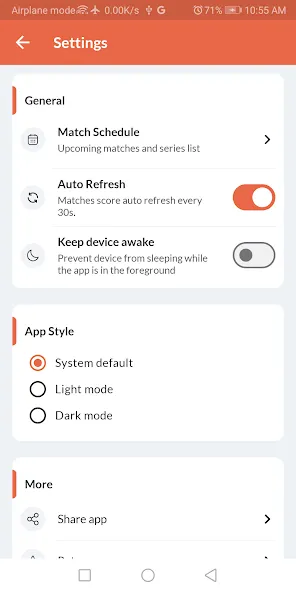
Screenshots
Latest Update











Hot Tags
Latest News
-
![Revealing the Launch Playlists and Cross-Progression for COD Warzone Mobile News]()
-
![March 2024 Free Redemption Codes for Honkai: Star Rail News]()
-
PUBG Mobile Teams Up with Bentley Motors: Luxury Cars, Exclusive Collectibles, and Beyond 2024-04-18
![PUBG Mobile Teams Up with Bentley Motors: Luxury Cars, Exclusive Collectibles, and Beyond News]()
-
![Monster Never Cry is now accessible on both Android and iOS mobile devices. News]()
-
V2.2 of the Farlight 84 update introduces an overhauled Season structure, fresh in-game currency, an 2024-04-16
![V2.2 of the Farlight 84 update introduces an overhauled Season structure, fresh in-game currency, an News]()
-
![Arrival of Genshin Impact 4.6 Update: 'Embers of Two Realms, Twilight of Crimson' News]()
-
April 2024 Clash of Clans Update: Unveiling a Fresh Companion, Enhanced Levels, Chat Tagging, and Be 2024-04-16
![April 2024 Clash of Clans Update: Unveiling a Fresh Companion, Enhanced Levels, Chat Tagging, and Be News]()






