

WC Finder
Version:2.0.4
Published:2026-10-15
Introduction
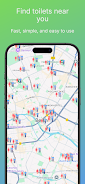
WC Finder is a compact utility that helps you locate public restrooms quickly and reliably using maps, filters, and user-contributed details. The app prioritizes speed and clarity, letting you search nearby facilities, view accessibility and cleanliness ratings, and navigate there with minimal taps — ideal for travel, events, and everyday errands.
Key Features
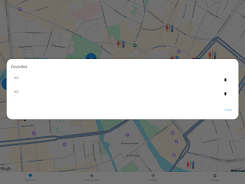
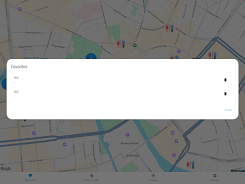
WC Finder streamlines the search for public toilets with practical tools designed for real-world use. Core capabilities include location-based search, category filters (e.g., family restroom, accessible stall), live distance indicators, and crowd-sourced reviews. A built-in favorites list keeps your preferred stops saved for fast access, and a quick-report option lets you flag closures or maintenance needs.
How It Finds Restrooms
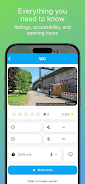
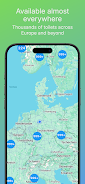
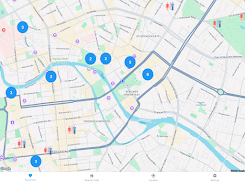
The app combines device GPS, map tiles, and a global database to present nearby options in seconds. Results are ranked by distance, user ratings, and recent reports. You can refine results by time, expected crowding, or amenities like baby-change tables and sanitary bins. When available, WC Finder displays opening hours and a short description supplied by contributors.
Interface and Navigation
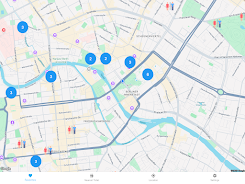
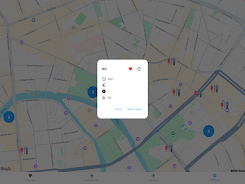
Design focuses on clarity: large map markers, readable icons, and an uncluttered detail screen so you can act quickly when time is limited. Tapping a marker reveals concise information and direct actions — get directions, call facility management, or add your own note. Turn-by-turn navigation integrates with established map apps for a seamless routing experience.
Privacy and Offline Use
WC Finder collects minimal personal information and emphasizes local data handling to protect user privacy. You can browse cached areas without an active connection once map tiles have been downloaded. Offline mode is particularly useful in regions with poor reception; it still shows saved favorites and recently viewed facilities so you can plan stops even when you’re off-grid.
Community Contributions
User participation keeps the database current. Submissions include simple forms for new locations, correction requests, and photographic updates. A moderation workflow verifies entries to reduce errors, and a reputation system highlights trusted contributors. These community-driven updates help WC Finder remain accurate in new neighborhoods and rapidly changing venues.
Accessibility and Special Needs
The app highlights amenities important to users with mobility or sensory needs, such as ramp access, tactile signage, and staff assistance. Filters let you display only facilities that match required accessibility features, reducing the time and uncertainty involved in planning travel or outings. Iconography and high-contrast themes support readability for users with visual challenges.
Performance and Compatibility
WC Finder is optimized for quick load times and minimal battery impact. Map and search operations are lightweight, and background tasks are limited to essential updates. The app supports a wide range of Android devices and screen sizes; it adapts layouts to phones and tablets while keeping interactions consistent across versions. Regular updates improve compatibility and responsiveness.
Practical Tips for Everyday Use
- Save high-use locations as favorites so they appear offline and load instantly.
- Use filters before you travel to narrow results to the exact amenities you need.
- Contribute short, factual notes after visiting — a single photo or a yes/no for cleanliness helps others.
- Enable cached maps for areas you’ll visit with limited connectivity.
Getting Started Quickly
Begin by allowing location access for more accurate results, then explore the map to discover nearby facilities. Add one or two favorites and practice reporting a status update to see how community moderation works. Notifications for important updates are optional, so you can stay informed without constant alerts. With a few simple steps, WC Finder becomes a practical companion for travel, family outings, and daily routines.
Show More
Information
Screenshots
Latest Update












Hot Tags
Latest News
-
![Revealing the Launch Playlists and Cross-Progression for COD Warzone Mobile News]()
-
![March 2024 Free Redemption Codes for Honkai: Star Rail News]()
-
PUBG Mobile Teams Up with Bentley Motors: Luxury Cars, Exclusive Collectibles, and Beyond 2024-04-18
![PUBG Mobile Teams Up with Bentley Motors: Luxury Cars, Exclusive Collectibles, and Beyond News]()
-
![Monster Never Cry is now accessible on both Android and iOS mobile devices. News]()
-
V2.2 of the Farlight 84 update introduces an overhauled Season structure, fresh in-game currency, an 2024-04-16
![V2.2 of the Farlight 84 update introduces an overhauled Season structure, fresh in-game currency, an News]()
-
![Arrival of Genshin Impact 4.6 Update: 'Embers of Two Realms, Twilight of Crimson' News]()
-
April 2024 Clash of Clans Update: Unveiling a Fresh Companion, Enhanced Levels, Chat Tagging, and Be 2024-04-16
![April 2024 Clash of Clans Update: Unveiling a Fresh Companion, Enhanced Levels, Chat Tagging, and Be News]()






