

GG Mouse Pro 2
Version:2.3.21
Published:2026-11-04
Introduction
GG Mouse Pro 2 is a compact Android utility that converts touch controls into precision mouse input, giving players and productivity users precise cursor control, customizable sensitivity, and programmable buttons. It streamlines mapping for mobile shooters and remote-control tasks while supporting overlays, macro scripts, and low-latency performance.
What GG Mouse Pro 2 does
This app acts as an intermediary between an Android device’s touchscreen and apps that expect pointer input. Rather than relying on hit-and-miss taps, GG Mouse Pro 2 translates gestures into smooth cursor movement, simulates right and left clicks, and exposes an array of virtual buttons. It’s useful for gamers who want desktop-like control and for people using Android devices for remote desktop, emulation, or productivity applications.
Core capabilities
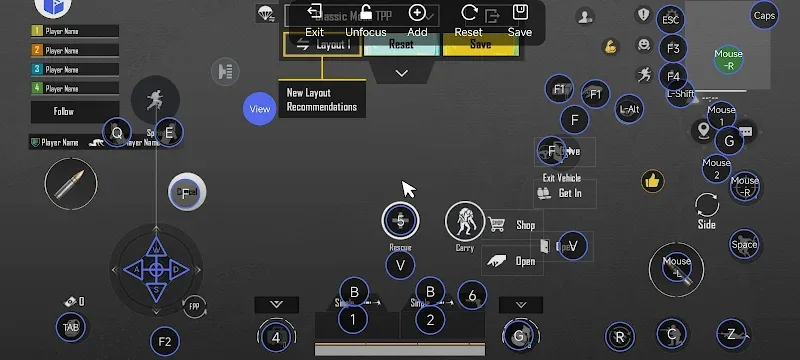
- Custom key mapping: Assign virtual mouse buttons and keyboard shortcuts to on-screen zones for quick access.
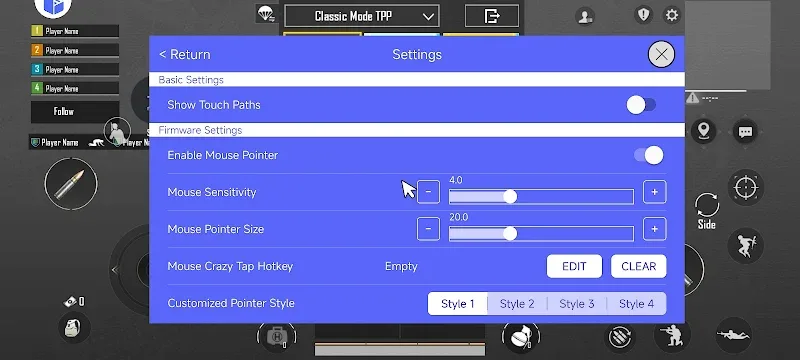
- Sensitivity controls: Fine-tune pointer speed and acceleration to match playstyle or workflow.
- Low-latency mode: Reduce input lag when precision timing matters.
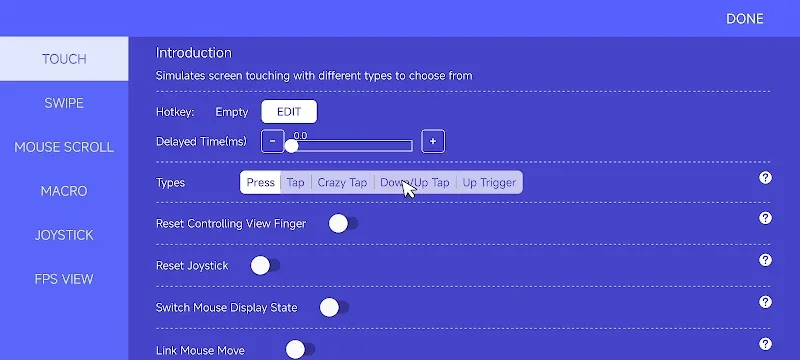
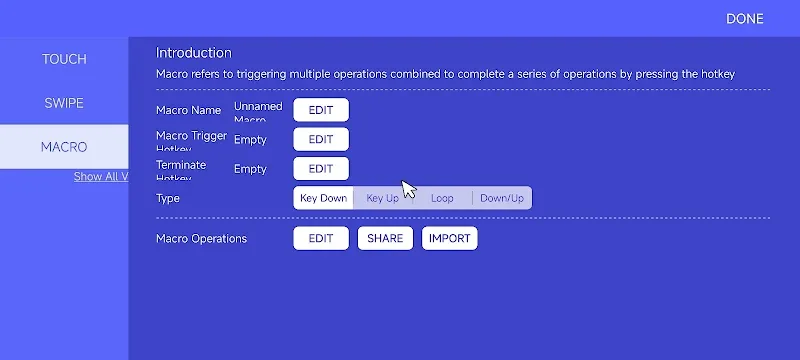
- Macros and scripts: Record sequences that replay on demand, useful for repetitive actions.
- Overlay interface: Place draggable widgets on screen without interfering with the app beneath.
User interface and design
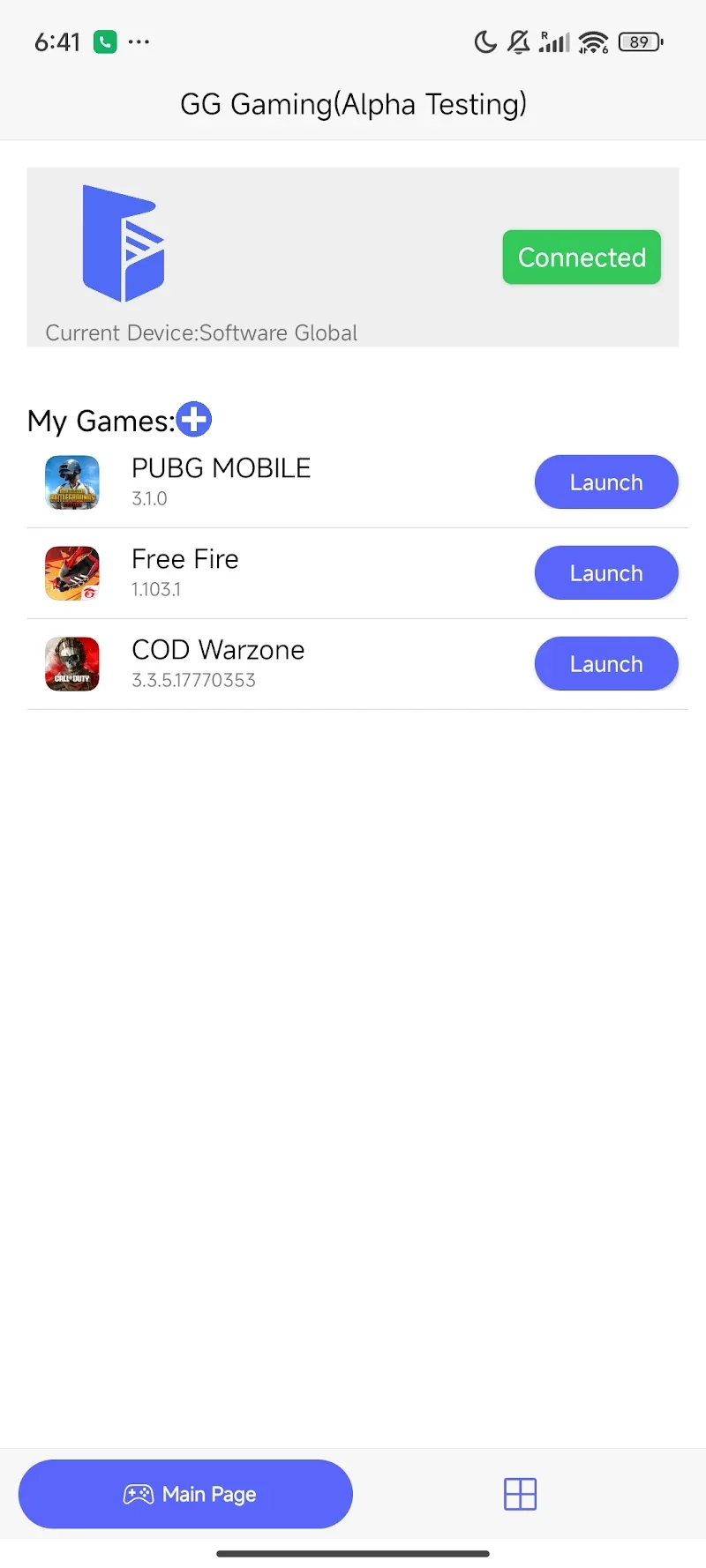
The interface is built for clarity. A compact toolbar gives you access to mapping, sensitivity, and macro recording. Settings are grouped logically so newcomers can get a working configuration quickly, while experienced users can dive into advanced parameters. Visual feedback confirms active zones and button presses so you always know what input is being sent.
How it integrates with games and apps
GG Mouse Pro 2 sits on top of the system as an accessibility or overlay layer (depending on the device and OS level). When enabled, the overlay captures touch events and translates them into mouse movements or key events. Many competitive mobile titles and utility apps respond to this kind of input with improved accuracy, though behavior can vary across devices and Android versions.
Customization options
Customization is a major strength. You can create multiple profiles for different games or use cases, save and export layouts, and swap them on the fly. Profile elements include button placement, gesture zones, sensitivity scales, and macro lists. The app also supports per-profile DPI-like settings, so you can change pointer precision when switching between a shooter and a strategy title.
Performance and compatibility
Performance depends on device hardware and OS restrictions. On modern phones and tablets, GG Mouse Pro 2 runs with minimal overhead and provides responsive cursor behavior. The app includes tools to measure latency and offers recommendations to lower background CPU usage. Compatibility notes inside the settings help you enable appropriate permissions and alternates for devices that restrict overlays.
Practical tips for new users
- Start with a default profile and make small adjustments to sensitivity rather than sweeping changes.
- Use the built-in visualizer to test zone placement before jumping into competitive play.
- Create a simple macro for repetitive tasks and refine timing with the step editor.
- Back up profiles regularly so you can restore your preferred setup after updates or device changes.
Why advanced users appreciate it
Power users value GG Mouse Pro 2 for its depth: per-profile settings, exportable layouts, and macro scripting provide the tools needed to tailor behavior precisely. The low-latency option and sensitivity curve editor let competitive players mimic mouse behavior from PC environments, improving aim and control in supported titles.
Installation and first steps
Installation is straightforward through standard Android package installation. After granting the necessary overlay and accessibility permissions, the app walks you through creating a first profile. The initial tutorial covers zone creation, basic button mapping, and enabling low-latency mode so you can test improvements immediately.
GG Mouse Pro 2 can be a subtle but meaningful upgrade for anyone who wants more precise pointing on Android. Whether you’re tuning settings for better aim or configuring shortcuts to speed up tasks, the app delivers flexible controls while keeping the interface approachable and focused on performance.
Show More
Information
Screenshots
Latest Update











Hot Tags
Latest News
-
![Revealing the Launch Playlists and Cross-Progression for COD Warzone Mobile News]()
-
![March 2024 Free Redemption Codes for Honkai: Star Rail News]()
-
PUBG Mobile Teams Up with Bentley Motors: Luxury Cars, Exclusive Collectibles, and Beyond 2024-04-18
![PUBG Mobile Teams Up with Bentley Motors: Luxury Cars, Exclusive Collectibles, and Beyond News]()
-
![Monster Never Cry is now accessible on both Android and iOS mobile devices. News]()
-
V2.2 of the Farlight 84 update introduces an overhauled Season structure, fresh in-game currency, an 2024-04-16
![V2.2 of the Farlight 84 update introduces an overhauled Season structure, fresh in-game currency, an News]()
-
![Arrival of Genshin Impact 4.6 Update: 'Embers of Two Realms, Twilight of Crimson' News]()
-
April 2024 Clash of Clans Update: Unveiling a Fresh Companion, Enhanced Levels, Chat Tagging, and Be 2024-04-16
![April 2024 Clash of Clans Update: Unveiling a Fresh Companion, Enhanced Levels, Chat Tagging, and Be News]()






