

Fly GPS
Version:7.2.2
Published:2026-10-15
Introduction
Fly GPS is a compact Android utility that lets users simulate their location for testing, privacy, or location-based app development. The app provides an easy-to-use map interface, multiple movement modes, and quick coordinate input. Beginners and developers can set precise locations without complex setup steps.
What this tool does
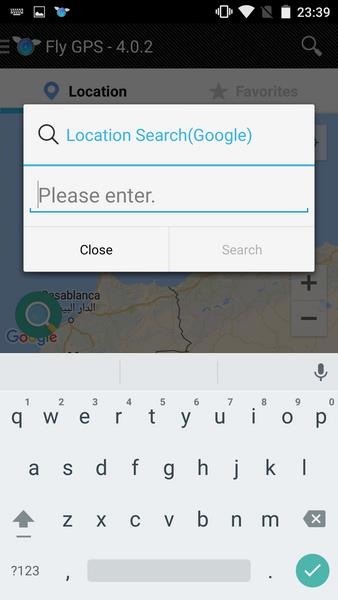
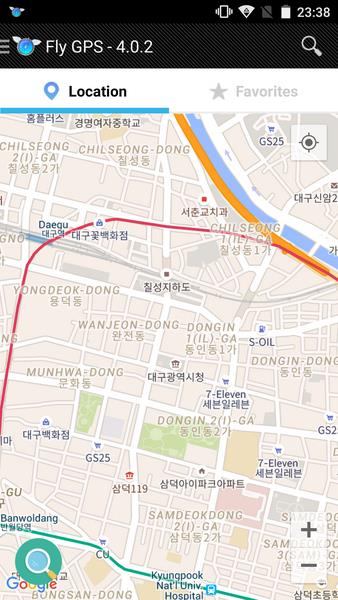
Fly GPS focuses on replacing a device's reported coordinates with values you choose. The interface is centered around a world map, with search, pin-drop, and coordinate fields. Rather than altering system files, the app leverages Android's mock location capabilities to present a controlled, repeatable position to other applications and services.
Core features at a glance
- Map-driven selection: Pan, zoom, and drop a pin to set any point on Earth, with street-level precision in supported regions.
- Coordinate input: Enter latitude/longitude manually for exact placements or copy/paste locations from other tools.
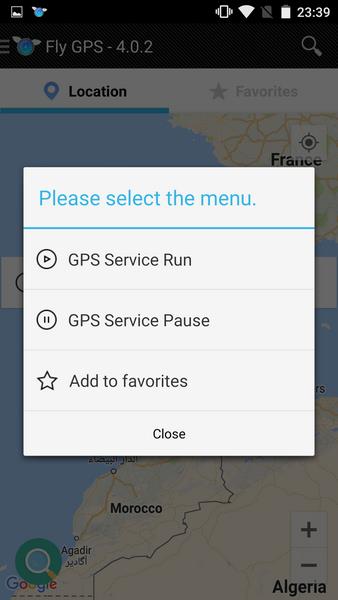
- Movement modes: Choose instant teleport, smooth walking simulation, or route playback to mimic travel between points.
- Save favorite spots: Store frequently used locations for quick access during testing or demonstrations.
- Battery-aware operation: Options to reduce update frequency to conserve power while maintaining simulated positioning.
Practical uses and workflows
Developers commonly use Fly GPS to validate location-based features: triggering geofences, testing map markers, or simulating user travel without leaving the desk. Content creators can preview location-specific app behaviors. Privacy-minded users use the app to limit exposure of their real movements when demonstrating or troubleshooting apps, while testers can reproduce issues reliably by replaying the same route.
User interface and controls
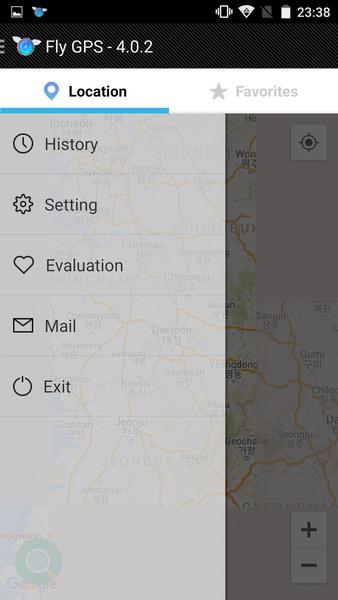
The layout emphasizes clarity: a primary map view, a small toolbar for mode selection, and a bottom panel showing active coordinates and controls. Switching between modes is immediate, and real-time feedback shows the simulated speed and accuracy. Menus are concise, reducing the number of taps needed to perform common tasks.
Performance and compatibility
Fly GPS is engineered to run smoothly on a wide range of Android devices. The app minimizes background CPU usage by lowering update frequency when higher precision isn't necessary. Compatibility notes are clearly presented in-app, and the developers provide straightforward guidance when Android system settings require adjustment.
Tips for first-time users
- Enable mock locations: Most Android versions require you to enable developer options and designate a mock location app before Fly GPS can supply simulated coordinates.
- Test with low-impact apps first: Try simulation with simple mapping apps or developer tools to confirm behavior before using it with critical services.
- Save presets: Store commonly used spots to speed up repetitive testing sessions.
- Adjust update interval: Increase the update interval for longer simulations to conserve battery and reduce heat.
Customization and advanced options
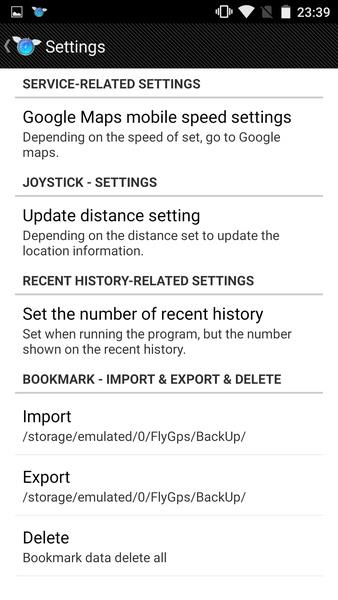
Advanced users can tweak simulated speed, acceleration, and path interpolation to better match expected real-world movement. Route import/export options allow sharing and reusing travel scripts. Persistent profiles let teams standardize test conditions across multiple devices.
Security and responsible use
Fly GPS is designed for legitimate testing, privacy protection, and development workflows. Use it responsibly: do not attempt to bypass app terms of service or gain unfair advantages in multiplayer games. The app does not modify system security features or promote unsafe practices.
Installation and getting started
Installation follows a typical Android app flow. After installation, open Fly GPS and follow the on-screen prompts to grant necessary permissions. A short setup wizard guides you through enabling mock locations and selecting a default simulation mode. Once set, pick a location on the map and activate the simulation to begin.
Why people choose Fly GPS
Users praise Fly GPS for its clear interface, predictable behavior, and focused feature set. It balances simplicity for newcomers with enough depth for advanced testing. Whether you need to validate app logic, demonstrate location-based features, or protect personal coordinates during demonstrations, Fly GPS provides practical controls without unnecessary complexity.
Show More
Information
Screenshots

Latest Update












Latest News
-
![Revealing the Launch Playlists and Cross-Progression for COD Warzone Mobile News]()
-
![March 2024 Free Redemption Codes for Honkai: Star Rail News]()
-
PUBG Mobile Teams Up with Bentley Motors: Luxury Cars, Exclusive Collectibles, and Beyond 2024-04-18
![PUBG Mobile Teams Up with Bentley Motors: Luxury Cars, Exclusive Collectibles, and Beyond News]()
-
![Monster Never Cry is now accessible on both Android and iOS mobile devices. News]()
-
V2.2 of the Farlight 84 update introduces an overhauled Season structure, fresh in-game currency, an 2024-04-16
![V2.2 of the Farlight 84 update introduces an overhauled Season structure, fresh in-game currency, an News]()
-
![Arrival of Genshin Impact 4.6 Update: 'Embers of Two Realms, Twilight of Crimson' News]()
-
April 2024 Clash of Clans Update: Unveiling a Fresh Companion, Enhanced Levels, Chat Tagging, and Be 2024-04-16
![April 2024 Clash of Clans Update: Unveiling a Fresh Companion, Enhanced Levels, Chat Tagging, and Be News]()






