
Real Ghost Detector + Radar
Version:1.80
Published:2026-10-15
Introduction
Real Ghost Detector + Radar is an entertainment-oriented app that simulates paranormal scanning using your phone's sensors and a radar-style interface to visualize anomalies in a playful, investigative format. It blends sensor readings, sound cues, and map overlays to create a convincing exploratory experience for curious users.
What the App Offers
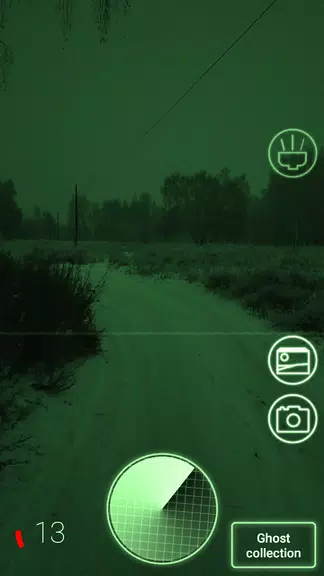
Real Ghost Detector + Radar provides a suite of tools aimed at casual paranormal exploration and party entertainment. The interface combines accelerometer and magnetic sensor data with location services to generate visual indicators that resemble a radar sweep. Sound effects, notification alerts, and animated icons make each scan engaging without making scientific claims.
Main Features and Tools
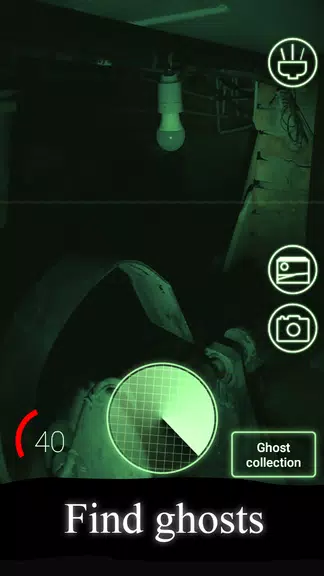
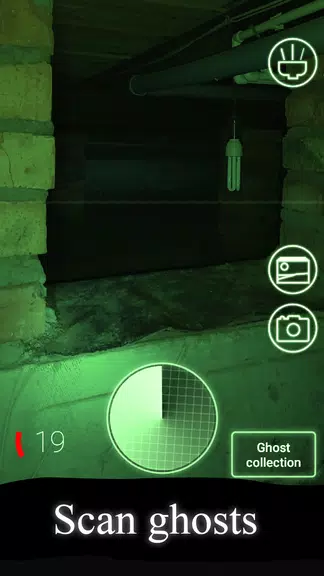
- Radar-style display: A central radar view shows moving blips and directional indicators that respond to sensor input and simulated probability algorithms.
- Sensor fusion: Uses magnetic field, gyroscope, and GPS signals to create context-aware feedback for a more immersive presentation.
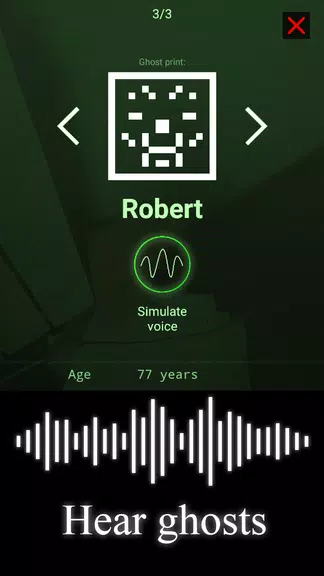
- Audio cues and EVP-style sounds: A library of ambient effects and EVP-like clips plays when anomalies are detected to enhance atmosphere.
- Map overlay: Geolocated scans place activity markers on a map so you can review hotspots and revisit locations.
- Customizable sensitivity: Adjustable thresholds allow users to tune how reactive the radar is to environmental changes.
- Snapshot and log: Save screenshots and create session logs to compare readings across different times and places.
How the System Works
The app interprets raw sensor inputs and converts them into easy-to-read visualizations. Magnetic fluctuations or sudden device movements are mapped to radar blips while GPS changes update the map overlay. Behind the scenes, smoothing and probability functions prevent spurious readings from overwhelming the display, producing a steady exploratory flow that feels realistic.
Interface and Usability
Real Ghost Detector + Radar uses a clear, dark-themed interface optimized for low-light use during night-time sessions. Large, touch-friendly controls let you start scans, toggle sensor sources, and adjust sensitivity without disrupting ongoing visualization. Tooltips and a brief in-app guide explain each control so new users can begin exploring in minutes.
Practical Uses and Scenarios
While the app is designed for entertainment, it can be used in several social and creative contexts. Host a themed party and let guests take turns scanning different rooms, create short storytelling videos using radar visuals, or use saved sessions to build a location-based narrative. The combination of visuals and audio helps set a mood for creative projects and group activities.
Tips for More Consistent Readings
- Calibrate sensors by moving the device through a figure-eight motion before starting a session.
- Avoid areas with heavy electrical interference or strong metallic structures to reduce false positives.
- Use the sensitivity control to match the environment — lower sensitivity for urban environments, higher for quieter spaces.
- Combine map logs and saved snapshots to compare patterns and identify repeating hotspots.
Performance and Compatibility
The app runs smoothly on most modern Android devices, but performance benefits from access to accurate GPS and stable sensor readings. Battery consumption increases during continuous scanning due to sensor polling and GPS usage, so keep a charger nearby for lengthy sessions. The app supports a wide range of screen sizes and adapts layout elements for both phones and tablets.
Privacy and Safety Notes
Real Ghost Detector + Radar requests access to device sensors and location to power its visualizations. All data can be stored locally and shared at the user’s discretion; the app does not claim scientific detection capabilities and is intended for entertainment and exploratory purposes only. Review permission prompts carefully and disable features you do not want to use.
Getting Started
To begin, open the app, grant the requested permissions, and tap the radar to start a scan. Adjust sensitivity, switch audio cues on or off, and explore different rooms or outdoor areas to see how readings change. Use the session log to save noteworthy moments and revisit them later. Real Ghost Detector + Radar offers a playful, sensor-driven way to add atmosphere to investigations and creative projects.
Show More
Information
Screenshots
Latest Update












Hot Tags
Latest News
-
![Revealing the Launch Playlists and Cross-Progression for COD Warzone Mobile News]()
-
![March 2024 Free Redemption Codes for Honkai: Star Rail News]()
-
PUBG Mobile Teams Up with Bentley Motors: Luxury Cars, Exclusive Collectibles, and Beyond 2024-04-18
![PUBG Mobile Teams Up with Bentley Motors: Luxury Cars, Exclusive Collectibles, and Beyond News]()
-
![Monster Never Cry is now accessible on both Android and iOS mobile devices. News]()
-
V2.2 of the Farlight 84 update introduces an overhauled Season structure, fresh in-game currency, an 2024-04-16
![V2.2 of the Farlight 84 update introduces an overhauled Season structure, fresh in-game currency, an News]()
-
![Arrival of Genshin Impact 4.6 Update: 'Embers of Two Realms, Twilight of Crimson' News]()
-
April 2024 Clash of Clans Update: Unveiling a Fresh Companion, Enhanced Levels, Chat Tagging, and Be 2024-04-16
![April 2024 Clash of Clans Update: Unveiling a Fresh Companion, Enhanced Levels, Chat Tagging, and Be News]()






