

Water Photo Frames and Editor
Version:1.0.7
Published:2026-10-15
Introduction
Water Photo Frames and Editor is a mobile app that transforms ordinary photos with realistic water-themed frames and editing tools. It combines reflection effects, ripple overlays, and color grading features to produce polished aquatic-style images quickly, offering intuitive controls for both quick edits and deeper creative adjustments.
What the App Does
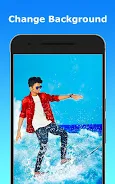
Designed for users who want to add water-inspired style to snapshots, Water Photo Frames and Editor places photographic content into professionally crafted frames and applies natural-looking water effects. Beyond simple borders, the app offers reflection simulation, animated ripples, and light refraction filters that make portraits and landscapes look like they are interacting with water.
Core Features
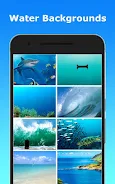
- Frame Library: A wide selection of water-themed frames including oceans, lakes, droplets, and glassy surfaces to match different moods and scenes.
- Reflection & Ripple Effects: Adjustable reflection strength and customizable ripple intensity create believable water interactions beneath or around subjects.
- Color Correction: Tools for exposure, contrast, saturation, and white balance that help integrate the photo with the water background.
- Layered Overlays: Add textures like mist, bubbles, lens flares, and light streaks to increase depth and realism.
- Animation Options: Export short looping animations or GIFs with dynamic water ripples for social sharing.
- Crop & Transform: Standard crop, rotate, and perspective tools to compose images before applying frames.
- Export & Share: Save in multiple resolutions, preserve quality, and share directly to social networks or messaging apps.
User Interface and Workflow
The interface is laid out to keep common controls within thumb reach and to reduce complexity for casual users. A clear toolbar separates frame selection, effect sliders, and export settings. Water Photo Frames and Editor guides users through a three-step workflow: choose a frame, fine-tune effects, and export. Each step offers instant preview so adjustments can be refined without restarting.
Editing Tools in Detail
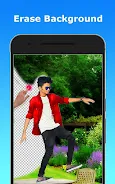
For users who want more than one-click results, advanced sliders let you control reflection angle, blur radius, ripple frequency, and color tint. Masking tools enable selective application of water effects so faces remain sharp while backgrounds receive more dramatic treatment. Built-in presets provide a quick starting point which can be saved and reused.
Performance and Compatibility
Optimized for modern Android devices, the app balances performance and image quality by using hardware acceleration where available. Export options include multiple resolutions and formats, allowing control over file size. Water Photo Frames and Editor functions offline for basic edits and only requires internet access for cloud backup or downloading new frame packs.
Practical Uses
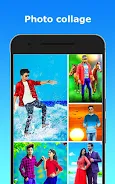
Photographers, social media creators, and casual users can all find use in this app. It is particularly useful for turning travel photos into themed postcards, creating evocative profile images, or producing eye-catching posts for feeds. The app also supports batch processing for consistent look across multiple photos.
Customization and Presets
Users can build custom frames by combining multiple overlays and saving those combinations as presets. This feature speeds up repetitive tasks and helps maintain a cohesive aesthetic across projects. Water Photo Frames and Editor also includes seasonal packs and style bundles available for in-app purchase to expand creative options.
Getting Started
Begin by importing a photo from your gallery or capturing one with the camera tool. Pick a frame that fits the subject, tweak reflection and ripple settings, refine colors, and then export. Tutorials and sample projects are available inside the app to help speed up learning and inspire new compositions.
Support and Updates
Regular updates add new frames and performance improvements, while an in-app help center answers common questions about features and storage. Feedback channels are provided for reporting issues or requesting new effects, enabling a responsive development cycle that keeps the app current with evolving device capabilities.
Whether you want subtle water accents or dramatic aquatic scenes, Water Photo Frames and Editor offers a focused toolset that makes aquatic photo editing approachable and efficient.
Show More
Information
Screenshots


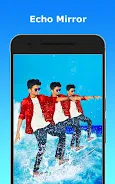
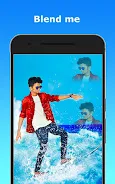

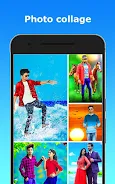
Latest Update












Hot Tags
Latest News
-
![Revealing the Launch Playlists and Cross-Progression for COD Warzone Mobile News]()
-
![March 2024 Free Redemption Codes for Honkai: Star Rail News]()
-
PUBG Mobile Teams Up with Bentley Motors: Luxury Cars, Exclusive Collectibles, and Beyond 2024-04-18
![PUBG Mobile Teams Up with Bentley Motors: Luxury Cars, Exclusive Collectibles, and Beyond News]()
-
![Monster Never Cry is now accessible on both Android and iOS mobile devices. News]()
-
V2.2 of the Farlight 84 update introduces an overhauled Season structure, fresh in-game currency, an 2024-04-16
![V2.2 of the Farlight 84 update introduces an overhauled Season structure, fresh in-game currency, an News]()
-
![Arrival of Genshin Impact 4.6 Update: 'Embers of Two Realms, Twilight of Crimson' News]()
-
April 2024 Clash of Clans Update: Unveiling a Fresh Companion, Enhanced Levels, Chat Tagging, and Be 2024-04-16
![April 2024 Clash of Clans Update: Unveiling a Fresh Companion, Enhanced Levels, Chat Tagging, and Be News]()






