

VenusDesk
Version:0.0.10
Published:2026-10-16
Introduction
VenusDesk is a flexible workspace manager designed to streamline desktop workflows for professionals and power users. It provides virtual desktops, window organization, quick-launch tools, and cloud-backed settings, offering a compact toolkit for staying focused and productive across multiple projects in a single unified interface.
Overview: what VenusDesk brings to your desktop
VenusDesk combines lightweight window management with productivity utilities to reduce friction during multitasking. Rather than replace your operating system, it extends familiar interactions—gestures, hotkeys and sidebars—so organizing apps and switching contexts becomes faster and less distracting. The app targets users who juggle many tasks and need an efficient, keyboard-friendly environment.
Core functionality at a glance
- Virtual Workspaces: Create and name multiple desktops for different projects or roles.
- Tiling & Snapping: Automatic window placement keeps layouts tidy without manual resizing.
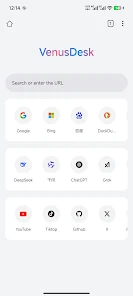
- Quick Launcher: Search and open apps, files or bookmarks instantly.
- Cloud Sync: Preserve layouts and preferences across devices.
How it works: workflow improvements
VenusDesk centers on three simple patterns: separate, group and recall. Separate tasks into distinct virtual workspaces, group related windows with a single command, and recall saved layouts when a project resumes. Hotkeys and customizable gestures make switching instantaneous. Background indexing ensures the quick launcher returns results without delay, and a minimal system footprint keeps CPU and memory usage low.
Tools and systems inside VenusDesk
The app includes a set of practical tools that fit everyday workflows. The clipboard history stores recent snippets and lets you paste from a searchable list. A focused mode hides notifications and mutes background sounds. A lightweight note panel attaches to any workspace so you can capture ideas without opening a separate app. Developers will appreciate window presets and multi-monitor awareness, which reapply arrangements when displays connect or disconnect.
Design and customization options
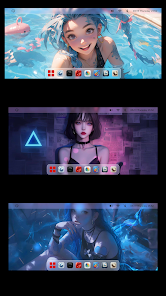
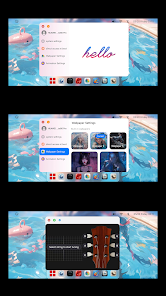
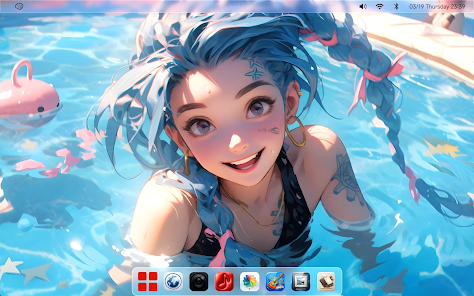
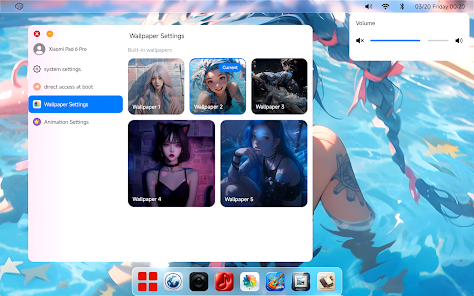
VenusDesk offers a modern, unobtrusive UI with several themes and accent colors. You can define per-workspace wallpapers, keyboard shortcuts and default window rules. For users who prefer automation, conditional rules let actions trigger based on application, time of day or connected devices—open your mail and chat apps when you dock, for example. The customization strikes a balance between power and accessibility, keeping advanced features discoverable without cluttering the interface.
Performance & interface considerations
Performance is a key focus: VenusDesk minimizes background activity and leverages native APIs to manage windows efficiently. Animations are optional and tuned to be smooth on modern hardware while remaining conservative on older machines. The interface favors clarity over ornamentation—controls are grouped logically and most common actions are reachable within two clicks or a single hotkey press.
User experience and feedback
Feedback from early users highlights faster context switching and less desktop clutter. Many report increased focus thanks to workspace separation and the quick launcher’s speed. The app caters to different user habits: keyboard-first operators can map complex macros, while mouse-oriented users still get intuitive drag-and-drop tiling and corner-trigger gestures. Built-in tutorials and tips make the learning curve manageable.
Tips for getting the most out of VenusDesk
- Set up dedicated workspaces for recurring projects to save window arrangements.
- Assign keyboard shortcuts for workspace switching and commonly used layouts.
- Use clipboard history to speed up repetitive typing tasks.
- Enable conditional rules to automate setup when connecting monitors or opening specific apps.
Installation and quick start
Installing VenusDesk is straightforward: download the APK, allow the required permissions, and run through the guided setup to configure your first workspaces and hotkeys. Cloud sync is optional but recommended if you use multiple devices. Begin with two or three workspaces and expand as you refine your habits.
VenusDesk aims to reduce interruptions and bring order to multitasking. Whether you manage software development, creative work, or day-to-day office tasks, its combination of virtual desktops, automation and lightweight utilities helps maintain focus and adapt quickly to changing priorities.
Show More
Information
Screenshots

Latest Update












Latest News
-
![Revealing the Launch Playlists and Cross-Progression for COD Warzone Mobile News]()
-
![March 2024 Free Redemption Codes for Honkai: Star Rail News]()
-
PUBG Mobile Teams Up with Bentley Motors: Luxury Cars, Exclusive Collectibles, and Beyond 2024-04-18
![PUBG Mobile Teams Up with Bentley Motors: Luxury Cars, Exclusive Collectibles, and Beyond News]()
-
![Monster Never Cry is now accessible on both Android and iOS mobile devices. News]()
-
V2.2 of the Farlight 84 update introduces an overhauled Season structure, fresh in-game currency, an 2024-04-16
![V2.2 of the Farlight 84 update introduces an overhauled Season structure, fresh in-game currency, an News]()
-
![Arrival of Genshin Impact 4.6 Update: 'Embers of Two Realms, Twilight of Crimson' News]()
-
April 2024 Clash of Clans Update: Unveiling a Fresh Companion, Enhanced Levels, Chat Tagging, and Be 2024-04-16
![April 2024 Clash of Clans Update: Unveiling a Fresh Companion, Enhanced Levels, Chat Tagging, and Be News]()






