

Breadcrumbs
Version:1.0.0
Published:2026-10-18
Introduction
Breadcrumbs is a lightweight location-tracking and history tool that records movement paths, timestamps, and place notes for Android devices. Designed for daily navigation, travel journaling, and route recovery, Breadcrumbs helps users visualize where they've been and export traces for later review or sharing.
What Breadcrumbs Does
Breadcrumbs continuously logs GPS coordinates in the background, creating a timeline of your trips without demanding much interaction. It focuses on preserving battery life while capturing accurate position samples, labeling stops automatically, and letting you attach photos or short notes to any recorded point.
Key Features
- Live and historical tracking: See current position and replay past journeys as animated tracks on a map.
- Smart stop detection: Automatic identification of pauses and meaningful stops to reduce clutter and highlight places visited.
- Export and import: Save tracks as GPX or KML for use with other mapping tools and cloud services.
- Manual annotations: Add custom tags, photos, or voice memos to entries for richer context.
- Privacy controls: Local-only storage option and the ability to purge history selectively.
How the Workflow Feels
After installing and granting location permission, Breadcrumbs runs unobtrusively. The main screen shows a concise timeline and map preview; tapping an entry expands details and attached media. Control buttons allow quick export, route sharing, or deletion. The app uses configurable sampling intervals so you can prioritize battery life or higher fidelity recording.
Interface and Usability
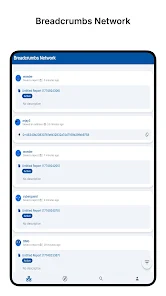
The interface follows modern Android design principles, with clear icons and readable typography. Maps render smoothly and support standard gestures like pinch-to-zoom and pan. Breadcrumbs presents visiting history in a scrollable list where each item offers start/end times, distance, and duration — making it easy to locate a specific outing or commute.
Integration and Compatibility
Breadcrumbs integrates with common map viewers and fitness platforms through exported GPX/KML files. It supports Android location APIs across a wide range of versions and adapts to motion sensors to suppress false movement when the device is stationary. The app is compatible with both phones and tablets and cooperates with Doze and battery optimization settings to reduce the risk of unexpected termination.
Performance and Battery Use
One design priority for Breadcrumbs is minimizing battery drain. It offers adjustable sampling rates and a low-power mode that reduces GPS checks while still capturing key waypoints. Background operation is optimized to batch location updates so the system can schedule work efficiently. Users report that, with conservative settings, the app adds minimal overhead to daily battery consumption.
Privacy and Data Control
Breadcrumbs emphasizes control over location records. You can choose to keep data on-device, enable encrypted backups, or transmit only selected tracks to cloud storage. The app also provides quick-delete actions for entries and an option to anonymize exported files by removing timestamps or obfuscating coordinates.
Use Cases and Practical Tips
Travelers can use Breadcrumbs to reconstruct routes and remember places visited; commuters can analyze timings and distances; outdoor hobbyists can archive trails for repeat adventures. For best results, enable high-accuracy mode when starting a long trip, then switch to low-power sampling for extended passive logging. Regularly export or back up important traces to avoid accidental loss.
Getting Started
Begin by granting location access and choosing your preferred sampling profile. Perform a short test walk to confirm that the app logs points and that attached photos sync correctly to entries. Explore export options to connect Breadcrumbs with your favorite mapping tools or cloud storage, and review privacy settings to match your comfort level.
Breadcrumbs presents a balanced set of features for users who want a reliable, low-friction way to record movement history. With flexible controls over data retention, power consumption, and export formats, it serves both casual users and those who need structured location archives for work or travel.
Show More
Information
Screenshots
Latest Update












Latest News
-
![Revealing the Launch Playlists and Cross-Progression for COD Warzone Mobile News]()
-
![March 2024 Free Redemption Codes for Honkai: Star Rail News]()
-
PUBG Mobile Teams Up with Bentley Motors: Luxury Cars, Exclusive Collectibles, and Beyond 2024-04-18
![PUBG Mobile Teams Up with Bentley Motors: Luxury Cars, Exclusive Collectibles, and Beyond News]()
-
![Monster Never Cry is now accessible on both Android and iOS mobile devices. News]()
-
V2.2 of the Farlight 84 update introduces an overhauled Season structure, fresh in-game currency, an 2024-04-16
![V2.2 of the Farlight 84 update introduces an overhauled Season structure, fresh in-game currency, an News]()
-
![Arrival of Genshin Impact 4.6 Update: 'Embers of Two Realms, Twilight of Crimson' News]()
-
April 2024 Clash of Clans Update: Unveiling a Fresh Companion, Enhanced Levels, Chat Tagging, and Be 2024-04-16
![April 2024 Clash of Clans Update: Unveiling a Fresh Companion, Enhanced Levels, Chat Tagging, and Be News]()






