

Work Clock HQ
Version:1.0.6
Published:2026-10-22
Introduction
Work Clock HQ is a compact, feature-rich time and attendance app designed for businesses that need straightforward clock-in/clock-out tracking, shift management, and payroll-ready reporting. It combines GPS tagging, scheduled alerts, and export tools to reduce administrative friction for managers and mobile employees alike.
What this app does
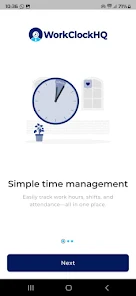
At its core, Work Clock HQ turns phones into reliable time clocks. Employees can record hours, breaks, and locations while managers monitor attendance, approve timesheets, and produce reports for payroll. The app targets small to medium teams who need accurate, auditable records without complex setups or expensive hardware.
Main capabilities
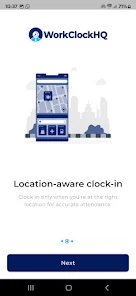
- Real-time time capture: Clock in and out with timestamps and optional geolocation for audit trails.
- Shift scheduling: Create, assign, and notify staff of shifts; swap requests and shift reminders are supported.
- Break and overtime rules: Configure automatic break tracking and overtime thresholds to match local labor rules.
- Export and reporting: Generate CSV and PDF timesheets ready for payroll import.
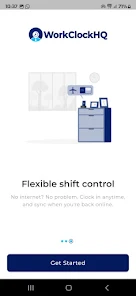
- Offline mode: Capture punches without connectivity; data syncs automatically when online.
How it works in daily operations
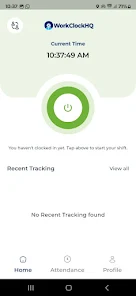
Work Clock HQ keeps workflows simple. Employees open the app to punch in, optionally attach notes or job codes, and the entry is logged to the central account. Supervisors review pending entries, correct discrepancies, and approve weekly timesheets. Alerts can be set for missed clock-ins or excessive overtime, reducing surprises at payroll time.
Integration and export options
The app supports common export formats for payroll systems and spreadsheets. CSV exports are customizable by date range, employee, or department, and PDF summaries are available for quick managerial review. Some versions provide API hooks for direct integration with HR or accounting platforms.
Interface and performance
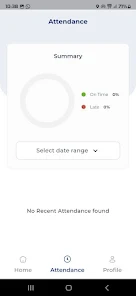
Work Clock HQ emphasizes clarity over complexity. The interface uses large buttons for punching, a clear timeline for shifts, and color-coded statuses for pending, approved, or disputed entries. Performance is optimized for phones and tablets; sync times remain short even with larger teams, and background sync preserves battery life while keeping data current.
Security and permissions
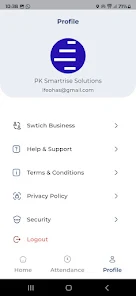
Security is delivered through role-based access: admins, managers, and employees see only what they need. Data is stored securely with options for cloud backup. GPS and photo capture are optional features that can be toggled to meet privacy policies or union agreements.
Customization and admin tools
Administrators can tailor rules for rounding, minimum shift lengths, and overtime calculations. Departments and job codes help group hours for billing or project accounting. Notifications are customizable, so managers receive alerts for exceptions while employees get reminders for upcoming shifts and required clock-outs.
Practical tips for new users
- Start small: Begin with a pilot team to configure rules and verify export formats before rolling out company-wide.
- Standardize codes: Create consistent job and department codes to simplify reporting.
- Train at onboarding: Demonstrate the punch flow and how to correct mistakes to reduce approval overhead.
- Use automated rules: Enable break and overtime presets to avoid manual adjustments at payroll time.
Why businesses pick it
Teams choose Work Clock HQ because it balances powerful tracking features with a low learning curve. The app reduces manual timesheet corrections, speeds up payroll preparation, and generates reliable records for audits. For companies with remote workers or field teams, optional GPS tagging and offline functionality are particularly useful.
Getting started
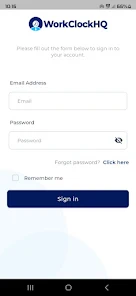
Installation involves creating an organization account, inviting employees by email, and setting a few basic rules (pay periods, overtime thresholds). Most teams are operational within a day. Support resources include setup guides, FAQs, and in-app help for common scenarios.
Whether you need a lightweight time clock or a full attendance tool that feeds payroll, Work Clock HQ provides a practical solution that scales as your team grows while keeping administrative overhead to a minimum.
Show More
Information
Screenshots

Latest Update












Latest News
-
![Revealing the Launch Playlists and Cross-Progression for COD Warzone Mobile News]()
-
![March 2024 Free Redemption Codes for Honkai: Star Rail News]()
-
PUBG Mobile Teams Up with Bentley Motors: Luxury Cars, Exclusive Collectibles, and Beyond 2024-04-18
![PUBG Mobile Teams Up with Bentley Motors: Luxury Cars, Exclusive Collectibles, and Beyond News]()
-
![Monster Never Cry is now accessible on both Android and iOS mobile devices. News]()
-
V2.2 of the Farlight 84 update introduces an overhauled Season structure, fresh in-game currency, an 2024-04-16
![V2.2 of the Farlight 84 update introduces an overhauled Season structure, fresh in-game currency, an News]()
-
![Arrival of Genshin Impact 4.6 Update: 'Embers of Two Realms, Twilight of Crimson' News]()
-
April 2024 Clash of Clans Update: Unveiling a Fresh Companion, Enhanced Levels, Chat Tagging, and Be 2024-04-16
![April 2024 Clash of Clans Update: Unveiling a Fresh Companion, Enhanced Levels, Chat Tagging, and Be News]()






