

Rádio Mais FM
Version:2.0.0
Published:2026-10-23
Introduction
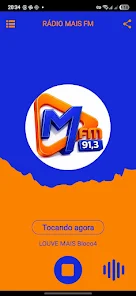
Rádio Mais FM is a streamlined Android radio app that puts live Portuguese radio stations within a tap, offering clear streaming, curated station lists, and easy playback controls. It aims to serve daily listeners with reliable broadcasts, intuitive navigation, and features that make finding music, news, or talk shows fast and convenient.
What Rádio Mais FM Does
At its heart, Rádio Mais FM functions as a dedicated tuner for online FM stations, focusing on local and national Portuguese channels. The app aggregates live streams, presents schedules when available, and helps listeners switch between genres quickly. It’s designed for smartphones and tablets, with straightforward playback and background streaming support.
Core Features Highlight
- Station Directory: A categorized list of radio channels, grouped by genre and region to make discovery simple.
- Live Streaming: Continuous audio playback with minimal buffering and basic reconnection logic.
- Favorites: Mark stations for instant access and create a personalized lineup.
- Background Play: Audio continues while other apps are used or the device is locked.
- Sleep Timer: Set the stream to stop after a chosen interval, handy for bedtime listening.
How the App Operates
Rádio Mais FM connects to station streams through standard internet radio protocols. Once a stream is selected, the app opens a player with play/pause, skip (to next station), and volume controls. Stations that provide metadata can show current track or program names. The underlying workflow is straightforward: search, select, and listen.
Interface and Performance Notes
The interface emphasizes readability with large touch targets and a minimal color palette. Navigation relies on tabs and a search field, keeping common actions within easy reach. Performance is stable on modern devices; buffering is typically short, though actual speed depends on network quality. The app manages data usage efficiently and includes options to reduce stream quality on slower connections.
Customization and Settings
Listeners can tweak several settings to tailor the experience. Choose default audio quality, manage the list of saved stations, and enable or disable background playback notifications. The sleep timer and automatic start after reboot options help integrate the app into daily routines, while a compact player widget keeps controls accessible from the notification shade.
Tips for New Users
- Use the search bar with station names or music genres to find relevant channels quickly.
- Create a favorites list to avoid browsing each time you open the app.
- Enable lower-quality streaming when roaming or on slow data connections to conserve bandwidth.
- Try the sleep timer for night listening to prevent continuous data use and battery drain.
Battery and Data Considerations
Continuous streaming can impact battery life, especially over mobile networks. Rádio Mais FM mitigates this with efficient buffering and options to lower audio bitrate. For extended listening sessions, connect to Wi‑Fi and use wired or Bluetooth audio to avoid using device speakers at high volumes.
Installation and Compatibility
Installation is quick via the Android package installer. The app supports a wide range of Android versions and screen sizes, adapting to phones and tablets. Permissions are minimal and typically limited to network access and media playback controls. Regular updates are provided to address new streams and improve stability.
Why Listeners Pick Rádio Mais FM
Users choose Rádio Mais FM for its uncomplicated design and focus on reliable streaming. The app removes clutter and places commonly used controls at the forefront, making it a practical choice for commuters, home listeners, and anyone who prefers radio over algorithmic playlists. The ability to save preferred stations and resume playback seamlessly is frequently cited in user feedback.
Final Notes and Best Practices
For the best experience with Rádio Mais FM, keep the app updated, curate your favorites list, and adjust audio quality depending on your connection. If a station becomes unavailable, try reloading the stream or checking for an alternative channel in the same genre. With these small habits, the app offers a dependable way to stay connected to Portuguese radio everywhere you go.
Show More
Information
Screenshots
Latest Update












Latest News
-
![Revealing the Launch Playlists and Cross-Progression for COD Warzone Mobile News]()
-
![March 2024 Free Redemption Codes for Honkai: Star Rail News]()
-
PUBG Mobile Teams Up with Bentley Motors: Luxury Cars, Exclusive Collectibles, and Beyond 2024-04-18
![PUBG Mobile Teams Up with Bentley Motors: Luxury Cars, Exclusive Collectibles, and Beyond News]()
-
![Monster Never Cry is now accessible on both Android and iOS mobile devices. News]()
-
V2.2 of the Farlight 84 update introduces an overhauled Season structure, fresh in-game currency, an 2024-04-16
![V2.2 of the Farlight 84 update introduces an overhauled Season structure, fresh in-game currency, an News]()
-
![Arrival of Genshin Impact 4.6 Update: 'Embers of Two Realms, Twilight of Crimson' News]()
-
April 2024 Clash of Clans Update: Unveiling a Fresh Companion, Enhanced Levels, Chat Tagging, and Be 2024-04-16
![April 2024 Clash of Clans Update: Unveiling a Fresh Companion, Enhanced Levels, Chat Tagging, and Be News]()






