

Yancey Fuel Camera
Version:3.0
Published:2026-10-23
Introduction
Yancey Fuel Camera is a practical mobile tool designed to streamline photographic documentation at fueling sites, offering quick capture, annotation and organized storage for compliance and operational needs. The app focuses on reliable image capture, metadata tagging, and simple sharing workflows so field teams can record fuel deliveries and equipment condition efficiently.
What the app does
The Yancey Fuel Camera app turns your Android device into a purpose-built documentation system. Instead of a generic camera roll, it creates structured image records that include timestamps, location data, and user-entered notes. This makes it easier to maintain audit trails, verify deliveries and reduce manual paperwork.
Key capabilities
- Structured capture – take photos with mandatory fields such as site ID and delivery number that ensure completeness of each record.
- Automatic metadata – GPS coordinates, date and time are embedded into the image file and visible in the app interface.
- Annotation tools – add text notes or simple stamps to images to highlight measurements, discrepancies or signatures.
- Batch export – compile multiple photos into a single report for email or cloud upload.
- Offline mode – store captures locally and sync when a network connection is available.
How it fits into daily operations
Field technicians, logistics coordinators and safety officers can use Yancey Fuel Camera to create consistent records at every stop. Capturing photos immediately during delivery prevents lost details and speeds up reconciliation. The app supports a fast workflow: open, capture, tag and sync. This reduces the need to re-enter information later.
Interface and usability
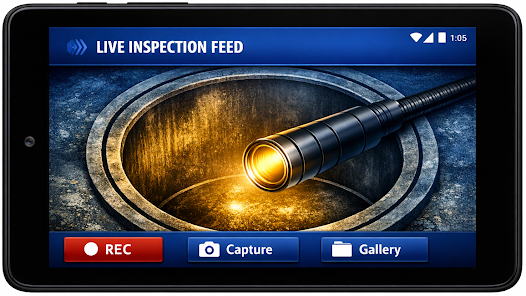
The user interface focuses on clarity and speed. Large capture buttons, intuitive form fields and clear visual confirmation after each photo help teams work in low-light or constrained conditions. Minimal menus and a short learning curve make it suitable for users who prefer straightforward apps over feature-heavy alternatives.
Integration and file management
Files created by the app are organized in project folders with searchable names and date ranges. Exports are available in common formats so managers can attach images to invoices, work orders or compliance systems. The app supports direct upload to popular cloud storage and can generate zip files for batch transfer.
Practical workflow examples
- Delivery verification: capture tank readings, pump serial numbers and signatures at the time of drop-off, then sync images to the head office.
- Equipment inspection: photograph filter conditions or leak points, annotate the image and create a maintenance request automatically.
- Incident logging: record spill scenes with geo-tagged photos to preserve a timestamped evidence trail.
Performance and reliability
Designed for field use, the app prioritizes fast image processing and efficient storage. Photo compression settings balance quality and file size so operations with limited bandwidth can still transmit essential information. Background uploads and retry logic help ensure data reaches central servers even over intermittent networks.
Security and permissions
Yancey Fuel Camera requests only the permissions needed to operate: camera access, storage and optional location data. It supports basic on-device encryption for stored images and allows administrators to enforce naming conventions or required fields to maintain consistency across teams.
Tips for new users
- Set up standardized site templates before field deployment to reduce input errors.
- Use the annotation tool to add clarifying notes that would otherwise require a separate report.
- Enable automatic sync when on Wi‑Fi to conserve mobile data.
- Train staff on mandatory fields so every capture meets documentation standards.
Whether you need to validate deliveries, document inspections or support compliance workflows, Yancey Fuel Camera offers a focused, reliable solution. Its emphasis on structured data capture, local resilience and straightforward sharing makes it a practical choice for teams that depend on accurate photographic records in the field.
Show More
Information
Screenshots

Latest Update












Hot Tags
Latest News
-
![Revealing the Launch Playlists and Cross-Progression for COD Warzone Mobile News]()
-
![March 2024 Free Redemption Codes for Honkai: Star Rail News]()
-
PUBG Mobile Teams Up with Bentley Motors: Luxury Cars, Exclusive Collectibles, and Beyond 2024-04-18
![PUBG Mobile Teams Up with Bentley Motors: Luxury Cars, Exclusive Collectibles, and Beyond News]()
-
![Monster Never Cry is now accessible on both Android and iOS mobile devices. News]()
-
V2.2 of the Farlight 84 update introduces an overhauled Season structure, fresh in-game currency, an 2024-04-16
![V2.2 of the Farlight 84 update introduces an overhauled Season structure, fresh in-game currency, an News]()
-
![Arrival of Genshin Impact 4.6 Update: 'Embers of Two Realms, Twilight of Crimson' News]()
-
April 2024 Clash of Clans Update: Unveiling a Fresh Companion, Enhanced Levels, Chat Tagging, and Be 2024-04-16
![April 2024 Clash of Clans Update: Unveiling a Fresh Companion, Enhanced Levels, Chat Tagging, and Be News]()






