
Klartext!
Version:1.0.0
Published:2026-10-24
Introduction
Klartext! is a focused productivity app designed to simplify note-taking, task tracking, and clear communication across devices. With a clean interface and fast synchronization, Klartext! helps users capture ideas, organize priorities, and share concise messages without clutter, making everyday work and collaboration more direct and efficient.
Why Klartext! Stands Out
Klartext! combines straightforward tools with a minimal learning curve. Rather than layering features that distract, the app emphasizes clarity: short-form notes, quick task creation, and streamlined sharing options. The result is a tool that feels light and responsive while still addressing common workflow needs for individuals and small teams.
Key Features
The feature set focuses on speed and usability. Highlights include:
- Instant Notes: Create text snippets, checklists, and voice memos that are immediately searchable.
- Task Management: Convert notes into tasks with due dates, priorities, and simple reminders.
- Cross-device Sync: Changes propagate quickly across phones, tablets, and web clients so your content stays current.
- Share and Collaborate: Send concise notes or assign tasks to collaborators with a few taps.
- Lightweight Offline Mode: Work without an internet connection and sync later when online.
How the Interface Works
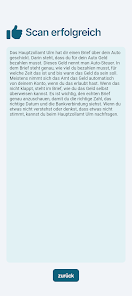
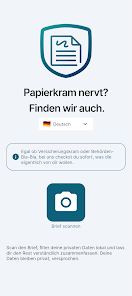
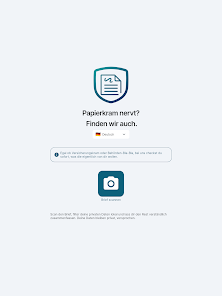
The interface in Klartext! is intentionally uncluttered. A main list view displays notes and tasks with short previews, while a single tap opens an editor optimized for quick typing. Formatting is kept minimal to encourage clarity: headings, bullets, and inline links are available but secondary to plain text. Navigation relies on familiar gestures that reduce friction when switching between lists.
Workflow and Integration
Klartext! fits into everyday routines by focusing on practical integrations rather than a long menu of add-ons. It supports sharing via system intents, exports to common file formats, and basic calendar links for task deadlines. For teams, the app offers lightweight assignment and comment features that avoid the overhead of complex project-management systems while preserving accountability.
Customization Options
While the default experience is minimalist, Klartext! allows sensible personalization. Users can choose themes to reduce eye strain, toggle compact or spacious list layouts, and define default reminder intervals. Custom tags and color labels make it simple to filter content by project or context. These options help tailor the app’s clarity to individual preferences without overwhelming the interface.
Performance and Compatibility
Performance is a priority: Klartext! is optimized for rapid load times and smooth scrolling even with hundreds of notes. Sync operations are efficient and designed to limit battery drain. The app supports a wide range of Android versions and screen sizes, delivering consistent behavior on phones and tablets. Small optimizations, such as incremental sync and local caching, keep the experience responsive in varied network conditions.
Getting Started
Begin by creating a few short notes and converting one into a task to try core features. Use tags or labels to organize initial content, and enable synchronization to ensure access across devices. The onboarding flow highlights shortcuts and key gestures so new users can quickly adopt the app without lengthy tutorials. For teams, inviting a collaborator to a single note is a practical way to test shared workflows.
User Experience and Practical Use
Klartext! is suited to people who prefer concise communication and fast capture. It performs well for daily planning, meeting summaries, quick research snippets, and simple checklists. The app’s pared-back design encourages users to write clearly and keep items actionable, reducing the accumulation of ambiguous drafts. Notifications and reminders are unobtrusive and configurable to match personal focus habits.
Final Notes on Adoption
Adopting Klartext! can simplify how you manage quick information and short-lived tasks. Its balance of essential features, unobtrusive collaboration, and reliable performance makes it a practical choice for users who want clarity and speed in their productivity tools. Try the app with a small project to experience how focused design can streamline everyday work.
Show More
Information
Screenshots
Latest Update












Latest News
-
![Revealing the Launch Playlists and Cross-Progression for COD Warzone Mobile News]()
-
![March 2024 Free Redemption Codes for Honkai: Star Rail News]()
-
PUBG Mobile Teams Up with Bentley Motors: Luxury Cars, Exclusive Collectibles, and Beyond 2024-04-18
![PUBG Mobile Teams Up with Bentley Motors: Luxury Cars, Exclusive Collectibles, and Beyond News]()
-
![Monster Never Cry is now accessible on both Android and iOS mobile devices. News]()
-
V2.2 of the Farlight 84 update introduces an overhauled Season structure, fresh in-game currency, an 2024-04-16
![V2.2 of the Farlight 84 update introduces an overhauled Season structure, fresh in-game currency, an News]()
-
![Arrival of Genshin Impact 4.6 Update: 'Embers of Two Realms, Twilight of Crimson' News]()
-
April 2024 Clash of Clans Update: Unveiling a Fresh Companion, Enhanced Levels, Chat Tagging, and Be 2024-04-16
![April 2024 Clash of Clans Update: Unveiling a Fresh Companion, Enhanced Levels, Chat Tagging, and Be News]()






