

IBOIX
Version:3.1.5
Published:2026-10-25
Introduction
IBOIX is a lightweight Android utility that organizes files, automates routine tasks, and streamlines device maintenance with an intuitive interface and modular tools. It blends file management, quick actions, and scheduling features so users can tidy storage, back up essentials, and save time without a steep learning curve.
Overview of the app
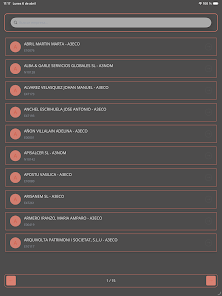
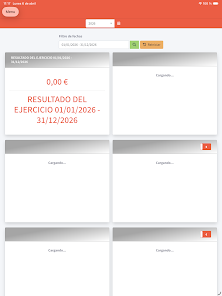
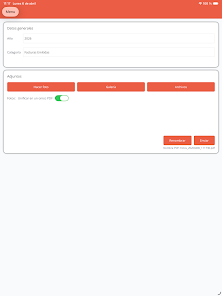
IBOIX positions itself as a practical toolkit for everyday phone upkeep. It targets people who want straightforward controls for file cleanup, snapshot backups, and task automation without installing multiple specialist apps. The design favors clarity: core tools are grouped under tabs and the most common actions are available from a persistent toolbar.
Primary functions at a glance
- File manager: Browse, move, and batch-rename files with simple gestures and a two-panel view for fast transfers.
- Cleaner: Scan caches, residual files, and temporary data to free storage space in a few taps.
- Scheduler: Set up recurring backups, app updates, or cleaning jobs on a daily, weekly, or custom cadence.
- Quick actions: Create shortcuts for common tasks like clearing RAM, toggling settings, or launching grouped routines.
- Secure backup: Export important files to cloud providers or local encrypted archives.
How it works in practice
Once installed, the app walks you through a short setup that grants necessary permissions and selects storage locations. Scans are non-destructive by default: they identify candidates for removal and let you review results before deleting anything. Automation rules use a simple trigger-and-action model, so you can chain behaviors like "when charging, back up photos and clear temp files" without scripting.
Tools and systems
IBOIX combines fundamental maintenance modules with a small set of advanced utilities. The file manager supports common formats and includes preview for media types. The cleaning engine categorizes junk into caches, leftover installer files, and duplicate items. For power users, a log viewer and exportable reports provide visibility into what was removed and when.
Customization and user workflow
Customize the look and behavior through themes, compact lists, and configurable default actions. Shortcuts can be added to your home screen, and widgets provide one-tap triggers for cleaning or backup. The app supports multiple profiles, letting you maintain different automation rules for work and personal use.
Performance and interface notes
Performance is optimized for mid-range devices: scans use incremental indexing to keep resource usage low, and background tasks respect battery-saving modes. The interface balances compactness and readability, with icons that help identify categories quickly. Memory footprint is modest compared with multi-tool suites, and live previews reduce mistakes before committing to actions.
Tips for new users
Start with a conservative cleanup: review scan results and mark auto-exempt folders such as camera or messaging caches you want to keep. Enable scheduled backups to cloud storage before running bulk deletions. Use named automation profiles so you can switch behaviors when travelling or working. These small steps prevent accidental loss and make the tool feel reliable.
Why many users prefer it
Users praise IBOIX for combining several common utilities into a cohesive experience without clutter. The low learning barrier and reliable scheduling are often highlighted in user feedback. Instead of juggling several single-purpose apps, people appreciate being able to centralize routine maintenance while keeping manual control over sensitive deletions.
Getting started and installation
Installation is straightforward: download from a trusted source, grant file and storage permissions when prompted, and run the initial scan. A built-in walkthrough explains each core feature. For added safety, enable the app's backup option and link your preferred cloud account before allowing automated cleanups.
Overall, IBOIX is a compact, efficient utility that helps Android users manage storage, automate repetitive chores, and maintain a cleaner device without complex setup. Its combination of sensible defaults and optional depth makes it a practical choice for users who want more control over routine maintenance tasks.
Show More
Information
Screenshots

Latest Update












Latest News
-
![Revealing the Launch Playlists and Cross-Progression for COD Warzone Mobile News]()
-
![March 2024 Free Redemption Codes for Honkai: Star Rail News]()
-
PUBG Mobile Teams Up with Bentley Motors: Luxury Cars, Exclusive Collectibles, and Beyond 2024-04-18
![PUBG Mobile Teams Up with Bentley Motors: Luxury Cars, Exclusive Collectibles, and Beyond News]()
-
![Monster Never Cry is now accessible on both Android and iOS mobile devices. News]()
-
V2.2 of the Farlight 84 update introduces an overhauled Season structure, fresh in-game currency, an 2024-04-16
![V2.2 of the Farlight 84 update introduces an overhauled Season structure, fresh in-game currency, an News]()
-
![Arrival of Genshin Impact 4.6 Update: 'Embers of Two Realms, Twilight of Crimson' News]()
-
April 2024 Clash of Clans Update: Unveiling a Fresh Companion, Enhanced Levels, Chat Tagging, and Be 2024-04-16
![April 2024 Clash of Clans Update: Unveiling a Fresh Companion, Enhanced Levels, Chat Tagging, and Be News]()






