

华融融达期货
Version:5.6.6
Published:2026-10-25
Introduction
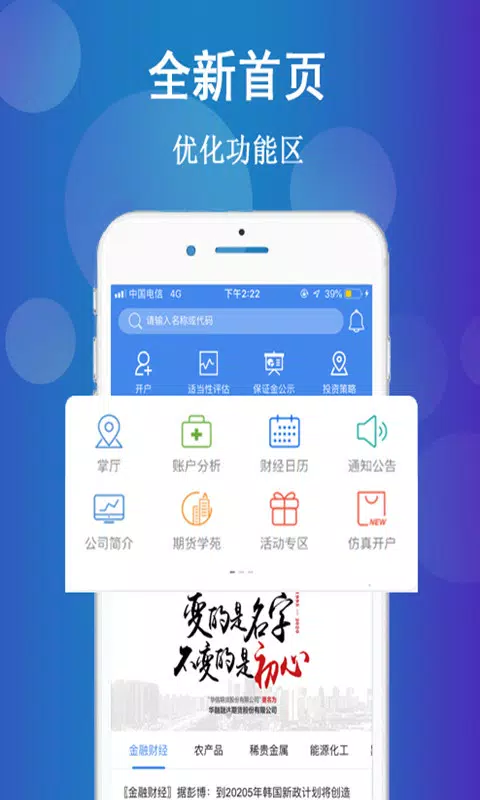
华融融达期货 is a mobile platform built for active futures traders who need consolidated access to market data, order execution and portfolio oversight on the go. The app bundles streaming quotes, charting and order entry into a single, responsive interface so users can scan markets, act on signals and monitor positions without switching tools. Designed for clarity in fast-moving sessions, 华融融达期货 emphasizes low-latency price updates, clear order confirmation and configurable alerts to help traders maintain control under pressure.
Core functionality and market access
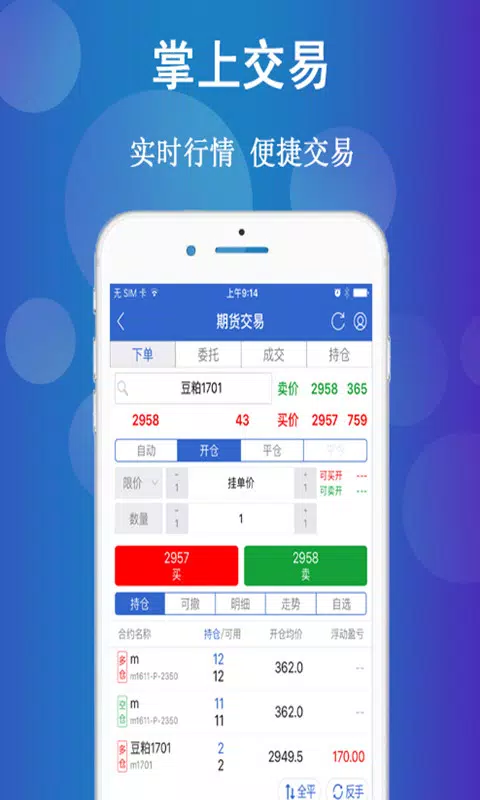
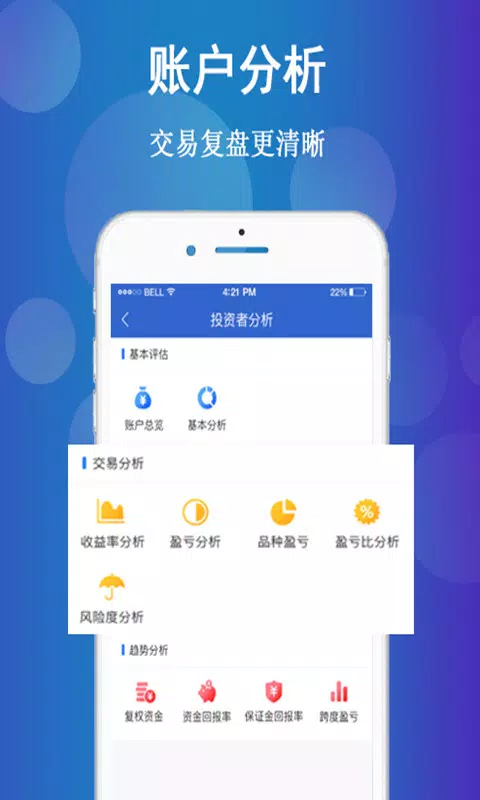
The application delivers continuous tick-level market data for major futures contracts, market depth visualization and multi-timeframe charts with a selection of common technical indicators. Order entry supports market, limit and conditional order types with optional OCO logic and pre-set stop-loss or take-profit parameters. Account pages consolidate positions, margin metrics and realized/unrealized P&L so traders can verify fills and available buying power immediately after execution. Real-time notifications inform users about fills, margin events and customized price thresholds so important changes are never missed.
Controls and interaction model
Interaction is optimized for touch devices: pinch and drag gestures control chart zoom and pan, tap-and-hold brings up quick order dialogs, and customizable gesture mappings let you assign common functions to preferred shortcuts. Template orders reduce repetitive input to two taps for common setups, and confirmation flows are designed to minimize accidental submissions while keeping execution fast. On tablets and larger displays, keyboard and pointer support improves precision for power users who manage multiple workspaces. These interaction options make 华融融达期货 adaptable to both on-the-move decisions and longer analysis sessions.
Learning curve and progression tools
New users are supported with step-by-step tutorials and a paper-trading mode that mirrors the live environment without risking capital. Tutorials are structured to introduce market scanning, chart analysis, order construction and risk management in progressive lessons so traders can build confidence before increasing trade size. Practice scenarios simulate intraday volatility and slippage patterns to help users learn how order types behave when markets move quickly. Contextual help and inline tooltips are available throughout the app to shorten onboarding and reinforce best practices.
Customization, layouts and personalization
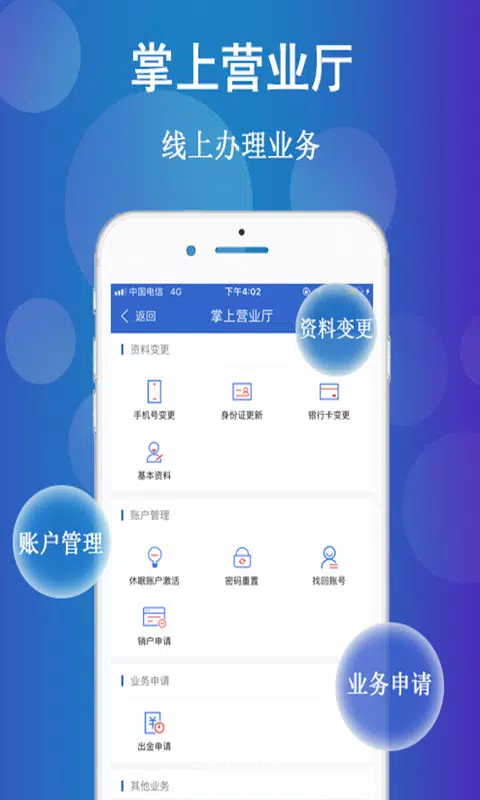
Workspace customization allows traders to save chart templates, watchlists and pane layouts for different strategies or contract sets. Chart themes, default order quantities and indicator presets can be tuned per profile so switching between strategies is seamless. The app supports managing multiple linked accounts under one profile, enabling traders to monitor separate portfolios or professional and personal accounts without logging in and out. Persistent layout saving helps recreate preferred setups across device sessions.
Performance, security and offline behavior
Charts are engineered to render smoothly even when multiple indicators are active, and intelligent data caching reduces bandwidth use during intermittent connectivity. When offline, the app provides read-only access to recent chart snapshots and cached account summaries so you can review positions while connectivity is restored. Security features include multi-factor authentication, device binding and encrypted credentials to protect trading access and personal information.
Integration, exports and advanced setups
For advanced workflows the platform supports connectivity options typical for professional setups, enabling order routing to brokerage backends and synchronization of account data. Export features let users generate trade logs and chart snapshots for external analysis, and API or FIX connectivity is available in environments that require programmatic access or integration with third-party analytics. These options help traders incorporate the app into a broader toolkit without disrupting established processes.
Who benefits and recommended workflow
Professional futures traders and attentive retail participants benefit most from 华融融达期货 because it balances execution speed with analytical depth and risk controls. A recommended workflow starts with curated watchlists and template-based scanning, moves into focused chart analysis and finishes with concise order submission accompanied by pre-set risk parameters. New users should begin in paper-trade mode, enable margin and price alerts, and gradually increase live exposure as they gain familiarity with the app’s execution nuances and reporting features.
Installation is straightforward: download the app, verify identity and link your brokerage credentials to begin receiving live data. With careful use of templates, alerts and the simulator, 华融融达期货 can serve as a central, portable hub for executing futures strategies, tracking results and maintaining disciplined risk management across trading sessions.
Show More
Information
Screenshots
Latest Update












Hot Tags
Latest News
-
![Revealing the Launch Playlists and Cross-Progression for COD Warzone Mobile News]()
-
![March 2024 Free Redemption Codes for Honkai: Star Rail News]()
-
PUBG Mobile Teams Up with Bentley Motors: Luxury Cars, Exclusive Collectibles, and Beyond 2024-04-18
![PUBG Mobile Teams Up with Bentley Motors: Luxury Cars, Exclusive Collectibles, and Beyond News]()
-
![Monster Never Cry is now accessible on both Android and iOS mobile devices. News]()
-
V2.2 of the Farlight 84 update introduces an overhauled Season structure, fresh in-game currency, an 2024-04-16
![V2.2 of the Farlight 84 update introduces an overhauled Season structure, fresh in-game currency, an News]()
-
![Arrival of Genshin Impact 4.6 Update: 'Embers of Two Realms, Twilight of Crimson' News]()
-
April 2024 Clash of Clans Update: Unveiling a Fresh Companion, Enhanced Levels, Chat Tagging, and Be 2024-04-16
![April 2024 Clash of Clans Update: Unveiling a Fresh Companion, Enhanced Levels, Chat Tagging, and Be News]()






