
SmartWatch Sync
Version:385.0
Published:2026-10-30
Introduction
SmartWatch Sync is a compact companion app that links your Android phone with a wide range of smartwatches, delivering notification mirroring, call controls, fitness data sync and customizable watch faces. It streamlines pairing, offers battery-saving options, and keeps health metrics organized for daily use.
What SmartWatch Sync does
SmartWatch Sync acts as a bridge between wearables and your smartphone, consolidating key functions that users expect from a modern companion app. Instead of juggling multiple apps from different manufacturers, this single utility centralizes notifications, music controls, and activity summaries. The focus is on reliability and low-power operation so the wearable and the phone both run longer between charges.
Core functionality at a glance
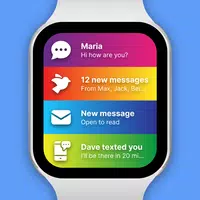
- Notification forwarding: Receive calls, messages and app alerts on your wrist with quick-reply options.
- Health and fitness synchronization: Steps, heart rate and sleep data move seamlessly to the phone for tracking and analysis.
- Media controls and remote features: Control music playback, find your phone, or reject calls directly from the watch.
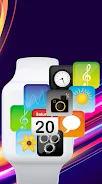
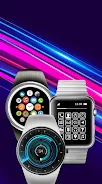
- Watch face management: Browse, install and customize faces without diving into advanced settings.
How the connection works
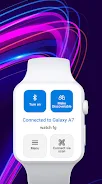
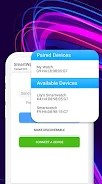
Pairing is handled through Bluetooth LE with a guided setup process that detects supported devices automatically. SmartWatch Sync scans for compatible hardware, verifies firmware compatibility and creates a stable link with reconnect logic so brief signal drops won’t interrupt your routines. Background syncing is throttled intelligently to preserve both battery life and data accuracy.
Sync and data flow
Data moves in small, efficient packets: health metrics and activity logs upload periodically while notifications are pushed instantly. A conflict-resolution layer prioritizes critical items — incoming calls and alarm events receive immediate attention, while bulk history items synchronize during idle periods. That balance is central to how SmartWatch Sync keeps information current without draining resources.
Interface and performance
The user interface emphasizes clarity. Main controls are arranged in a single dashboard with large, tappable elements for key functions: connect, start workout, view history, and change watch face. The UI scales across phones and tablets, and material-inspired styling keeps the look familiar to Android users. Performance testing shows swift pair/unpair operations and low CPU usage while running in the background.
Customization and personalization
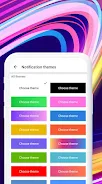
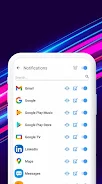
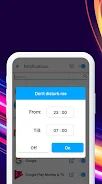
Users can tailor notifications by app, set do-not-disturb windows, and configure haptics and vibration strength. Watch face presets are editable: choose complications, colors, and shortcut actions. For fitness-focused users, the app supports goal settings, weekly summaries and exportable logs in standard formats for further analysis.
Tips for new users
- Enable location or required permissions during setup for uninterrupted Bluetooth connectivity.
- Keep firmware updated on both watch and phone; updates often improve stability and add features.
- Use the battery-saver profile when you expect long days away from a charger; it reduces sync frequency and limits background tasks.
- Experiment with notification filters to avoid clutter on your watch while keeping essentials visible.
Why people pick it
Many users pick SmartWatch Sync because it reduces complexity. Instead of multiple vendor apps, they get a single interface that manages pairing, notifications and health data cohesively. Reliability and predictable battery impact are frequently cited in user feedback, as are incremental updates that expand device support and refine existing tools.
Practical scenarios
Commuters appreciate quick-reply templates for messages; runners use the GPS handoff and heart-rate sync during workouts; and professionals enable selective notification channels to limit distractions during meetings. The combination of configurable alerts and robust background syncing makes the app a versatile companion for varied lifestyles.
Getting started
Installation is straightforward: download the app from your preferred app store, grant the requested permissions, and follow the on-screen pairing assistant. Most users are up and running within minutes. For troubleshooting, built-in diagnostics report connectivity status and suggest next steps to resolve common issues like permission denials or Bluetooth conflicts.
Overall, SmartWatch Sync targets users who want a dependable, energy-efficient link between their watch and phone, offering practical tools for daily wear and fitness tracking without unnecessary clutter.
Show More
Information
Screenshots

Latest Update












Latest News
-
![Revealing the Launch Playlists and Cross-Progression for COD Warzone Mobile News]()
-
![March 2024 Free Redemption Codes for Honkai: Star Rail News]()
-
PUBG Mobile Teams Up with Bentley Motors: Luxury Cars, Exclusive Collectibles, and Beyond 2024-04-18
![PUBG Mobile Teams Up with Bentley Motors: Luxury Cars, Exclusive Collectibles, and Beyond News]()
-
![Monster Never Cry is now accessible on both Android and iOS mobile devices. News]()
-
V2.2 of the Farlight 84 update introduces an overhauled Season structure, fresh in-game currency, an 2024-04-16
![V2.2 of the Farlight 84 update introduces an overhauled Season structure, fresh in-game currency, an News]()
-
![Arrival of Genshin Impact 4.6 Update: 'Embers of Two Realms, Twilight of Crimson' News]()
-
April 2024 Clash of Clans Update: Unveiling a Fresh Companion, Enhanced Levels, Chat Tagging, and Be 2024-04-16
![April 2024 Clash of Clans Update: Unveiling a Fresh Companion, Enhanced Levels, Chat Tagging, and Be News]()






