

Head Model Studio
Version:1.10.0
Published:2026-10-31
Introduction
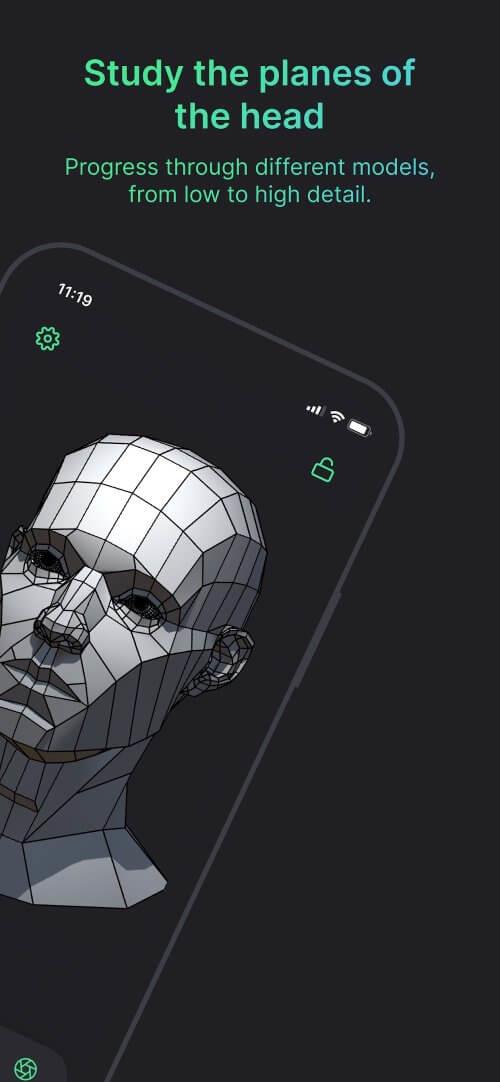
Head Model Studio is a mobile application for creating and refining realistic 3D heads using sculpting, texture painting and adjustable topology tools. Designed for hobbyists and professionals, it brings a compact, touch-friendly modeling workflow to Android devices with export options for common 3D formats and real-time preview.
Overview: what the app does
Head Model Studio focuses on a single, practical task: build detailed human heads on a phone or tablet. The app balances approachable controls with advanced functionality so you can start from a base mesh, sculpt facial features, paint textures and export assets to desktop software or game engines. Its modular layout keeps complex tools accessible on small screens.
Core features at a glance
- Interactive Sculpting — smooth brush strokes, symmetry modes and multiple brush types for shaping noses, eyes, mouths and ears.
- Texture Painting — paint directly on the model with layers, stencils and blending modes to add skin pores, freckles and color variation.
- Topology Tools — remeshing, retopology guides and adjustable edge flow to prepare models for animation or further editing.
- Lighting & Preview — real-time PBR preview with environment maps, adjustable lights and material presets for instant visual feedback.
- Export Options — export OBJ, FBX or PBR texture sets for use in popular 3D pipelines.
How the workflow unfolds
Start by loading a base head or importing a reference image. Work through broad forms first, refining major planes before switching to finer brushes for wrinkles and pores. The app separates sculpt, paint and topology stages so you can iterate without losing previous work. A non-destructive layering system helps experiment with features and color variations.
Tools and systems explained
Sculpt tools include standard pinch, inflate, smooth and grab operations, while advanced brushes simulate clay buildup and surface noise. The projection tool lets you transfer details between models. For texture work, the painting engine supports alpha brushes and UV-safe painting to avoid seams. A symmetry toggle allows mirrored edits for faster results.
Customization and control
Presets let you save brush settings and material looks. Adjustable subdivision levels help manage performance: lower subdivs for broad shaping, higher subdivs for pore-level detail. You can lock areas of the mesh to protect features while editing nearby regions. An undo history with visual thumbnails makes backtracking straightforward.
Interface and performance notes
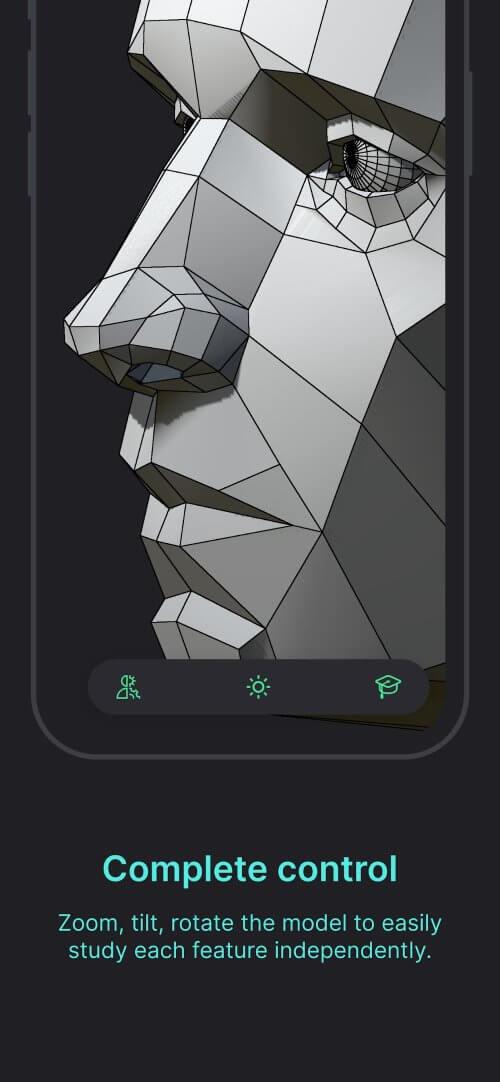
The interface is optimized for touch: gesture-based camera controls, context-sensitive tool panels and a compact toolbar. Performance varies by device; mid-range phones handle general sculpting well, while high-resolution detailing benefits from more powerful chips. The app includes options to limit polygon count, texture resolution and realtime lighting to maintain fluid interaction on older devices.
Tips for quick improvement
- Begin with larger brushes and low subdivision to get proportions right before detailing.
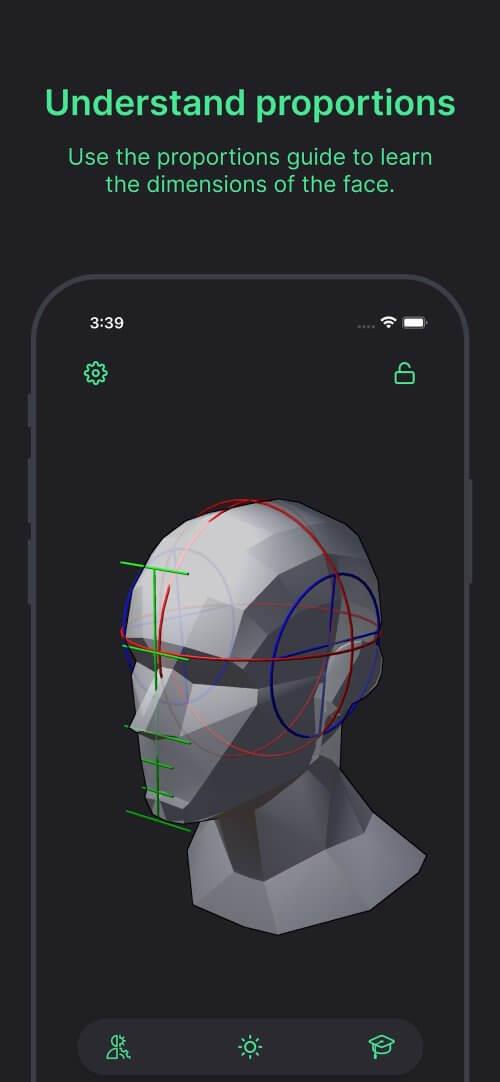
- Use reference images in orthographic views to keep features consistent.
- Save incremental versions after major steps so you can return to earlier stages if needed.
- Export test OBJ files early to verify topology and scale in a desktop app or engine.
Users new to 3D will appreciate the guided modes and presets, while experienced modelers can dive into topology controls and PBR texturing. Head Model Studio aims to shorten the gap between idea and usable asset by focusing on the head as a complete, exportable unit.
Who should try it
Artists producing character portraits, game developers prototyping NPCs, and hobbyists exploring 3D sculpting will find value here. The app’s export capabilities make it useful as a mobile companion to desktop packages, allowing quick iterations on location or during concept sessions.
Getting started
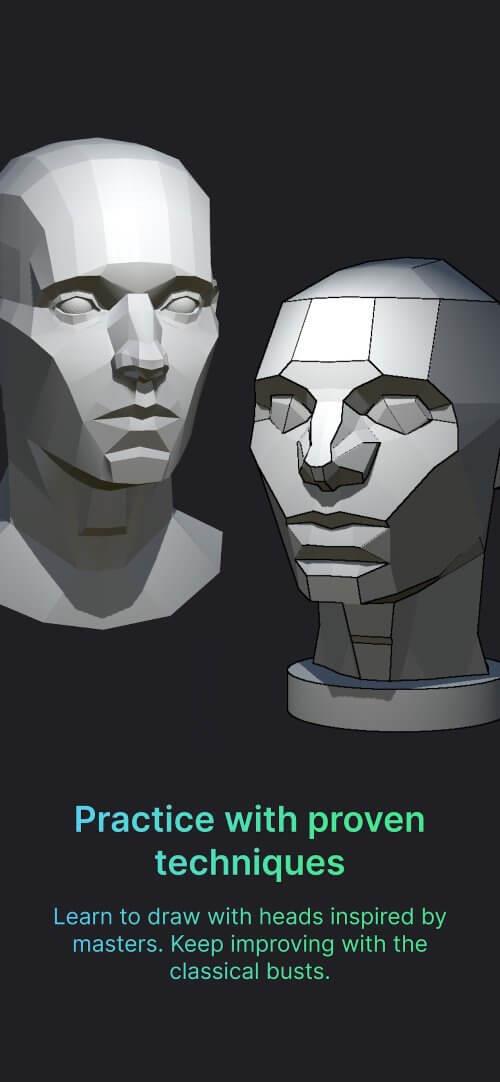
Install the app, choose a base mesh, and follow the in-app tutorials to learn the core brushes. Experiment with material presets and export a low-resolution OBJ to confirm your pipeline. Regularly back up projects to cloud storage to protect work between sessions.
Head Model Studio packs focused modeling and texturing tools into a handheld environment. Whether you’re sketching character ideas or building production-ready heads, the app provides a streamlined path from sculpt to export while keeping controls practical for mobile use.
Show More
Information
Screenshots


Latest Update












Latest News
-
![Revealing the Launch Playlists and Cross-Progression for COD Warzone Mobile News]()
-
![March 2024 Free Redemption Codes for Honkai: Star Rail News]()
-
PUBG Mobile Teams Up with Bentley Motors: Luxury Cars, Exclusive Collectibles, and Beyond 2024-04-18
![PUBG Mobile Teams Up with Bentley Motors: Luxury Cars, Exclusive Collectibles, and Beyond News]()
-
![Monster Never Cry is now accessible on both Android and iOS mobile devices. News]()
-
V2.2 of the Farlight 84 update introduces an overhauled Season structure, fresh in-game currency, an 2024-04-16
![V2.2 of the Farlight 84 update introduces an overhauled Season structure, fresh in-game currency, an News]()
-
![Arrival of Genshin Impact 4.6 Update: 'Embers of Two Realms, Twilight of Crimson' News]()
-
April 2024 Clash of Clans Update: Unveiling a Fresh Companion, Enhanced Levels, Chat Tagging, and Be 2024-04-16
![April 2024 Clash of Clans Update: Unveiling a Fresh Companion, Enhanced Levels, Chat Tagging, and Be News]()






