

Locator 24
Version:2.6.79
Published:2026-10-31
Introduction
Locator 24 is a lightweight Android utility that helps you find devices, friends, and important places with precise real-time mapping, offline caching, and fast ETA estimates. It combines simple controls with advanced tracking tools designed for everyday use, emergency planning, and quick location sharing across devices and contacts.
What Locator 24 does
At its core, Locator 24 delivers dependable location services without the complexity of professional-grade GIS tools. The app focuses on practical needs: real-time position updates, quick route previews, and a compact dashboard that surfaces the most relevant information for each tracking session. It works equally well for family safety, field work coordination, and simple navigation tasks.
Primary features you will use
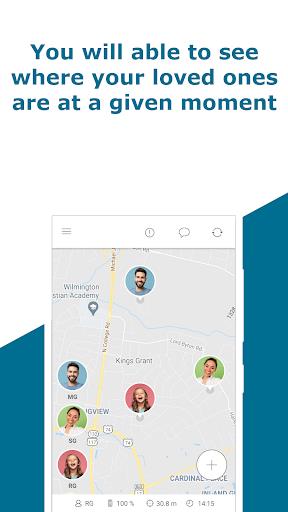
- Real-time tracking: Smooth position updates with adjustable refresh intervals to balance accuracy and battery use.
- Offline maps: Download regions for navigation when cellular coverage is weak or unavailable.
- ETA and routing: Fast route calculations that estimate arrival times using traffic-aware data.
- Location sharing: Send live or temporary location links via messaging apps or email.
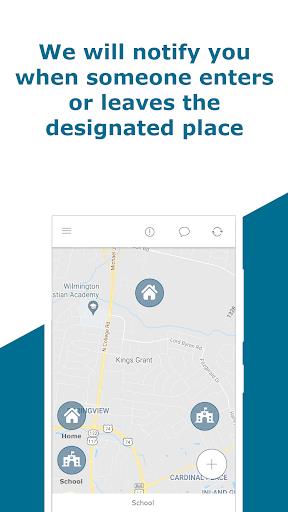
- Geofencing: Create virtual boundaries to receive alerts when a device enters or leaves a set area.
How it works in daily use
Setting up a tracking session takes moments: choose a target (device, contact, or saved place), pick map detail level, and start the live view. Locator 24 uses a combination of GPS, Wi-Fi, and cell triangulation to deliver positions. When GPS is unreliable, the app gracefully falls back to network-based estimates while indicating confidence levels on the map.
Tools and customization
The app includes practical utilities that improve workflow. Custom markers help you categorize points of interest, while color-coded paths visualize recent movement. You can set update frequency per contact and create default behaviors for specific groups, making it easier to manage multiple tracked devices without manual adjustments.
Interface and performance
Locator 24 emphasizes clarity: large map tiles, readable icons, and a compact info panel make it simple to interpret current status at a glance. Performance is optimized for mid-range devices; background tracking minimizes CPU spikes and offers a battery saver mode that increases the interval between location checks without sacrificing basic visibility.
Privacy controls and permissions
Privacy is handled with transparent permission prompts and clear options to stop sharing immediately. You can limit location precision, revoke historical logs, and choose whether location data is stored locally or synced to a cloud account. Notifications explain what each permission does, and you are able to deactivate tracking for individual contacts when needed.
Practical scenarios where it helps
Locator 24 is useful for coordinating meetups, monitoring senior relatives, or tracking company vehicles during short runs. Delivery teams can use geofences to mark completed stops, while parents can employ temporary location sharing for school trips. The app's offline capabilities also make it a handy companion for outdoor activities where mobile data is intermittent.
Tips for new users
- Enable offline maps for routes you expect to travel without coverage.
- Use battery saver mode during long sessions to avoid rapid drainage.
- Test sharing links with a trusted contact to verify visibility settings before relying on them in an emergency.
- Assign descriptive names to devices and markers to speed up selection.
Installation and first setup
Download and install directly from the Google Play Store, then follow the guided setup to grant location permission and configure sharing defaults. The initial map cache for a small area completes quickly; consider pre-downloading larger regions if you plan to go offline. Regular updates are small and focused on improving map loading and reducing power use.
Locator 24 strikes a balance between robust tracking capabilities and an approachable interface. For users who need straightforward, reliable location tools without a steep learning curve, it offers the essential controls and privacy options needed for responsible use.
Show More
Information
Screenshots
Latest Update












Hot Tags
Latest News
-
![Revealing the Launch Playlists and Cross-Progression for COD Warzone Mobile News]()
-
![March 2024 Free Redemption Codes for Honkai: Star Rail News]()
-
PUBG Mobile Teams Up with Bentley Motors: Luxury Cars, Exclusive Collectibles, and Beyond 2024-04-18
![PUBG Mobile Teams Up with Bentley Motors: Luxury Cars, Exclusive Collectibles, and Beyond News]()
-
![Monster Never Cry is now accessible on both Android and iOS mobile devices. News]()
-
V2.2 of the Farlight 84 update introduces an overhauled Season structure, fresh in-game currency, an 2024-04-16
![V2.2 of the Farlight 84 update introduces an overhauled Season structure, fresh in-game currency, an News]()
-
![Arrival of Genshin Impact 4.6 Update: 'Embers of Two Realms, Twilight of Crimson' News]()
-
April 2024 Clash of Clans Update: Unveiling a Fresh Companion, Enhanced Levels, Chat Tagging, and Be 2024-04-16
![April 2024 Clash of Clans Update: Unveiling a Fresh Companion, Enhanced Levels, Chat Tagging, and Be News]()






