

Smart Data Transfer
Version:1.15
Published:2026-10-31
Introduction
Smart Data Transfer makes moving files between Android devices fast and simple. The app provides a clear interface for transferring photos, videos, contacts and apps without cables, using Wi‑Fi or hotspot connections. It emphasizes speed, reliability and ease for one‑time moves or ongoing backups.
Key features at a glance
Smart Data Transfer bundles the essentials for device migration into a compact, user-friendly package. It supports bulk transfers, selective syncing, and resume-on-failure so you can move large libraries without restarting from scratch. The app also includes an in-app file browser and preview functions to confirm items before sending.
How the transfer process works
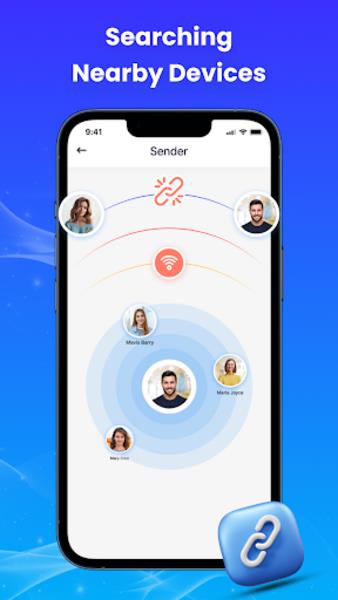
The workflow focuses on clarity and few steps: choose source and destination devices, select the content categories or individual files, then start the connection. Smart Data Transfer offers both peer-to-peer Wi‑Fi transfers and a local hotspot fallback when a shared network is unavailable. Transfers are routed directly between devices to avoid third-party cloud uploads.
Supported content and selective migration
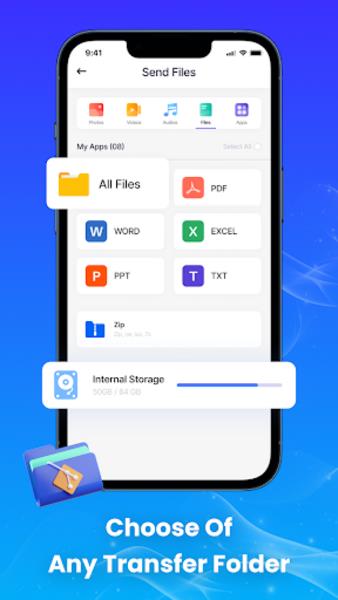
You can move a wide variety of content: photos, videos, audio files, documents, contacts and APKs. Smart Data Transfer lets you pick entire folders or hand-select files, making it practical to migrate only what you need. App lists and APK export help re-install apps without carrying over unnecessary data.
Security and privacy safeguards
Privacy is handled locally: file exchange occurs over encrypted local connections and no personal content is uploaded to external servers. Smart Data Transfer uses short-lived pairing codes and optional PIN protection to prevent unauthorized connections. Clear permission prompts let you control access to storage, contacts and media.
Performance and compatibility
Designed for modern Android devices, the app adapts to varying network speeds and hardware capabilities. Large transfers are split into chunks and verified on arrival to reduce corruption. Smart Data Transfer works across different Android versions and vendors, and it automatically adjusts transfer rates to minimize interference with other network activity.
Interface and usability
The UI prioritizes readability and speed. Main functions are presented as clear tiles, with progress bars and estimated time remaining for ongoing transfers. Built-in tips and a compact help section guide first-time users through pairing and troubleshooting without leaving the app.
Step-by-step: moving files in minutes
- Open Smart Data Transfer on both devices and select Send or Receive.
- Choose content categories or tap the file browser to pick specific items.
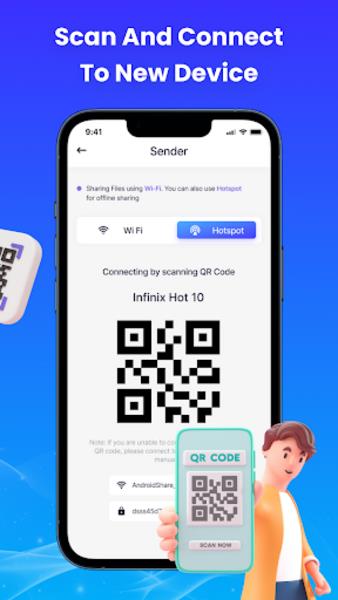
- Connect via the same Wi‑Fi network or create a hotspot from one device.
- Confirm the pairing code or PIN and begin the transfer.
- Monitor progress and let the app verify transferred files when complete.
Best practices and tips
For large photo or video libraries, use a high-bandwidth Wi‑Fi connection and charge both devices to prevent interruptions. If a transfer stalls, use the resume option instead of restarting. Clear temporary cache within the app periodically to keep the file browser responsive, and enable automatic retries for unstable networks.
Why choose this app
Smart Data Transfer stands out for its straightforward workflow, strong local privacy model, and robust handling of large data sets. It removes the need for cables or cloud uploads during device migration and keeps control in the hands of the user. Frequent updates add compatibility fixes and faster transfer heuristics based on device telemetry.
Compatibility checklist
- Works with most Android versions and manufacturers.
- No internet upload required for local transfers.
- Handles mixed file types, including APKs for app migration.
- Optimizes transfers for both Wi‑Fi and hotspot modes.
Whether you are upgrading phones, sharing media with family, or maintaining backups, Smart Data Transfer delivers a dependable, transparent solution for moving your digital content. The app balances speed, safety and simplicity so transfers become a routine rather than a chore.
Show More
Information
Screenshots
Latest Update












Hot Tags
Latest News
-
![Revealing the Launch Playlists and Cross-Progression for COD Warzone Mobile News]()
-
![March 2024 Free Redemption Codes for Honkai: Star Rail News]()
-
PUBG Mobile Teams Up with Bentley Motors: Luxury Cars, Exclusive Collectibles, and Beyond 2024-04-18
![PUBG Mobile Teams Up with Bentley Motors: Luxury Cars, Exclusive Collectibles, and Beyond News]()
-
![Monster Never Cry is now accessible on both Android and iOS mobile devices. News]()
-
V2.2 of the Farlight 84 update introduces an overhauled Season structure, fresh in-game currency, an 2024-04-16
![V2.2 of the Farlight 84 update introduces an overhauled Season structure, fresh in-game currency, an News]()
-
![Arrival of Genshin Impact 4.6 Update: 'Embers of Two Realms, Twilight of Crimson' News]()
-
April 2024 Clash of Clans Update: Unveiling a Fresh Companion, Enhanced Levels, Chat Tagging, and Be 2024-04-16
![April 2024 Clash of Clans Update: Unveiling a Fresh Companion, Enhanced Levels, Chat Tagging, and Be News]()






