
EasyCast
Version:2.0.4
Published:2026-11-01
Introduction
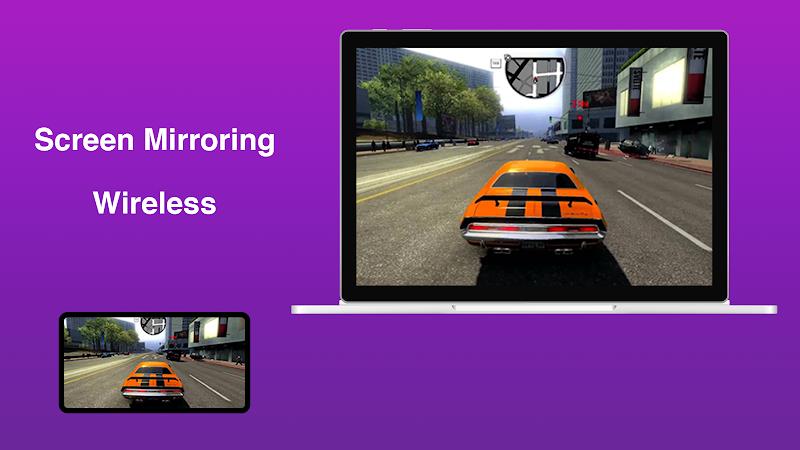
EasyCast makes it simple to mirror and stream your Android screen to smart TVs, streaming devices, or DLNA-enabled players. The app offers a quick connection workflow, low-latency mirroring, and a built-in media player for photos, videos, and audio, designed for reliable playback and minimal setup.
What EasyCast Does
EasyCast is a lightweight casting utility that turns your phone into a portable media hub. It supports direct screen mirroring, media file casting, and remote playback control. Whether you want to present slides, stream a movie from local storage, or show a live app demo on a larger display, the app provides the tools without extra configuration.
Core Features
- Screen Mirroring: Mirror your entire Android screen with adjustable resolution and orientation settings.
- Media Casting: Play videos, photos, and audio files stored on your device using the built-in player or pass them to compatible devices on the network.
- Multi-Protocol Support: Connect via popular protocols that many smart TVs and streamers use, ensuring broad device compatibility.
- Low Latency Mode: Prioritize responsiveness for presentations and games with reduced delay between devices.
- Subtitle and Audio Options: Load external subtitle files and switch audio tracks when supported by the target device.
- Local Network Discovery: Automatic scanning for compatible devices simplifies pairing and connection.
Interface and Usability
The user interface focuses on clarity. A single home screen shows nearby devices and recent media, while quick-access controls let you start, pause, or stop casting with one tap. Settings are organized into display, audio, and network groups, making it straightforward to adjust bitrate, frame rate, or security preferences without digging through menus.
Performance and Compatibility
EasyCast performs well across a wide range of hardware. It adapts streaming quality based on network conditions and device capabilities to reduce buffering and stuttering. On fast Wi-Fi networks you’ll see smooth high-resolution playback; on limited connections the app favors stability. Compatibility is broad, covering many smart TVs, receivers, and streaming devices that follow standard casting or DLNA behaviors.
Setup and First-Time Use
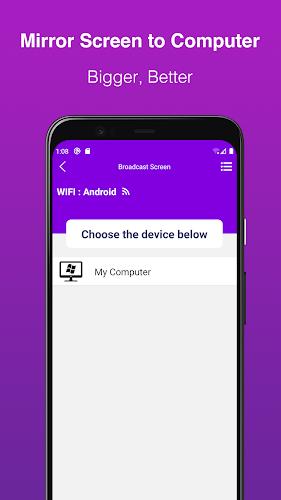
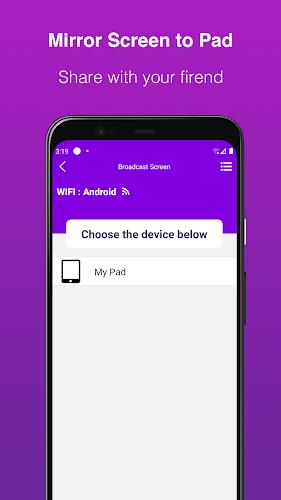
Getting started with EasyCast takes only a few steps. Enable your target device’s network visibility, open the app, and let it scan for nearby endpoints. Select the destination, choose whether to mirror the screen or cast a specific file, and tap Connect. A short tutorial guides first-time users through permissions and common troubleshooting steps, helping prevent common network or codec issues.
Advanced Controls and Customization
For users who want finer control, EasyCast includes options to change video codecs, limit maximum bitrate, and set a preferred display resolution. You can also toggle orientation lock, enable hardware acceleration if supported, and configure a default media folder for quick access. These choices let power users balance quality and responsiveness for different environments.
Use Cases and Practical Tips
EasyCast fits many scenarios: business presentations without extra adapters, sharing photos and home videos on a living room TV, casting tutorials during online lessons, or showing mobile game footage on a larger screen. To improve reliability, connect both devices to the same high-speed router, close background apps that consume bandwidth, and test playback resolution in advance of critical sessions.
Privacy and Security
The app prioritizes user control over network interactions. Connections can be restricted to the same local network and optional confirmation prompts ensure accidental casting doesn’t occur. Network discovery respects system permissions and does not expose personal media beyond the selected destination.
Subscription and Add-Ons
EasyCast offers a free tier with core casting features and optional premium upgrades for advanced codecs, higher resolution limits, and an ad-free experience. The premium option unlocks features intended for frequent users and professional settings, while the free version remains functional for casual casting tasks.
Summary of Benefits
EasyCast combines a simple workflow with robust options for customization and control. It’s designed to work across common home and office setups, making screen sharing and media streaming more accessible. With intuitive controls and thoughtful performance tuning, the app adapts to different devices and network environments to deliver a dependable casting solution.
Show More
Information
Screenshots
Latest Update












Latest News
-
![Revealing the Launch Playlists and Cross-Progression for COD Warzone Mobile News]()
-
![March 2024 Free Redemption Codes for Honkai: Star Rail News]()
-
PUBG Mobile Teams Up with Bentley Motors: Luxury Cars, Exclusive Collectibles, and Beyond 2024-04-18
![PUBG Mobile Teams Up with Bentley Motors: Luxury Cars, Exclusive Collectibles, and Beyond News]()
-
![Monster Never Cry is now accessible on both Android and iOS mobile devices. News]()
-
V2.2 of the Farlight 84 update introduces an overhauled Season structure, fresh in-game currency, an 2024-04-16
![V2.2 of the Farlight 84 update introduces an overhauled Season structure, fresh in-game currency, an News]()
-
![Arrival of Genshin Impact 4.6 Update: 'Embers of Two Realms, Twilight of Crimson' News]()
-
April 2024 Clash of Clans Update: Unveiling a Fresh Companion, Enhanced Levels, Chat Tagging, and Be 2024-04-16
![April 2024 Clash of Clans Update: Unveiling a Fresh Companion, Enhanced Levels, Chat Tagging, and Be News]()






