
ProCCD
Version:3.1.1
Published:2026-11-01
Introduction
ProCCD is a professional camera control app designed for photographers and astronomers to manage CCD sensors, capture RAW frames, and automate exposures. It centralizes sensor settings, live view, and sequence scheduling into a single interface, making complex imaging sessions more efficient for both field and studio use.
Overview of the app
ProCCD targets users who need precise control over monochrome and color CCD devices. Whether you are doing long-exposure deep-sky imaging or high-resolution microscopy, the app combines hardware-level controls with convenient workflow tools. It focuses on stable capture, repeatable sequences, and a minimal learning curve for powerful results.
Core capabilities and tools
The strengths of ProCCD lie in its set of specialized features:
- Exposure and gain control: Fine-grained adjustments for exposure time, analog and digital gain, and binning for signal optimization.
- Temperature management: Integration with cooled sensors to monitor and log sensor temperature for consistent calibration frames.
- RAW output and formats: Lossless RAW export with metadata tagging and support for common astronomy file types.
- Live stacking and preview: Real-time stacking to preview faint detail without waiting through a full post-processing run.
- Sequence scheduler: Create multi-target sequences with dithering, focus checks, and filter wheel operations.
How it works in practice
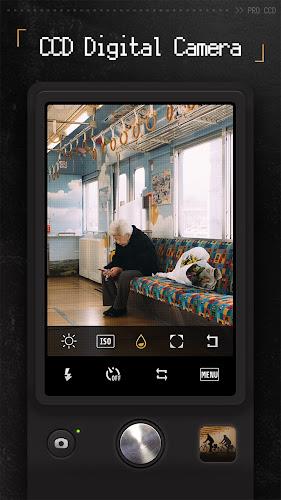
ProCCD connects to your camera via USB or networked drivers and exposes a control panel that mirrors hardware parameters. After selecting the sensor and setting basic parameters, you can run a single frame capture or build a sequence. The app captures each frame to local storage while simultaneously writing a session log for tracking conditions and settings.
Workflow and automation
Automating repetitive tasks is straightforward. Use the sequence editor to define loops, conditional waits for meridian flips, or temperature stabilization thresholds. The UI allows drag-and-drop ordering for filter changes and autofocus triggers, simplifying multi-night projects.
Interface and performance
The interface in ProCCD balances detail and clarity. Large readouts show exposure, temperature, and histograms; smaller panels handle device settings. Performance is optimized for low-latency live view, and the app manages buffer queues to avoid dropped frames during long captures. CPU and disk usage are tunable to match lightweight laptops or powerful control PCs.
Customization and extensions
Users can customize toolbar layouts, create presets for common targets, and save export templates. ProCCD supports scripting hooks and third-party driver plugins to extend compatibility with older cameras and advanced telescope mounts. These options make it possible to tailor the app to personal setups without losing core stability.
Practical tips for new users
Getting productive with ProCCD is faster if you start with a short checklist: calibrate darks and flats for each session, create one sequence that includes a short test exposure, and verify temperature logs after initial runs. Use live stacking during setup to fine-tune framing and focus before committing to long sequences.
- Begin with conservative exposure and gain to evaluate noise characteristics.
- Schedule periodic autofocus events when using long sessions or when temperature shifts are expected.
- Keep an eye on storage and logging settings to prevent interruptions due to full disks.
Compatibility and installation
ProCCD installs on modern desktop and laptop platforms with native drivers for most USB CCD cameras and support for network cameras. The installer includes device discovery tools and a compatibility checker to guide driver updates. For specialized setups, the app documentation lists recommended firmware and driver versions to ensure smooth operation.
For users who rely on repeatable imaging projects, ProCCD delivers a combination of control, reliability, and clarity. Its balance of automation and manual fine-tuning makes it suitable for hobbyists advancing toward professional workflows as well as seasoned operators managing multi-night campaigns.
Show More
Information
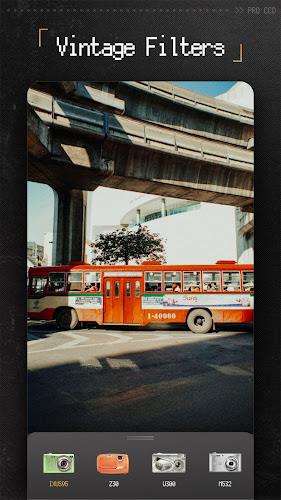
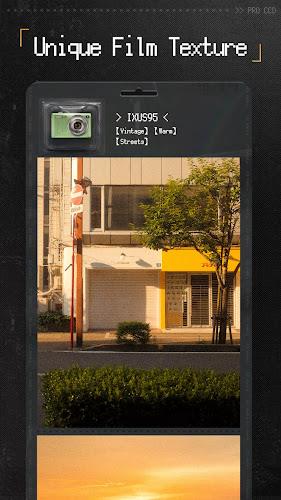
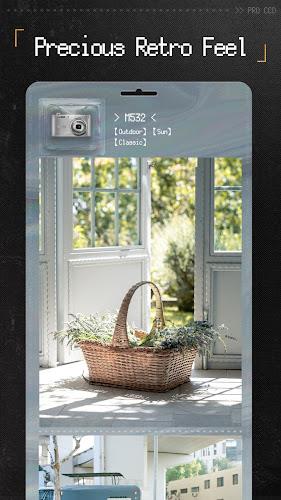
Screenshots


Latest Update












Hot Tags
Latest News
-
![Revealing the Launch Playlists and Cross-Progression for COD Warzone Mobile News]()
-
![March 2024 Free Redemption Codes for Honkai: Star Rail News]()
-
PUBG Mobile Teams Up with Bentley Motors: Luxury Cars, Exclusive Collectibles, and Beyond 2024-04-18
![PUBG Mobile Teams Up with Bentley Motors: Luxury Cars, Exclusive Collectibles, and Beyond News]()
-
![Monster Never Cry is now accessible on both Android and iOS mobile devices. News]()
-
V2.2 of the Farlight 84 update introduces an overhauled Season structure, fresh in-game currency, an 2024-04-16
![V2.2 of the Farlight 84 update introduces an overhauled Season structure, fresh in-game currency, an News]()
-
![Arrival of Genshin Impact 4.6 Update: 'Embers of Two Realms, Twilight of Crimson' News]()
-
April 2024 Clash of Clans Update: Unveiling a Fresh Companion, Enhanced Levels, Chat Tagging, and Be 2024-04-16
![April 2024 Clash of Clans Update: Unveiling a Fresh Companion, Enhanced Levels, Chat Tagging, and Be News]()






