

Desh Telugu Keyboard
Version:13.2.6
Published:2026-11-02
Introduction
Desh Telugu Keyboard brings fast Telugu typing to Android with transliteration, native layouts, and smart suggestions. It adapts to phonetic typing, supports Telugu script and English input simultaneously, and offers customizable themes, emoji, and swipe typing. Ideal for daily messaging, social posts, and content creation in Telugu.
What this keyboard does
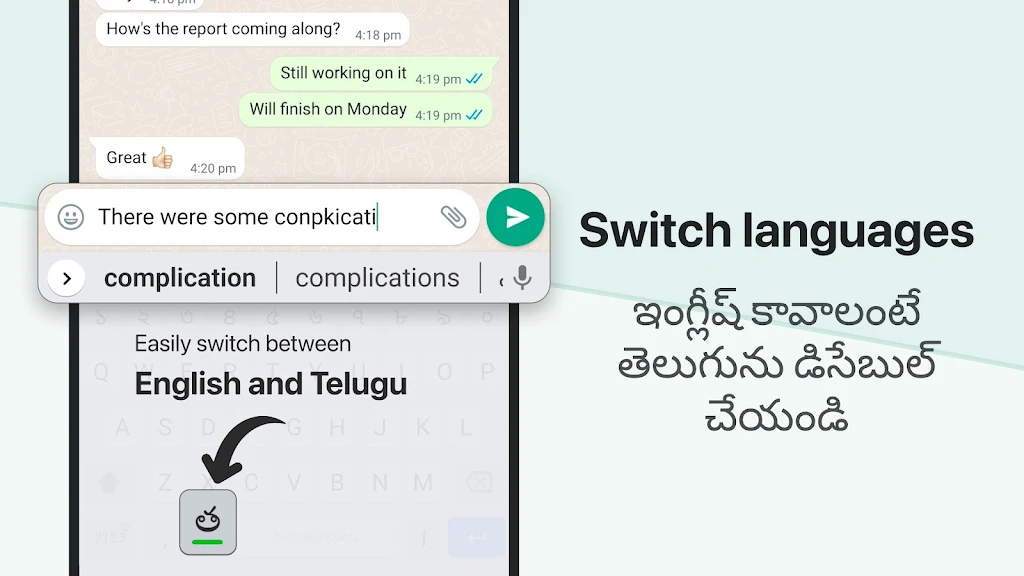
Desh Telugu Keyboard is designed for users who write in Telugu and often switch between scripts. The app combines a phonetic transliteration engine with a traditional Telugu layout so you can type the way you prefer. Prediction and auto-correction speed up messaging while a compact layout keeps the interface uncluttered.
Core features at a glance
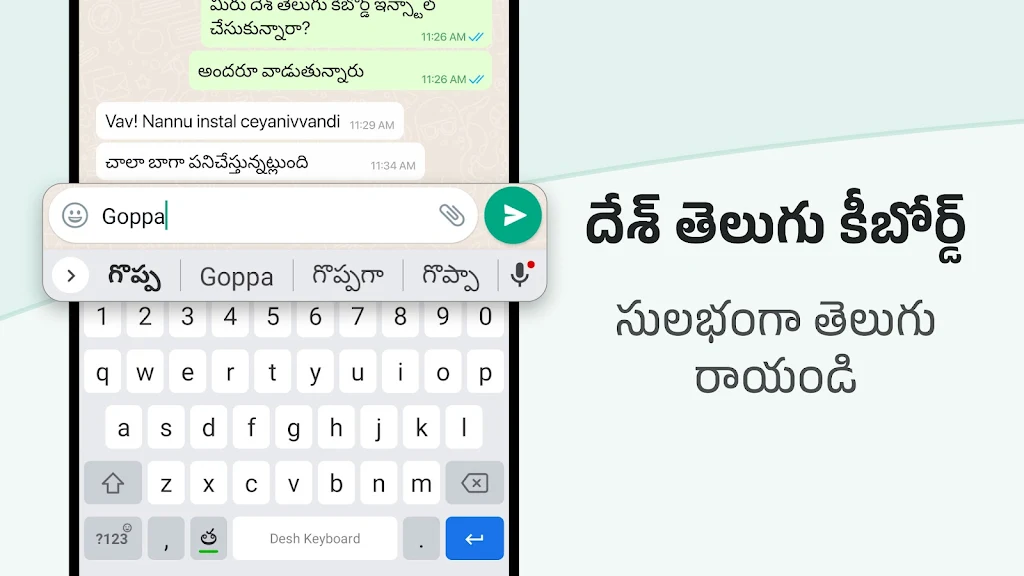
- Transliteration mode: Type phonetically in Latin letters and get accurate Telugu output.
- Native Telugu layout: Full script keyboard for users comfortable with standard key placement.
- Smart suggestions: Context-aware word suggestions and next-word prediction.
- Swipe and gesture typing: Quick input for long messages without tapping each key.
- Emoji and stickers: Built-in selection compatible with popular chat apps.
- Custom themes: Color schemes and background images to personalize the keyboard.
How typing works
The typing system blends a transliteration engine with a learning dictionary. Start in transliteration mode and type common syllables using Latin letters; the keyboard converts them to Telugu script on the fly. If you prefer, switch to the native Telugu layout to tap letters directly. Prediction learns from your entries to improve accuracy over time.
Practical tools and productivity
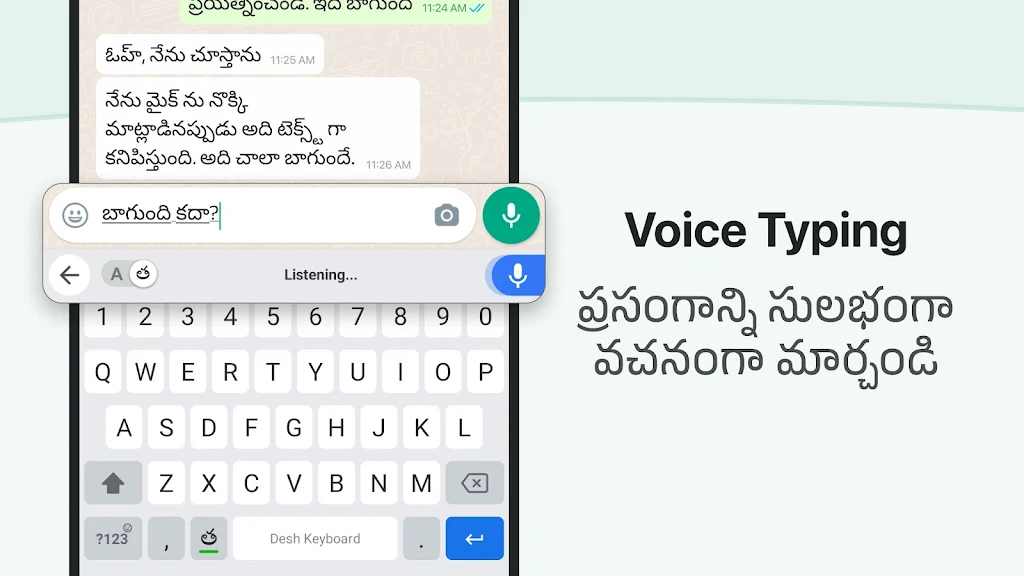
Beyond basic typing, the app offers useful utilities for daily productivity. A clipboard manager stores recent snippets for quick reuse. Quick-access phrases and a favorites bar let you insert frequently used lines without retyping. Voice input is available for hands-free note-taking and works well when combined with the app's conversion features.
Personalization and appearance
Customization is a strong point. Desh Telugu Keyboard lets you change key size, font style, and background images so the keyboard feels familiar and comfortable. Several theme templates provide contrast options for daytime and low-light use. You can also rearrange the number row and enable a dedicated emoji key to suit your workflow.
Performance and privacy
The keyboard is optimized for smooth performance on a wide range of Android devices. Memory use is modest and animations are lightweight. Privacy controls are clear: language models and dictionaries operate on-device when possible, and optional cloud sync is available only if you permit it. The app requests minimal permissions for core functions like microphone access for voice typing.
Tips for new users
- Try the transliteration mode first—type a few sentences using Latin letters to get a feel for conversion accuracy.
- Enable learning suggestions so the keyboard adapts to your common phrases and names.
- Customize key size if you find the default layout too dense on smaller screens.
- Use the clipboard manager to store recurring responses for quick reuse in chats.
Desh Telugu Keyboard integrates well with messaging apps, social networks, and document editors. Its blend of phonetic typing and native script support makes it suitable for beginners and experienced Telugu typists alike. Whether you need fast replies, polished posts, or reliable note-taking, the app delivers a focused typing experience with meaningful customization.
Installation and setup
Getting started is straightforward: install the app, enable it as an input method in Android settings, and select it as your default keyboard. During setup you can choose initial language packs and theme preferences. Spend a few minutes training the predictive model by typing regular messages to improve suggestion quality.
For users who prioritize language accuracy and convenience, Desh Telugu Keyboard presents a balanced set of features without unnecessary complexity. Frequent updates enhance spelling and prediction, and a concise settings menu makes adjustments quick and intuitive.
Show More
Information
Screenshots
Latest Update












Latest News
-
![Revealing the Launch Playlists and Cross-Progression for COD Warzone Mobile News]()
-
![March 2024 Free Redemption Codes for Honkai: Star Rail News]()
-
PUBG Mobile Teams Up with Bentley Motors: Luxury Cars, Exclusive Collectibles, and Beyond 2024-04-18
![PUBG Mobile Teams Up with Bentley Motors: Luxury Cars, Exclusive Collectibles, and Beyond News]()
-
![Monster Never Cry is now accessible on both Android and iOS mobile devices. News]()
-
V2.2 of the Farlight 84 update introduces an overhauled Season structure, fresh in-game currency, an 2024-04-16
![V2.2 of the Farlight 84 update introduces an overhauled Season structure, fresh in-game currency, an News]()
-
![Arrival of Genshin Impact 4.6 Update: 'Embers of Two Realms, Twilight of Crimson' News]()
-
April 2024 Clash of Clans Update: Unveiling a Fresh Companion, Enhanced Levels, Chat Tagging, and Be 2024-04-16
![April 2024 Clash of Clans Update: Unveiling a Fresh Companion, Enhanced Levels, Chat Tagging, and Be News]()






