
Pixiz - Collage Maker
Version:1.7.0
Published:2026-11-03
Introduction
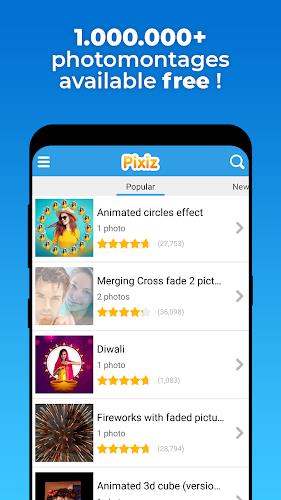
Pixiz - Collage Maker is a lightweight photo collage maker and editor designed to help you combine pictures into polished albums and shareable memories with minimal fuss. In the first moments after opening Pixiz - Collage Maker you will encounter a clear, compact interface that highlights templates, the device album, and the most common controls so you can begin assembling images without digging through menus. The app balances simple, quick actions with enough creative options that casual users and hobby creators can iterate on layouts and export results fast.
Key features and tools
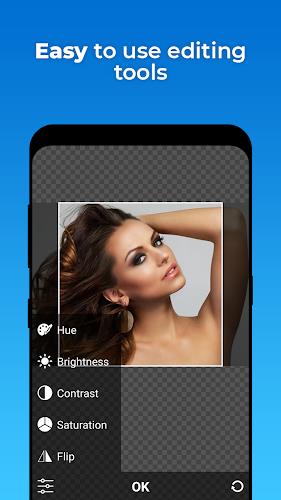
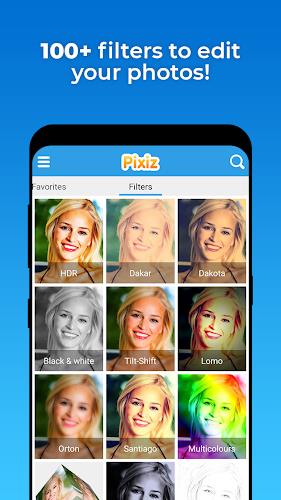
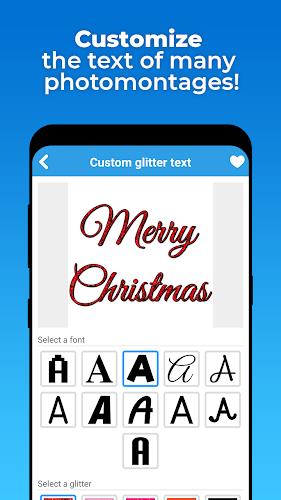
Pixiz - Collage Maker provides a set of ready-made frame templates and realistic collage layouts that let you place multiple photos in a structured composition within seconds. Color effects and filter presets give you consistent visual moods, while individual controls for brightness, contrast and saturation allow small, targeted adjustments. The app includes a library of stickers and icons plus straightforward text overlay tools so you can add captions, dates or short notes with basic formatting and precise placement. Smart editing suggestions appear as gentle prompts or one-tap fixes that streamline common corrections such as auto-cropping, horizon leveling and contrast balancing, helping you reach a finished look faster.
How the app works: controls, workflow and progression
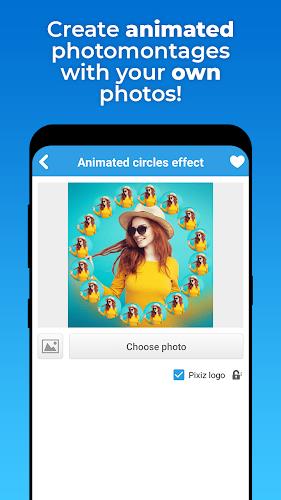
The workflow in Pixiz - Collage Maker is designed around three simple steps: select images, choose or adjust a layout, and export. Controls are intentionally touch-friendly: pinch to zoom and rotate images within frames, drag to reposition, and tap to open edit handles for each element. Progression is user-driven rather than feature-gated; as you become comfortable with templates and quick edits you can explore more nuanced adjustments or combine text and sticker layers for a more tailored appearance. Projects can be saved and reopened so your editing process can evolve over multiple sessions, letting you refine a collage over time rather than finishing it in one sitting.
Customization, visual style and level structure
Customization in Pixiz - Collage Maker centers on the mix-and-match approach: swap frames, change background colors or textures, and layer stickers or icons to shift the visual style from playful to polished. Templates function like level structures in a creative workflow: simple single-photo frames are ideal for quick posts, medium-density grids suit family albums, and denser, decorative layouts work for themed pages. While the app favors approachable presets, you can still control spacing, border thickness and text placement to create unique compositions that feel intentional and consistent across multiple collages.
Replay value and creative prompts
Replay value comes from the ease of reuse and variation. You can take the same template and produce multiple themed collages by swapping photos, adjusting color filters, or changing stickers. Smart suggestions act as occasional creative prompts, highlighting alternative crops or color treatments that may inspire new layouts. Because projects are quick to create and export, the app encourages experimentation and repeated use, whether you’re producing daily social posts, seasonal greeting images or simple photo collections for printing.
Accessibility, offline use and user experience
Pixiz - Collage Maker emphasizes accessibility with a clean layout, legible text labels and large touch targets for common actions. The interface avoids clutter so users who prefer straightforward workflows can move quickly between selection, editing and export. The app operates on-device and supports offline use for basic editing and export, keeping your photos private and available when you don’t have a network connection. Exported images are saved back to your device album with easy share options, but no network account is required to use the core tools.
Limitations and practical considerations
While Pixiz - Collage Maker is well suited for casual use and fast creation, it is not a replacement for full-featured desktop editors. Advanced professional controls such as layer masks, high-end retouching brushes or nondestructive project stacks are limited compared with specialized software. The app intentionally prioritizes speed and ease-of-use over granular customization, so power users seeking every possible adjustment may find the toolset basic. Despite these limits, the balance of templates, filters, stickers and smart suggestions makes Pixiz - Collage Maker a practical choice for everyday collage making and straightforward photo editing tasks.
Show More
Information
Screenshots



Latest Update












Latest News
-
![Revealing the Launch Playlists and Cross-Progression for COD Warzone Mobile News]()
-
![March 2024 Free Redemption Codes for Honkai: Star Rail News]()
-
PUBG Mobile Teams Up with Bentley Motors: Luxury Cars, Exclusive Collectibles, and Beyond 2024-04-18
![PUBG Mobile Teams Up with Bentley Motors: Luxury Cars, Exclusive Collectibles, and Beyond News]()
-
![Monster Never Cry is now accessible on both Android and iOS mobile devices. News]()
-
V2.2 of the Farlight 84 update introduces an overhauled Season structure, fresh in-game currency, an 2024-04-16
![V2.2 of the Farlight 84 update introduces an overhauled Season structure, fresh in-game currency, an News]()
-
![Arrival of Genshin Impact 4.6 Update: 'Embers of Two Realms, Twilight of Crimson' News]()
-
April 2024 Clash of Clans Update: Unveiling a Fresh Companion, Enhanced Levels, Chat Tagging, and Be 2024-04-16
![April 2024 Clash of Clans Update: Unveiling a Fresh Companion, Enhanced Levels, Chat Tagging, and Be News]()






