

Multi Parallel
Version:4.0.11.0608
Published:2026-11-03
Introduction
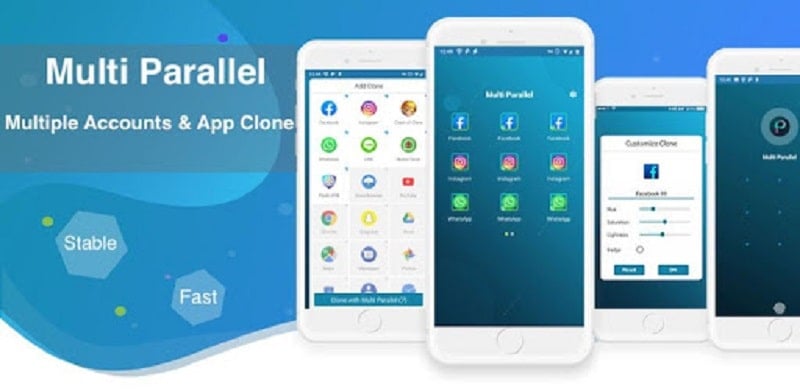
Multi Parallel is a powerful app cloning tool that lets you run multiple accounts for social networks, games, and productivity apps on one Android device. It creates isolated spaces for each app instance while keeping performance efficient and settings separate for privacy and convenience.
Overview: what this app delivers
Designed for users who juggle personal, work, and gaming profiles, Multi Parallel offers a streamlined way to duplicate apps and manage distinct sessions without logging in and out constantly. It focuses on isolation, low memory overhead, and quick switching so you can keep conversations, leaderboards, and backups separate and organized.
Core capabilities
- Multiple instances: Create duplicates of popular apps—messaging, social networks, and many games—so each account runs independently.
- Privacy controls: Lock cloned spaces with PIN or fingerprint, preventing unauthorized access to a second account.
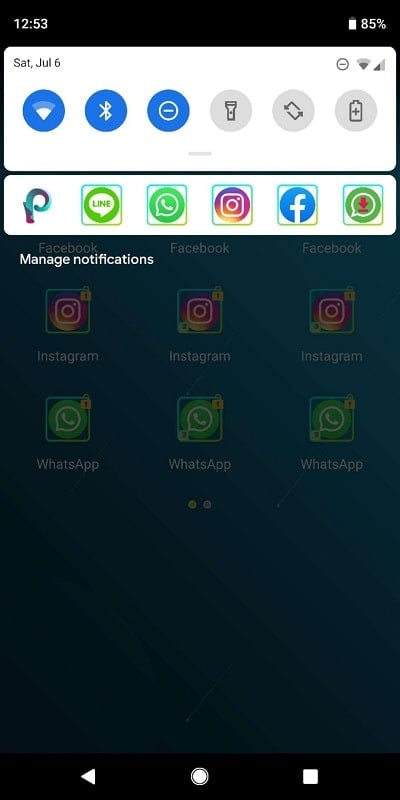
- Notification management: Customize which instance can send alerts so you only get notified for the accounts that matter.
- Data separation: Maintain separate caches and storage for each clone to avoid conflicts and accidental data mixing.
How it works in daily use
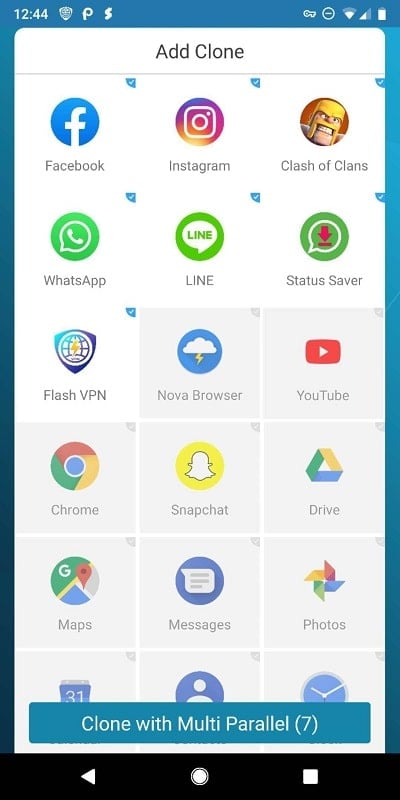
After installing Multi Parallel, you pick the apps you want to clone from a simple list. Each cloned app behaves like a fresh installation: logged-in information, app settings, and temporary files are kept inside the clone environment. Switching between accounts is done with a tap, and you can run several instances simultaneously depending on your device resources.
Interface and performance
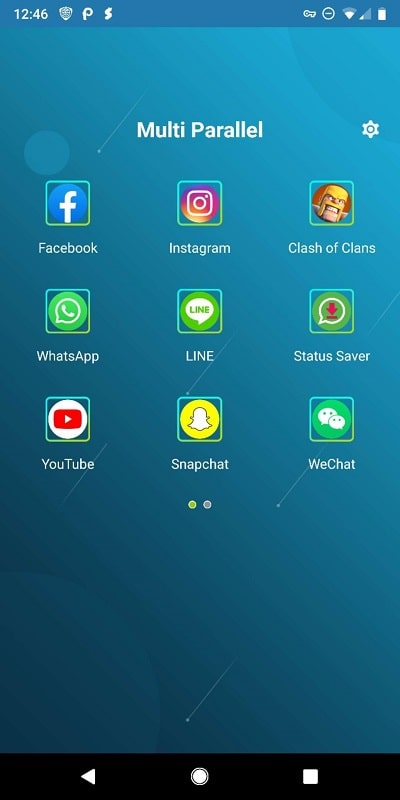
The interface is minimal and focused on speed. Icons for original and cloned apps are grouped within a dashboard, and you can rename or recolor clones for easier identification. Multi Parallel optimizes background activity to reduce battery drain and memory footprint, but overall performance depends on your phone’s CPU and RAM. Lightweight devices may handle fewer active instances smoothly, while flagship phones can run many at once.
Customization and control
Customization is practical rather than flashy. You can change clone icons, add shortcuts to the home screen, and choose whether an instance can run at startup. Built-in locking and invisible mode allow sensitive clones to stay hidden from the app drawer. For users managing dozens of accounts, grouping and labeling features simplify navigation.
Useful tools for productivity
- Batch cloning: Duplicate several apps in a few taps to set up new work or gaming profiles quickly.
- Backup and restore: Export clone data for safekeeping or transfer between devices.
- Floating windows: For supported apps, run a clone in a movable window to multitask across apps.
User experience and reliability
Most users will find setup straightforward: Multi Parallel walks through permissions and explains how cloned data is stored. Crashes are rare on modern devices, though occasional app compatibility issues can occur with some games that detect virtualization or multi-instance tools. Regular updates address compatibility gaps and bring incremental improvements to stability.
Tips for new users
- Start with two or three clones to measure battery and performance impact before adding more.
- Use the lock feature for clones that contain sensitive accounts or personal messages.
- Keep your Android OS updated to reduce compatibility problems with the latest apps.
Why people choose it
Users pick Multi Parallel when they need a reliable, no-nonsense solution for managing more than one account on a single device. It removes the hassle of constant sign-ins, keeps work separate from personal life, and offers privacy-focused controls that many power users appreciate. The app’s straightforward workflow makes it accessible whether you’re a social media manager, casual gamer, or professional who needs distinct environments.
Installation and getting started
Installing Multi Parallel is similar to other utility apps: grant required permissions, select apps to clone, and configure locks or notifications. The app includes short walkthroughs for key features, and built-in settings let you tweak behavior to fit your usage patterns.
For anyone who runs multiple accounts on one handset, Multi Parallel combines essential cloning features with sensible privacy and performance options—helpful tools for maintaining separate profiles without adding complexity.
Show More
Information
Screenshots
Latest Update












Latest News
-
![Revealing the Launch Playlists and Cross-Progression for COD Warzone Mobile News]()
-
![March 2024 Free Redemption Codes for Honkai: Star Rail News]()
-
PUBG Mobile Teams Up with Bentley Motors: Luxury Cars, Exclusive Collectibles, and Beyond 2024-04-18
![PUBG Mobile Teams Up with Bentley Motors: Luxury Cars, Exclusive Collectibles, and Beyond News]()
-
![Monster Never Cry is now accessible on both Android and iOS mobile devices. News]()
-
V2.2 of the Farlight 84 update introduces an overhauled Season structure, fresh in-game currency, an 2024-04-16
![V2.2 of the Farlight 84 update introduces an overhauled Season structure, fresh in-game currency, an News]()
-
![Arrival of Genshin Impact 4.6 Update: 'Embers of Two Realms, Twilight of Crimson' News]()
-
April 2024 Clash of Clans Update: Unveiling a Fresh Companion, Enhanced Levels, Chat Tagging, and Be 2024-04-16
![April 2024 Clash of Clans Update: Unveiling a Fresh Companion, Enhanced Levels, Chat Tagging, and Be News]()






