

Panda Touch Pro
Version:9.9
Published:2026-11-03
Introduction
Panda Touch Pro is a customizable touch automation tool for Android that streamlines repetitive tapping, swiping, and gesture sequences with precision and scheduling. Designed for productivity and accessibility, Panda Touch Pro offers an intuitive interface, robust script-like actions, and low-resource performance to automate tasks, games, and testing workflows.
Core Features
Panda Touch Pro combines precise input replication with flexible timing and conditional logic. Users can create multi-step routines, record real-time gestures, and save templates for recurring tasks. The app supports looped sequences, randomized delays to mimic human interaction, and breakpoint markers to allow partial execution and manual intervention.
Interface and Workflow
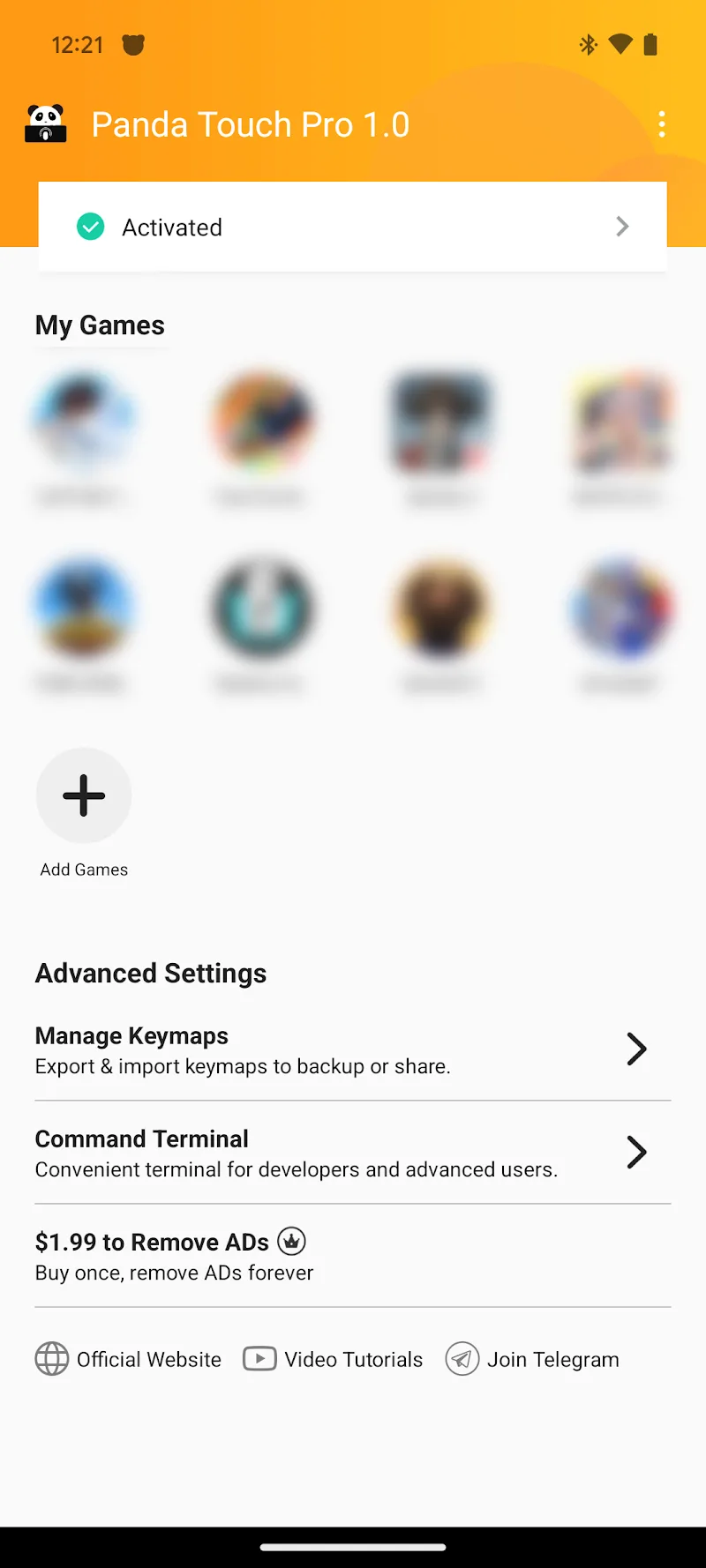
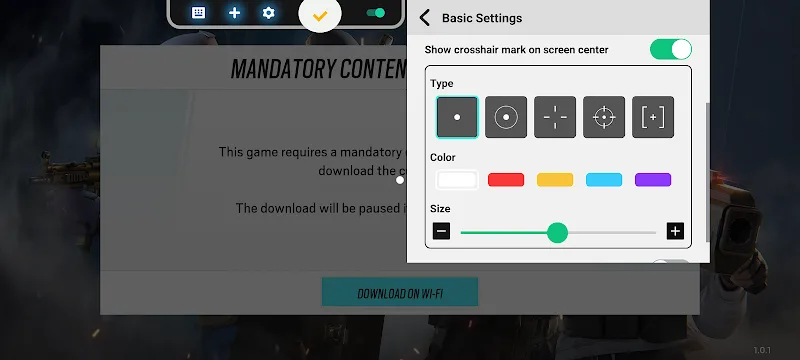
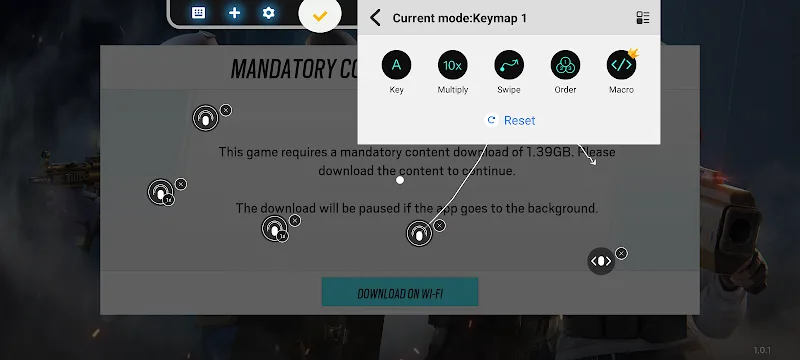
The interface balances power and simplicity. An action timeline presents gestures as draggable blocks that can be reordered, duplicated, or grouped. Contextual tooltips guide adjustments to coordinates, duration, and pressure emulation. For newcomers, a guided recorder captures taps and swipes automatically; advanced users can switch to the manual editor for exact coordinates and millisecond timing.
Automation Tools and Scripting
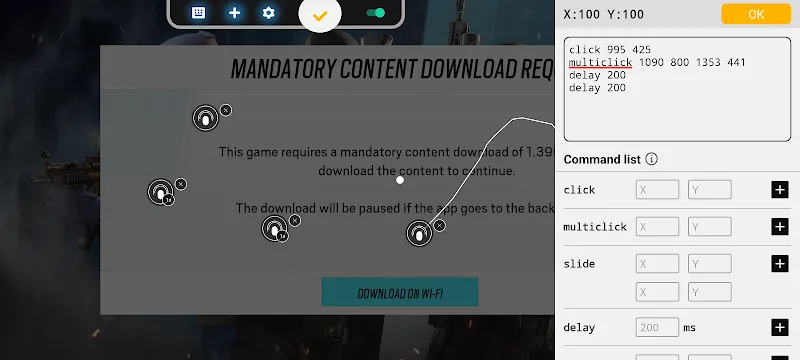
Beyond visual editing, Panda Touch Pro includes a lightweight scripting layer that enables conditional triggers and variable handling. This allows actions to respond to screen states, elapsed time, or external input like device rotation. Built-in commands cover common operations: tap, long press, swipe, pinch, wait, screenshot, and conditional checks based on pixel color or image templates.
Performance and Compatibility
Panda Touch Pro is engineered to run efficiently on a broad range of devices. The engine minimizes battery and CPU impact while maintaining accurate timing. Compatibility extends across recent Android versions and a variety of screen resolutions; the app can translate coordinates when moving profiles between devices with different aspect ratios.
Practical Use Cases
Use cases vary from productivity to quality assurance. Automate form filling, periodic data collection, and repetitive navigation in apps. Developers and testers can use Panda Touch Pro to run repeatable test scenarios or reproduce bugs reliably. Mobile gamers may configure automated routines for non-competitive tasks, saving time on grind-heavy activities while preserving fair-play practices.
Customization Options
Customization is extensive: assign custom icons to scripts, set per-action sound cues, and organize macros into folders with descriptive tags. Users can define execution schedules, run tasks at boot, or trigger actions via accessibility events and external shortcuts. The app also includes an import/export system so complex configurations can be shared or backed up.
Safety and Permissions
Panda Touch Pro requests only the permissions necessary to deliver automation features, such as accessibility access for input control and storage for saving profiles. Clear permission prompts explain why each access is required, and a sandbox mode lets users test scripts with visual previews before granting runtime control.
Tips for Reliable Automation
- Use image-based checks to confirm screen states before continuing a sequence.
- Introduce small randomized delays to reduce detectability and mimic human timing.
- Calibrate scripts on the target device resolution to avoid misplaced taps.
- Keep critical tasks single-threaded to prevent overlapping gestures.
Getting Started
Begin by recording a simple task, such as opening a menu and selecting an item. Save and name the sequence, then run it in preview mode to observe timing. Gradually add conditions and loops as needed. The built-in templates accelerate common scenarios, and the help center contains short walkthroughs to illustrate workflows.
Support and Updates
Panda Touch Pro receives regular updates to expand compatibility and add features based on user feedback. Release notes highlight improvements to the engine, new action types, and stability patches. A dedicated support section within the app provides troubleshooting steps and links to community forums for sharing profiles.
For anyone looking to reduce repetitive screen interactions or build repeatable mobile workflows, Panda Touch Pro delivers a flexible, performant toolkit that adapts to both simple and advanced needs. With careful setup and attention to device differences, users can dramatically cut manual effort while keeping full control over automation behavior.
Show More
Information
Screenshots
Latest Update












Latest News
-
![Revealing the Launch Playlists and Cross-Progression for COD Warzone Mobile News]()
-
![March 2024 Free Redemption Codes for Honkai: Star Rail News]()
-
PUBG Mobile Teams Up with Bentley Motors: Luxury Cars, Exclusive Collectibles, and Beyond 2024-04-18
![PUBG Mobile Teams Up with Bentley Motors: Luxury Cars, Exclusive Collectibles, and Beyond News]()
-
![Monster Never Cry is now accessible on both Android and iOS mobile devices. News]()
-
V2.2 of the Farlight 84 update introduces an overhauled Season structure, fresh in-game currency, an 2024-04-16
![V2.2 of the Farlight 84 update introduces an overhauled Season structure, fresh in-game currency, an News]()
-
![Arrival of Genshin Impact 4.6 Update: 'Embers of Two Realms, Twilight of Crimson' News]()
-
April 2024 Clash of Clans Update: Unveiling a Fresh Companion, Enhanced Levels, Chat Tagging, and Be 2024-04-16
![April 2024 Clash of Clans Update: Unveiling a Fresh Companion, Enhanced Levels, Chat Tagging, and Be News]()






