

tTorrent Lite + MOD Remove ADS
Version:1.8.9
Published:2026-11-13
Introduction
Download, queue, share: tTorrent Lite + MOD Remove ADS puts torrent control in your pocket, offering a no-frills Android client for fetching music, shows, documents and more. The modded build removes ads for a cleaner interface while keeping the basic torrent workflow intact. Whether you want to grab a multi-episode archive at home over Wi‑Fi or pull down a large media file while away from your desktop, this app focuses on selective downloads, basic feed support and a small footprint so your device stays responsive.
Getting Started with tTorrent Lite + MOD Remove ADS
Install and open: Download the APK, grant storage permissions and launch the app to access the main torrent view where active and queued transfers live.
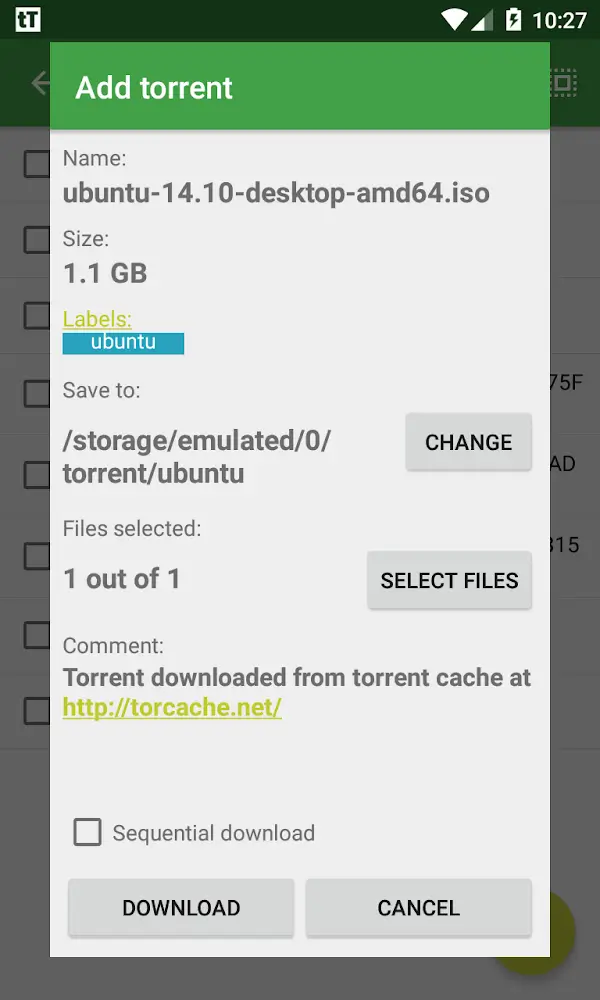
Add a torrent or magnet: Paste a magnet link or open a .torrent file from your device to begin; the client recognises both types and lists contained files before downloading.
Select files to download: When a torrent contains multiple items you can pick single files or a subset so you don’t need to fetch an entire archive at once.
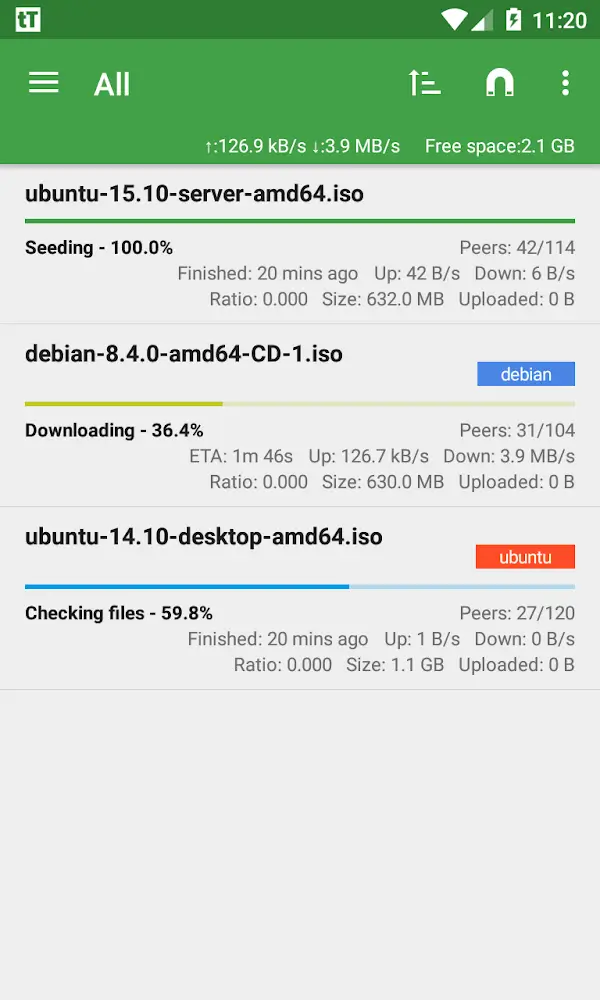
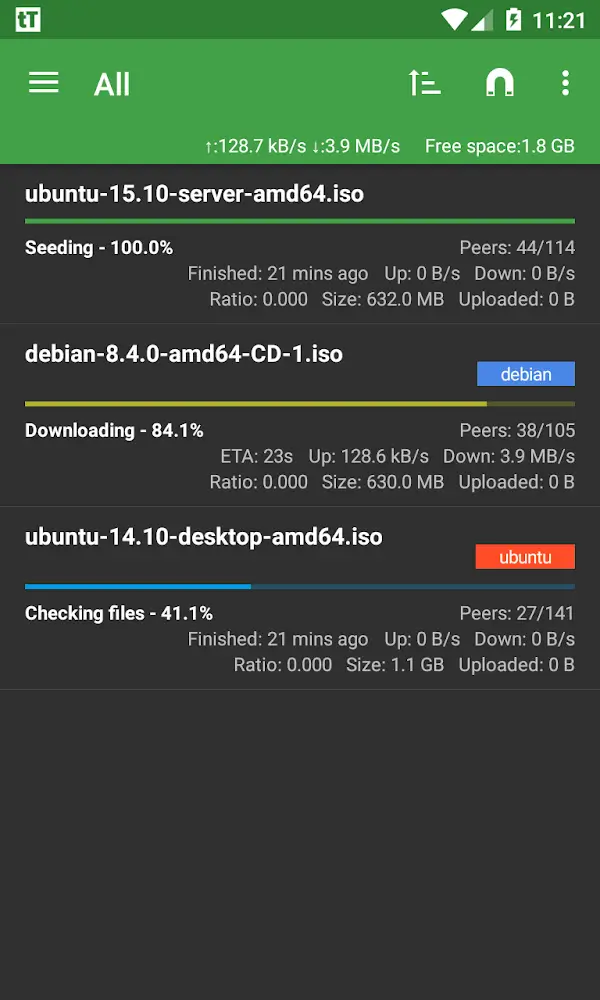
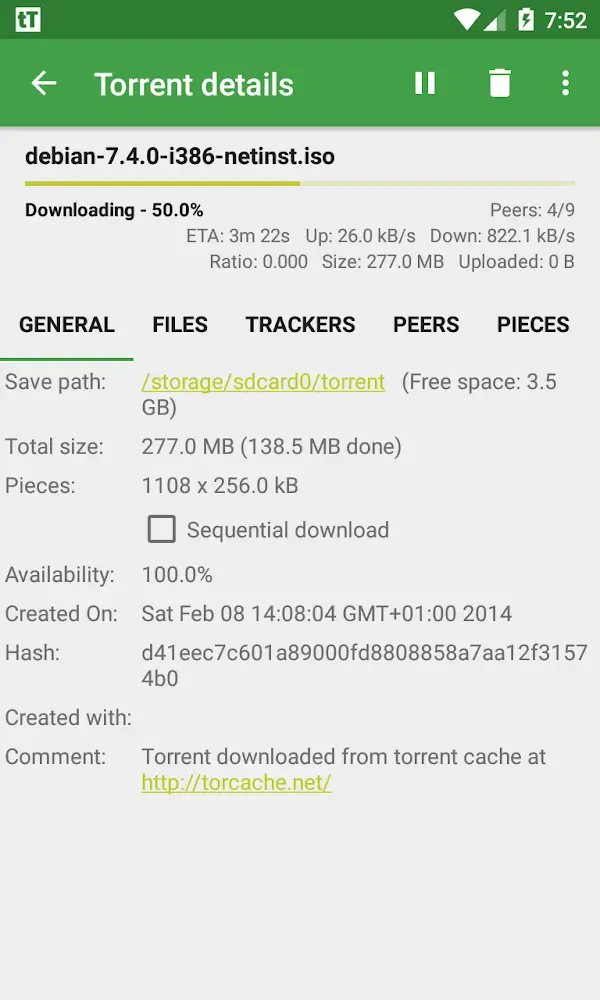
Monitor progress: The status pane shows seeds, peers, progress and basic speed stats so you can decide when to pause, resume or remove a transfer.
Features of tTorrent Lite + MOD Remove ADS
Selective downloading: Choose only the streams, episodes or tracks you need instead of pulling every file in a torrent, saving space on mobile storage.
Magnet and torrent support: The client handles magnet links automatically and opens traditional torrent files for straightforward additions.
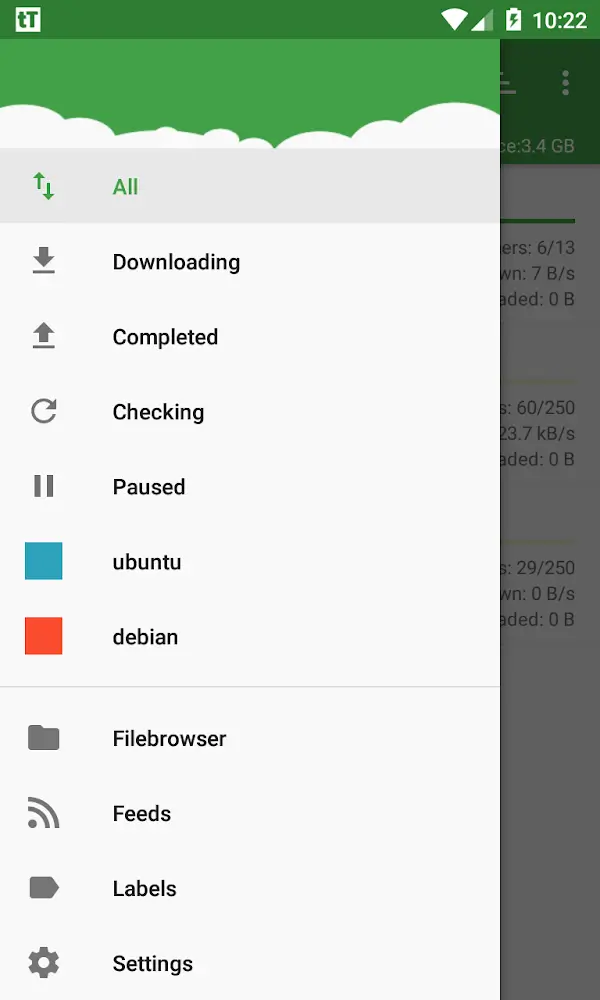
RSS feed support: Subscribe to feeds that publish torrent links so new releases can be discovered and started with minimal manual steps.
Sequential mode: A sequential or predefined download option lets you prioritise items inside a torrent when you want earlier files available first.
Ad-free experience: This MOD build removes in-app advertising for a tidier interface while preserving core torrent features.
Tips and Tricks
Prefer Wi‑Fi for large transfers: Use a trusted Wi‑Fi connection for big downloads to avoid mobile data overage and to speed up transfers when possible.
Manage storage before starting: Check available space and pick only the files you intend to keep so the device won’t run out of room mid-download.
Use feeds carefully: Add only reliable RSS sources and double-check items before starting an automatic download to avoid unwanted files.
FAQs about tTorrent Lite + MOD Remove ADS
Is tTorrent Lite + MOD Remove ADS safe to use?
It behaves like any torrent client: the app itself is a tool. Verify APK sources, keep your device updated and only download content you have the right to access.
Can I download over mobile data?
Yes, the client supports 4G/5G data connections, but large transfers can consume significant data. Prefer Wi‑Fi for heavy downloads if you have limited mobile allowance.
How does RSS automation work?
RSS lets the app scan a feed for new torrent links. When configured, it can present new items or start downloads based on rules you set in the feed settings.
Conclusion:
tTorrent Lite + MOD Remove ADS is a compact, user-focused torrent client that simplifies getting files to your Android device without the clutter of ads. It won’t replace desktop clients for advanced routing or long-term seeding, but if you need on-device control, selective downloads and basic feed support in a lightweight package, it’s a practical choice; feature details and availability can vary by build and Android version.
Show More
Information
Screenshots
Latest Update
-
![Smart Tools Mini APK]()
Smart Tools Mini
-
![Flat Earth Pro APK]()
Flat Earth Pro
-
![Quetta MOD Premium Unlocked APK]()
Quetta MOD Premium Unlocked
-
![Block Scroll MOD Premium Unloked APK]()
Block Scroll MOD Premium Unloked
-
![tTorrent Lite + MOD Remove ADS APK]()
tTorrent Lite + MOD Remove ADS
-
![ArmorPaint APK]()
ArmorPaint
-
![CycleGo MOD Premium Unlocked APK]()
CycleGo MOD Premium Unlocked
-
![Fuelmeter MOD Premium Unlocked APK]()
Fuelmeter MOD Premium Unlocked
-
![Dropsync MOD Premium Unlocked APK]()
Dropsync MOD Premium Unlocked
-
![Al Quran Kareem MOD Premium Unlocked APK]()
Al Quran Kareem MOD Premium Unlocked
-
![Swift Backup MOD Premium Unlocked APK]()
Swift Backup MOD Premium Unlocked
-
![Everything Widgets MOD Premium Unlocked APK]()
Everything Widgets MOD Premium Unlocked









Hot Tags
Latest News
-
![Revealing the Launch Playlists and Cross-Progression for COD Warzone Mobile News]()
-
![March 2024 Free Redemption Codes for Honkai: Star Rail News]()
-
PUBG Mobile Teams Up with Bentley Motors: Luxury Cars, Exclusive Collectibles, and Beyond 2024-04-18
![PUBG Mobile Teams Up with Bentley Motors: Luxury Cars, Exclusive Collectibles, and Beyond News]()
-
![Monster Never Cry is now accessible on both Android and iOS mobile devices. News]()
-
V2.2 of the Farlight 84 update introduces an overhauled Season structure, fresh in-game currency, an 2024-04-16
![V2.2 of the Farlight 84 update introduces an overhauled Season structure, fresh in-game currency, an News]()
-
![Arrival of Genshin Impact 4.6 Update: 'Embers of Two Realms, Twilight of Crimson' News]()
-
April 2024 Clash of Clans Update: Unveiling a Fresh Companion, Enhanced Levels, Chat Tagging, and Be 2024-04-16
![April 2024 Clash of Clans Update: Unveiling a Fresh Companion, Enhanced Levels, Chat Tagging, and Be News]()






