
Smart Tools Mini
Version:1.3.6
Published:2026-11-13
Introduction
If you're the kind of user who values fast access to small utilities, Smart Tools Mini makes those everyday helpers available without cluttering your home screen. This compact toolkit gathers a variety of practical utilities in a single app, adapting to your device and offering straightforward controls so you can complete quick tasks—from converting currency to checking basic device info—without digging through multiple apps.
Getting Started with Smart Tools Mini
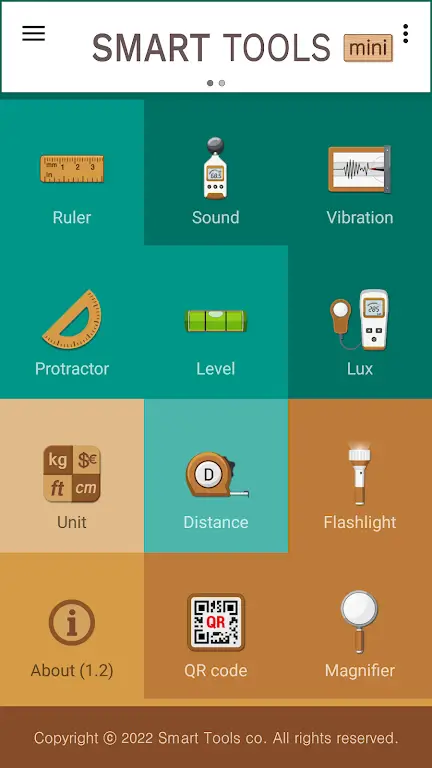
Install and open: After installation the app scans your device to adjust which tools can run, then presents a tidy list so you can jump straight to what you need.
Grant permissions when prompted: Some utilities require access to sensors or storage; granting only what you need keeps privacy in your control while enabling core functions.
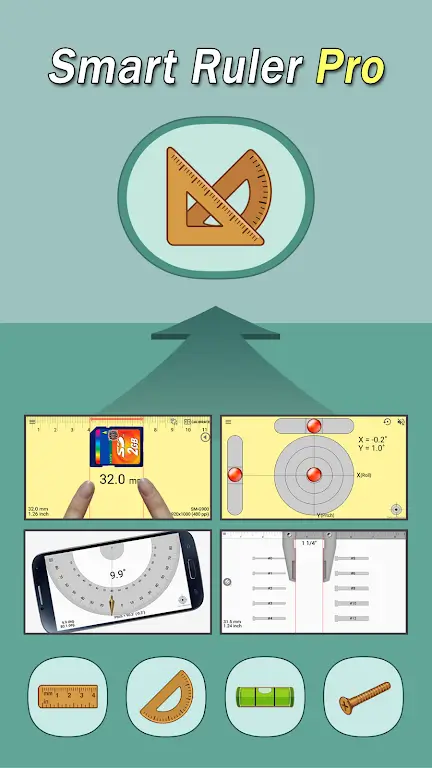
Pick a tool and explore: Tools are grouped and labeled so you can find converters, measurement helpers, and quick diagnostics; tap one to see controls and results immediately.
Features of Smart Tools Mini
Broad compatibility: The app is designed to work across a wide range of Android devices, so older phones can still run most utilities without relying on uncommon sensors.
Compact toolkit: Instead of a single-purpose app for each task, Smart Tools Mini bundles multiple helpers into one interface to reduce app clutter.
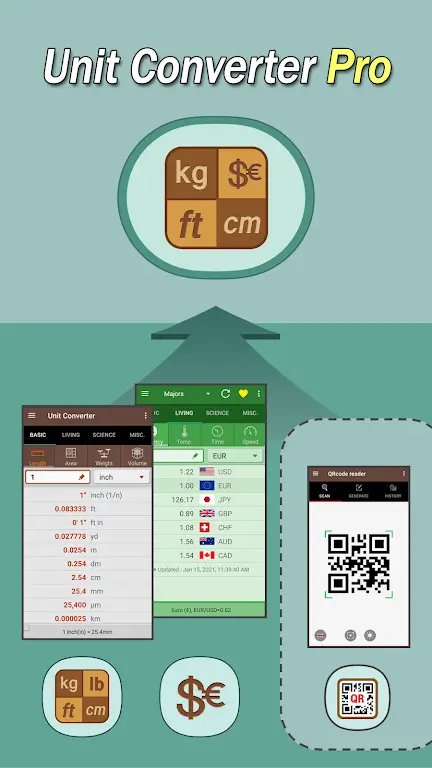
Live data where available: Currency conversion and similar features pull updated values so your calculations reflect recent rates.
Sensor-aware behavior: When a particular sensor is missing the interface adapts, hiding options that won’t function on that device to keep the experience clean.
Stability and low overhead: Designed to run smoothly on modest hardware, the app focuses on fast responses and minimal battery drain for routine tasks.
Pros & Cons
- Pros: Small footprint and broad device support
- Pros: Multiple utilities in a single install
- Pros: Updated conversion data for travel and finance
- Cons: Advanced specialist tools may be limited compared with dedicated apps
- Cons: Some features require permissions that you may prefer not to grant
Tips and Tricks
Pin the tools you use most: Keep favorites within easy reach so you don’t have to search for the same helper each time.
Use it for quick planning while traveling: Rely on the conversion features to estimate costs or compare prices when you’re checking menus or hotels abroad.
Check device info before troubleshooting: If you notice odd battery behavior or performance drops, the app’s diagnostics can give a fast snapshot so you know what to ask about when seeking support.
Final Words
Smart Tools Mini is a handy utility suite that streamlines many small tasks into a single, lightweight app; give it a try and see how it reduces the number of tools you need on your phone while keeping core functions within reach.
Show More
Information
Screenshots

Latest Update
-
![Smart Tools Mini APK]()
Smart Tools Mini
-
![Flat Earth Pro APK]()
Flat Earth Pro
-
![Quetta MOD Premium Unlocked APK]()
Quetta MOD Premium Unlocked
-
![Block Scroll MOD Premium Unloked APK]()
Block Scroll MOD Premium Unloked
-
![tTorrent Lite + MOD Remove ADS APK]()
tTorrent Lite + MOD Remove ADS
-
![ArmorPaint APK]()
ArmorPaint
-
![CycleGo MOD Premium Unlocked APK]()
CycleGo MOD Premium Unlocked
-
![Fuelmeter MOD Premium Unlocked APK]()
Fuelmeter MOD Premium Unlocked
-
![Dropsync MOD Premium Unlocked APK]()
Dropsync MOD Premium Unlocked
-
![Al Quran Kareem MOD Premium Unlocked APK]()
Al Quran Kareem MOD Premium Unlocked
-
![Swift Backup MOD Premium Unlocked APK]()
Swift Backup MOD Premium Unlocked
-
![Everything Widgets MOD Premium Unlocked APK]()
Everything Widgets MOD Premium Unlocked











Hot Tags
Latest News
-
![Revealing the Launch Playlists and Cross-Progression for COD Warzone Mobile News]()
-
![March 2024 Free Redemption Codes for Honkai: Star Rail News]()
-
PUBG Mobile Teams Up with Bentley Motors: Luxury Cars, Exclusive Collectibles, and Beyond 2024-04-18
![PUBG Mobile Teams Up with Bentley Motors: Luxury Cars, Exclusive Collectibles, and Beyond News]()
-
![Monster Never Cry is now accessible on both Android and iOS mobile devices. News]()
-
V2.2 of the Farlight 84 update introduces an overhauled Season structure, fresh in-game currency, an 2024-04-16
![V2.2 of the Farlight 84 update introduces an overhauled Season structure, fresh in-game currency, an News]()
-
![Arrival of Genshin Impact 4.6 Update: 'Embers of Two Realms, Twilight of Crimson' News]()
-
April 2024 Clash of Clans Update: Unveiling a Fresh Companion, Enhanced Levels, Chat Tagging, and Be 2024-04-16
![April 2024 Clash of Clans Update: Unveiling a Fresh Companion, Enhanced Levels, Chat Tagging, and Be News]()






